Workspace & Productivity
·
30 products compared
Last updated
9.6
⭐ Best Value Pick
Logitech MX Master 3S
Workspace Essentials
Affiliate disclosure: WorthTheCart may earn a commission from qualifying purchases. This does not affect our editorial opinions, rankings, or recommendations.
Workspace upgrades can completely change how it feels to work, study, create, write, edit, or build an online business from home.
A good workspace is not only about having a desk.
It is about making the desk easier to use.
It is about better typing, better posture, better lighting, cleaner cables, fewer distractions, stronger focus, better video calls, faster charging, safer storage, and a setup that makes you actually want to sit down and work.
That is why this guide is not just a random list of desk accessories.
This is a full productive workspace guide for people who want a cleaner home office desk setup, a better work-from-home setup, or a more serious creator workspace.
Some products in this list are core upgrades, like the Keychron V1 Max, Logitech MX Master 3S, Dell UltraSharp U2723QE, and Anker 675 USB-C Docking Station.
Other products are smaller quality-of-life upgrades, like Cable Clips, the Time Timer MOD, Rocketbook Core, and the Quartet Glass Desktop Whiteboard.
You do not need everything here.
But if you are building a productive desk setup from scratch, this guide gives you almost every category worth considering.
This article contains affiliate links, which means WorthTheCart may earn a commission if you buy through the links, at no extra cost to you.
What Makes a Productive Workspace?
A productive workspace should make work feel easier, not more complicated.
That means your desk should help you type comfortably, move your mouse naturally, see more on screen, keep your laptop connected, charge your devices, reduce cable mess, improve video calls, support your body, and keep distractions low.
A lot of people start with decoration.
That is fine, but decoration should come after function.
Before buying random desk decor, it usually makes more sense to upgrade your keyboard, mouse, monitor, lighting, chair, cable management, and charging setup.
Those are the things you actually feel every day.
A good productive workspace does not need to look like a luxury Pinterest setup.
It needs to work.
Best Keyboard and Mouse Upgrades
Keychron V1 Max
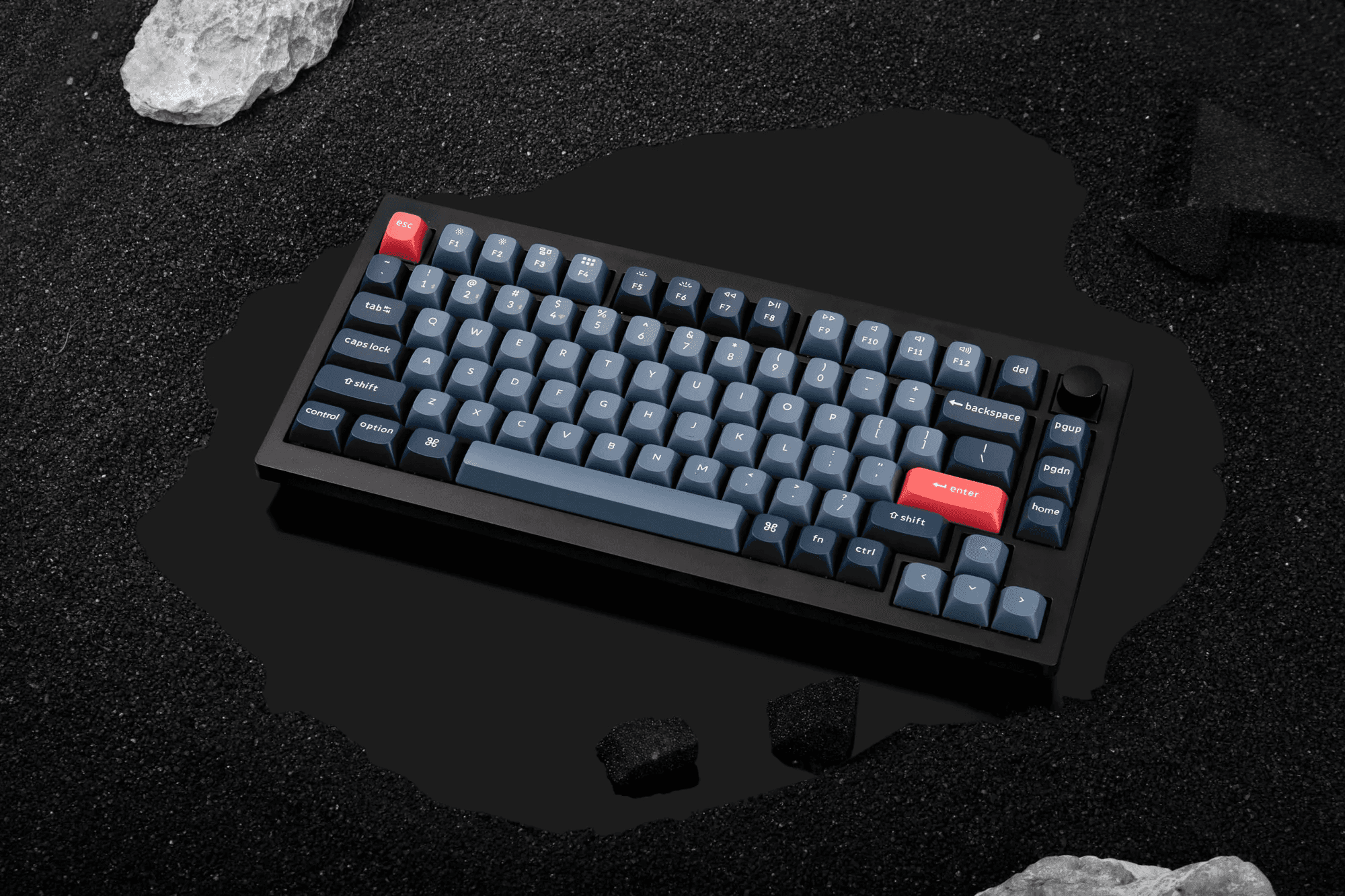
The Keychron V1 Max is one of the best starting points for a productive workspace because the keyboard is one of the products you touch the most.
If you write, study, code, edit documents, answer emails, manage a blog, or work from home, a better keyboard can make the entire desk feel more intentional.
The Keychron V1 Max fits especially well in a clean desk setup because it gives you a more serious typing experience without looking too loud or overly gamer-focused.
The Keychron V1 Max is a strong pick for people who want a mechanical keyboard that feels better than a laptop keyboard but still works in a modern home office setup.
It is especially useful if your current keyboard feels flat, cramped, cheap, or uncomfortable after long writing sessions.
Best for: Writers, students, programmers, bloggers, remote workers, and anyone who types a lot.
Reasons to buy:
The Keychron V1 Max makes typing feel more enjoyable.
The Keychron V1 Max fits a clean productivity-focused desk setup.
The Keychron V1 Max feels like a real upgrade from most laptop keyboards.
Reasons to avoid:
The Keychron V1 Max may be more keyboard than you need if you only use your desk occasionally.
WorthTheCart score: 9.6/10
Logitech MX Master 3S
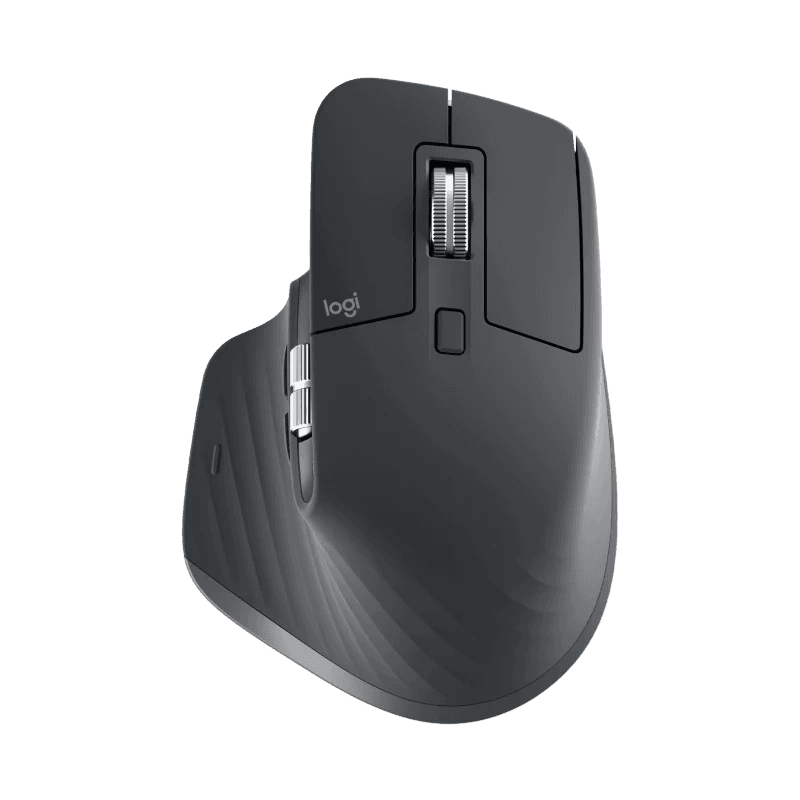
The Logitech MX Master 3S is one of the easiest workspace upgrades to recommend because almost everyone uses a mouse.
The Logitech MX Master 3S is especially useful for people who edit, research, write, browse, work in spreadsheets, switch between apps, or spend long hours at a desk.
A good productivity mouse is not only about clicking.
It is about comfort, scrolling, shortcuts, and making repeated tasks feel smoother.
The Logitech MX Master 3S works well in this guide because it fits both professional workspaces and creative setups.
If you are building a work-from-home desk setup, the Logitech MX Master 3S is one of the first upgrades worth considering after the keyboard.
Best for: Productivity, research, office work, editing, spreadsheets, and multitasking.
Reasons to buy:
The Logitech MX Master 3S is comfortable for long sessions.
The Logitech MX Master 3S feels more efficient than a basic mouse.
The Logitech MX Master 3S is useful for many different types of work.
Reasons to avoid:
The Logitech MX Master 3S may feel large if you prefer very small mice.
WorthTheCart score: 9.5/10
Keychron M6 Wireless Mouse
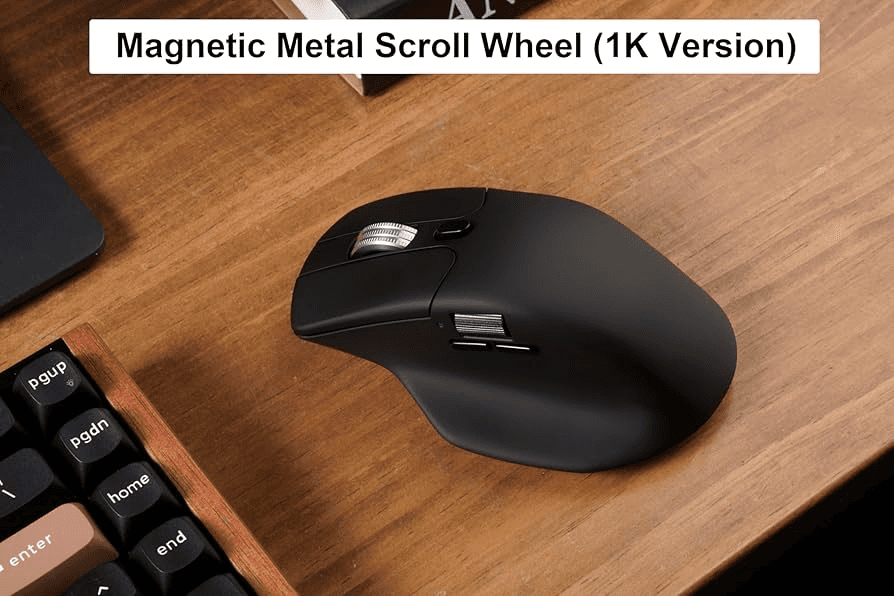
The Keychron M6 Wireless Mouse is a good alternative for people who like the idea of a productivity mouse but want something that fits naturally next to a Keychron V1 Max.
The Keychron M6 Wireless Mouse makes sense for users who want a more productivity-focused mouse without building their whole setup around Logitech.
The Keychron M6 Wireless Mouse also fits the clean desk setup category well because it is practical without feeling too flashy.
If you are already choosing the Keychron V1 Max, the Keychron M6 Wireless Mouse is a natural mouse to compare with the Logitech MX Master 3S.
Best for: People who want a productivity mouse alternative.
Reasons to buy:
The Keychron M6 Wireless Mouse pairs nicely with a Keychron keyboard setup.
The Keychron M6 Wireless Mouse is better suited for productivity than a basic mouse.
The Keychron M6 Wireless Mouse keeps the desk setup clean and simple.
Reasons to avoid:
The Keychron M6 Wireless Mouse is less universally known than the Logitech MX Master 3S.
WorthTheCart score: 8.8/10
Best Monitor and Screen Setup Products
Dell UltraSharp U2723QE
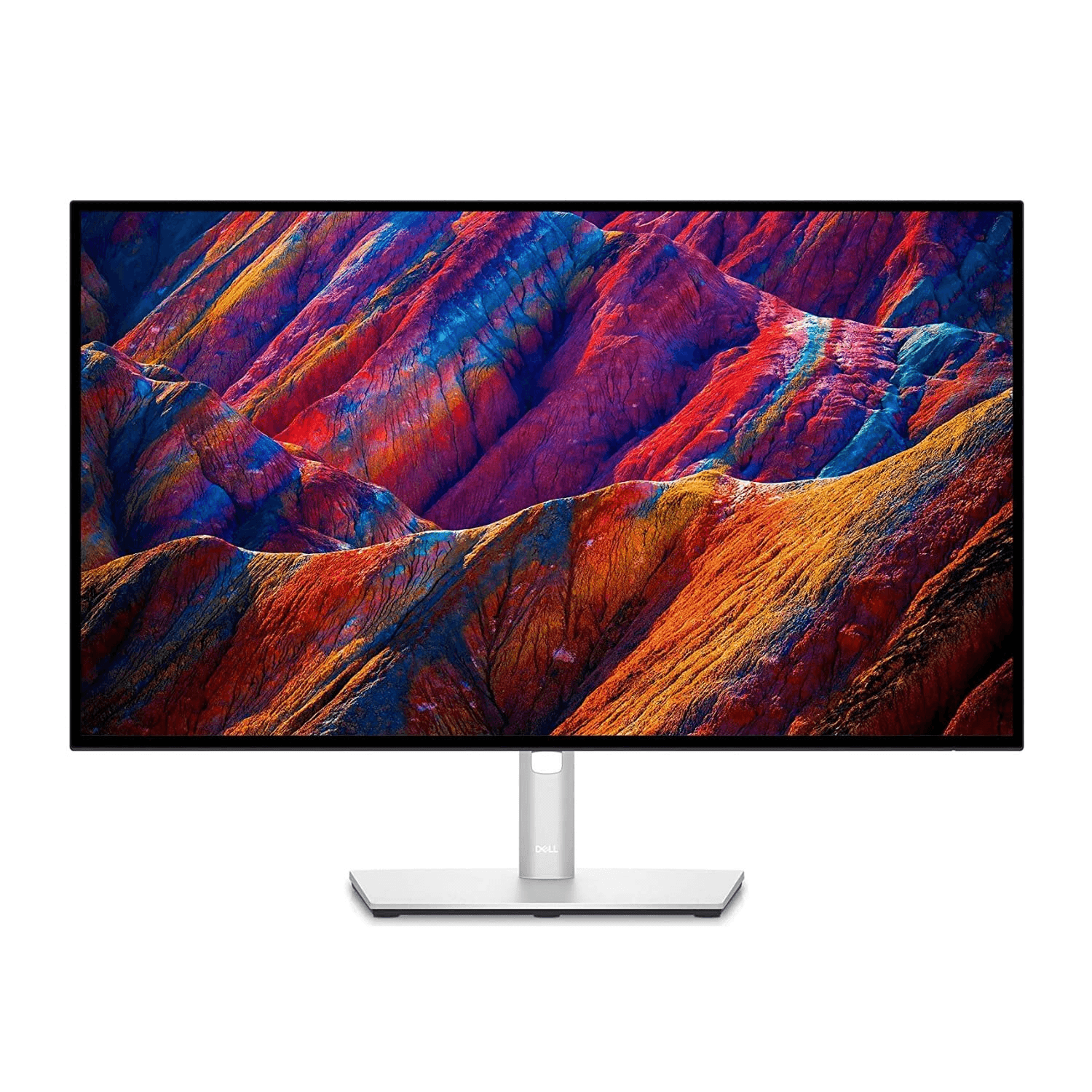
The Dell UltraSharp U2723QE is one of the biggest upgrades in this entire guide because a better monitor changes how you use your workspace.
A laptop screen can work, but it often feels cramped for writing, researching, editing, managing tabs, comparing documents, or working with multiple tools at once.
The Dell UltraSharp U2723QE is a strong productivity monitor because it gives your desk a more serious work surface.
The Dell UltraSharp U2723QE is especially useful for people who work with text, spreadsheets, websites, design tools, research, ecommerce dashboards, or content calendars.
If your workspace still depends on a small laptop screen, the Dell UltraSharp U2723QE can make your setup feel much more professional.
Best for: Productivity, multitasking, writing, editing, research, and professional desk setups.
Reasons to buy:
The Dell UltraSharp U2723QE gives you more screen space.
The Dell UltraSharp U2723QE makes multitasking easier.
The Dell UltraSharp U2723QE fits a clean home office setup well.
Reasons to avoid:
The Dell UltraSharp U2723QE may be too expensive if you only need a basic monitor.
WorthTheCart score: 9.6/10
ASUS ProArt Monitor
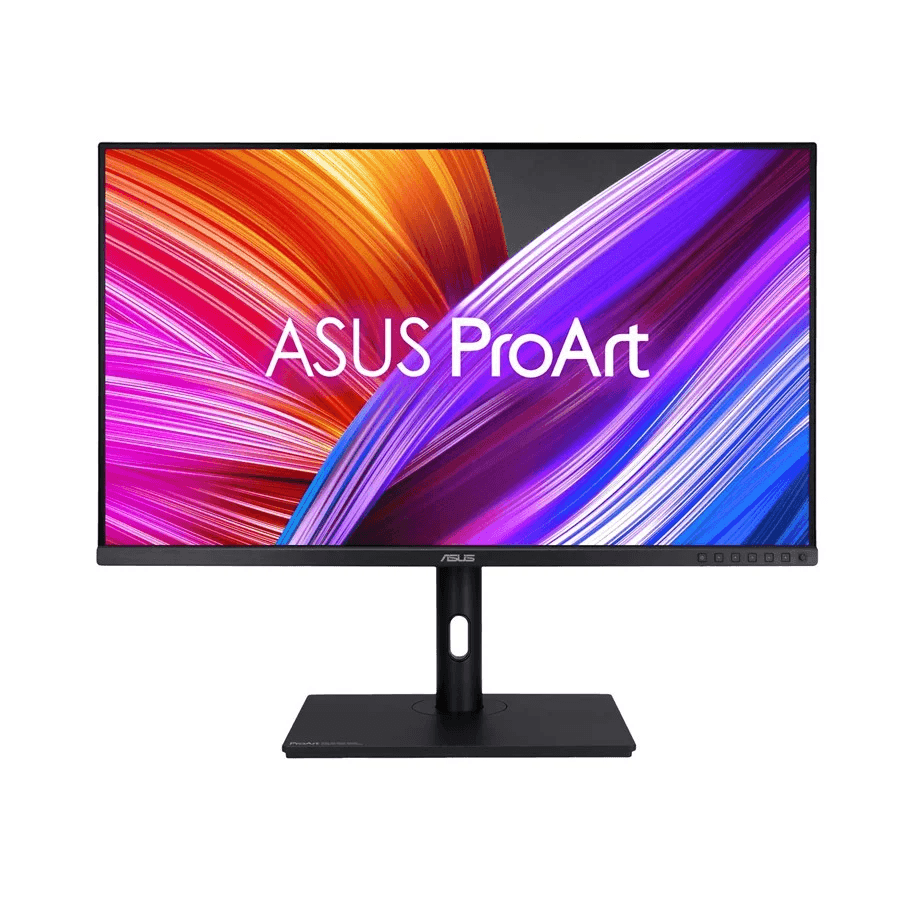
The ASUS ProArt Monitor is a better fit for creators, designers, editors, and anyone who cares about visual work.
The ASUS ProArt Monitor belongs in this workspace guide because productivity is not only about office tasks.
A lot of modern home offices are also creator setups.
If you edit photos, design graphics, work on product images, create blog visuals, or build websites, the ASUS ProArt Monitor may make more sense than a normal office monitor.
The ASUS ProArt Monitor is also a strong alternative if the Dell UltraSharp U2723QE does not fit your budget or workflow.
Best for: Creators, designers, editors, visual work, and content production.
Reasons to buy:
The ASUS ProArt Monitor is creator-friendly.
The ASUS ProArt Monitor works well for visual tasks.
The ASUS ProArt Monitor is a good alternative to the Dell UltraSharp U2723QE.
Reasons to avoid:
The ASUS ProArt Monitor may be unnecessary if your work is mostly email and browsing.
WorthTheCart score: 9.2/10
ASUS ZenScreen Portable Monitor
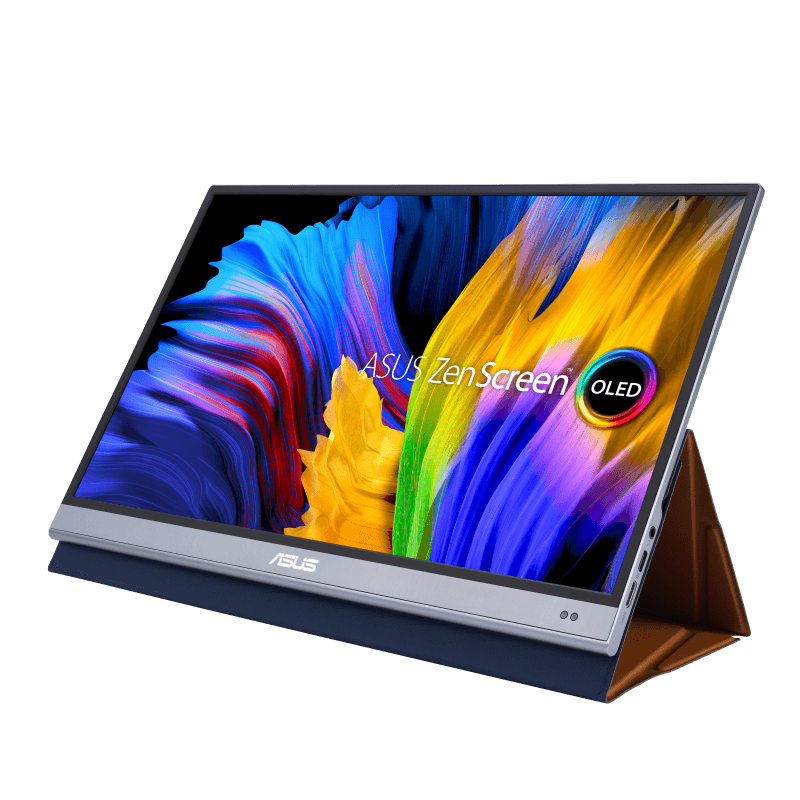
The ASUS ZenScreen Portable Monitor is a smart pick for people who want a second screen without committing to a full desk monitor.
The ASUS ZenScreen Portable Monitor works especially well for students, hybrid workers, travelers, and people with small desks.
A portable monitor is not always as comfortable as a permanent monitor setup, but it gives laptop users a lot more flexibility.
The ASUS ZenScreen Portable Monitor is useful if you work from different places but still want more screen space.
It also makes sense for small apartments, dorm rooms, kitchen-table work setups, and anyone who does not want a bulky monitor on the desk all the time.
Best for: Laptop users, students, hybrid workers, travel, and small spaces.
Reasons to buy:
The ASUS ZenScreen Portable Monitor adds screen space without a full monitor setup.
The ASUS ZenScreen Portable Monitor is easier to move than a desktop monitor.
The ASUS ZenScreen Portable Monitor works well for compact workspaces.
Reasons to avoid:
The ASUS ZenScreen Portable Monitor is not as ideal as a full monitor for a permanent desk.
WorthTheCart score: 9.0/10
Ergotron LX Monitor Arm
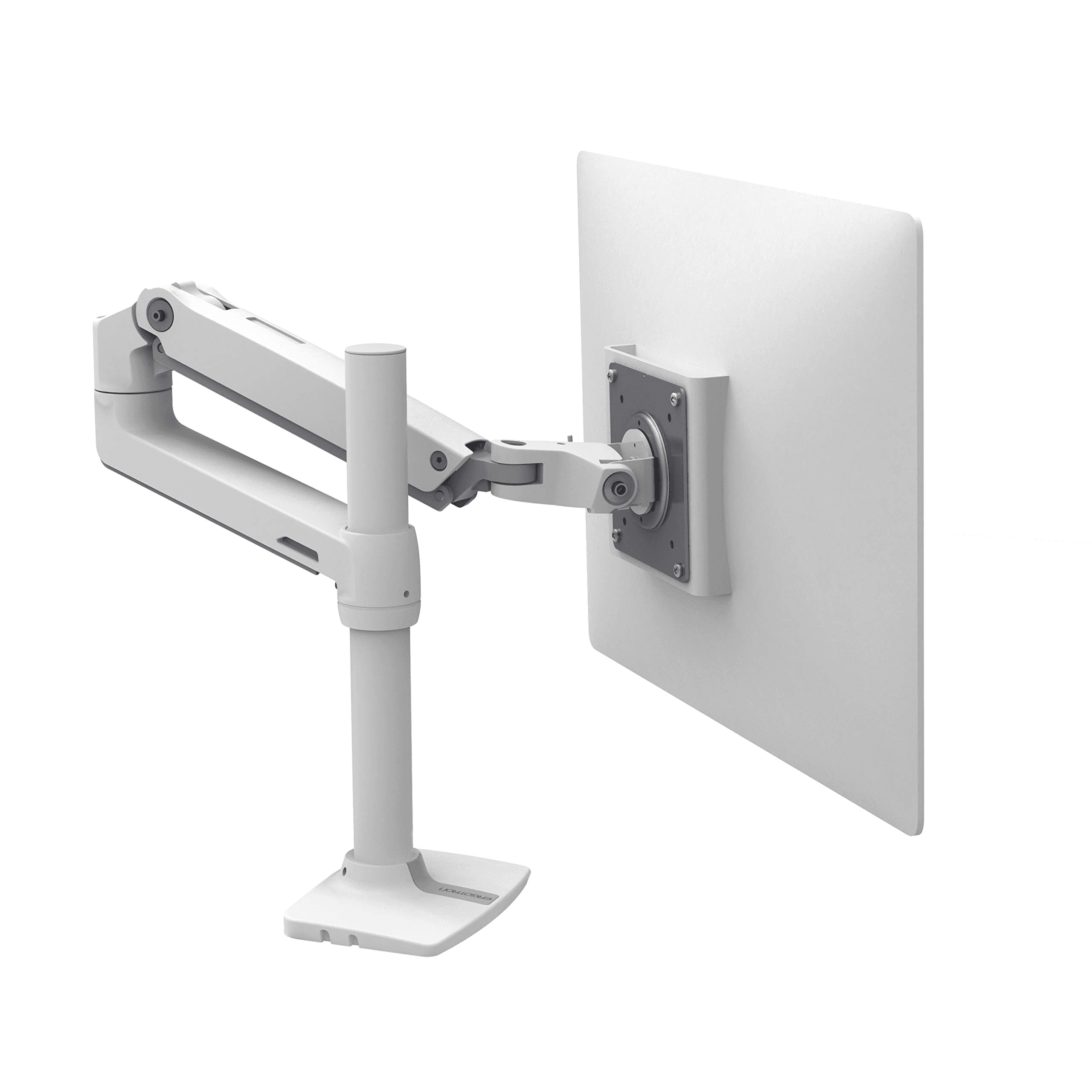
The Ergotron LX Monitor Arm is one of the best upgrades for making a monitor setup feel cleaner and more ergonomic.
A monitor arm can free up desk space, make it easier to position the screen, and help your setup look less cluttered.
The Ergotron LX Monitor Arm is especially useful if you are using a monitor like the Dell UltraSharp U2723QE or ASUS ProArt Monitor.
A monitor arm is not the most exciting product on paper, but it can make a desk feel much more flexible.
The Ergotron LX Monitor Arm is one of those products that makes more sense after you use it.
Best for: Cleaner desk setups, monitor positioning, ergonomics, and saving desk space.
Reasons to buy:
The Ergotron LX Monitor Arm helps clear desk space.
The Ergotron LX Monitor Arm makes screen positioning easier.
The Ergotron LX Monitor Arm makes a monitor setup look more professional.
Reasons to avoid:
The Ergotron LX Monitor Arm may not be needed if your monitor stand already works perfectly.
WorthTheCart score: 9.3/10
Rain Design mStand
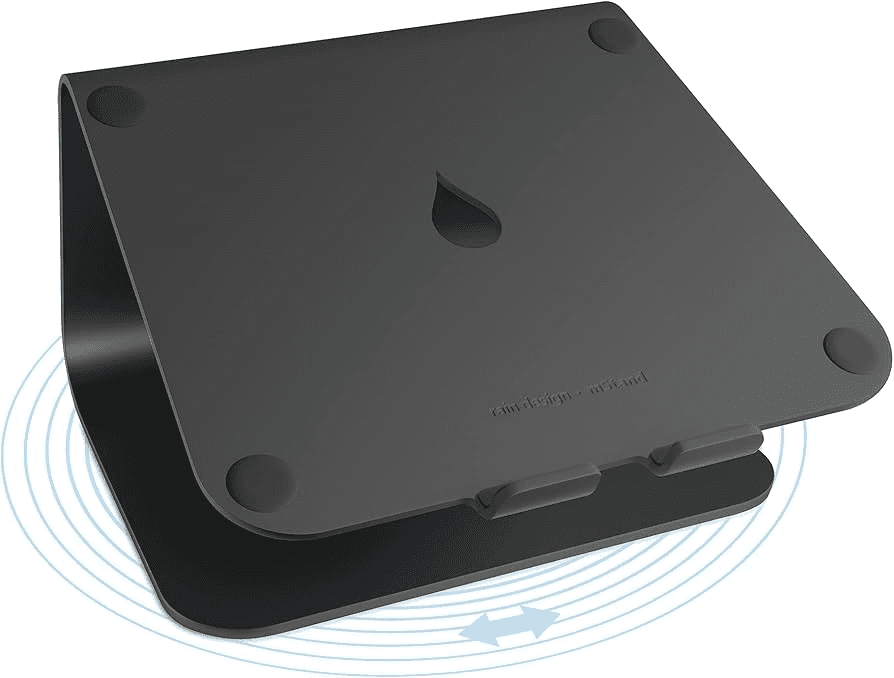
The Rain Design mStand is a simple but important upgrade for laptop users.
If you work directly from a laptop all day, your screen is usually too low.
The Rain Design mStand helps raise the laptop into a better viewing position and makes the desk look cleaner.
The Rain Design mStand is especially good when paired with the Keychron V1 Max and Logitech MX Master 3S, because once the laptop is raised, you need an external keyboard and mouse.
This is one of the best small home office upgrades because it makes a laptop-only setup feel more like a real desk setup.
Best for: Laptop users, MacBook setups, students, writers, and compact home offices.
Reasons to buy:
The Rain Design mStand raises your laptop screen.
The Rain Design mStand makes a desk look cleaner.
The Rain Design mStand pairs well with an external keyboard and mouse.
Reasons to avoid:
The Rain Design mStand is not as portable as foldable laptop stands.
WorthTheCart score: 8.9/10
Best Lighting Upgrade
BenQ ScreenBar Halo
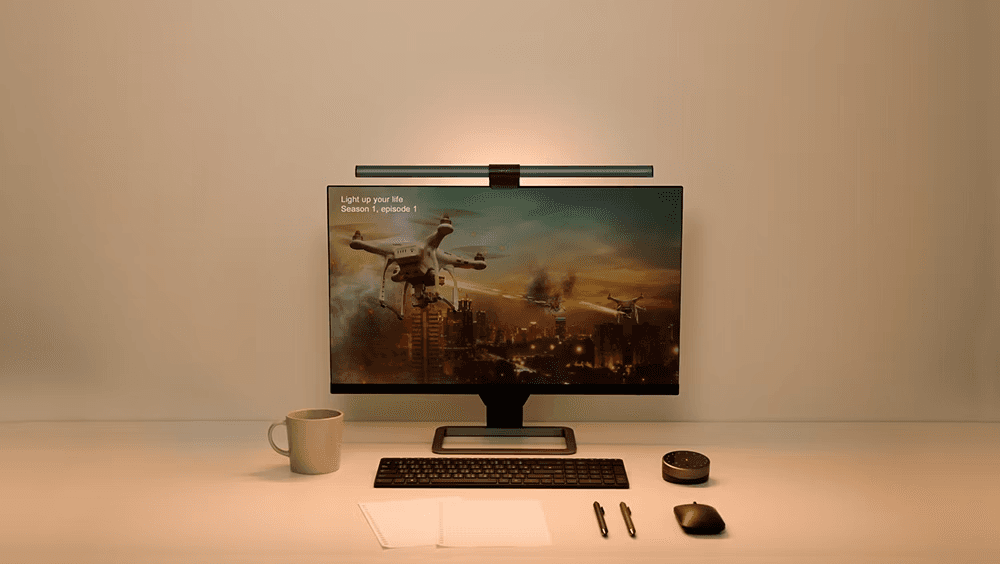
The BenQ ScreenBar Halo is one of the best lighting upgrades for a productive workspace because it improves your desk without taking up extra desk space.
A normal desk lamp can work, but it often takes up room, creates clutter, or shines in the wrong direction.
The BenQ ScreenBar Halo is made for people who want a cleaner lighting setup around their monitor.
The BenQ ScreenBar Halo is especially helpful if you work at night, write in the evening, study after school, edit content, or want your desk to feel more comfortable during long sessions.
Lighting is easy to ignore, but a better light can make your workspace feel much more finished.
Best for: Evening work, studying, writing, clean desk setups, and monitor-based work.
Reasons to buy:
The BenQ ScreenBar Halo saves desk space.
The BenQ ScreenBar Halo makes the setup look cleaner.
The BenQ ScreenBar Halo is useful for night work and low-light rooms.
Reasons to avoid:
The BenQ ScreenBar Halo may not be necessary if you already have great room lighting.
WorthTheCart score: 9.3/10
Best Docking, Hubs, and Charging Products
Anker 675 USB-C Docking Station
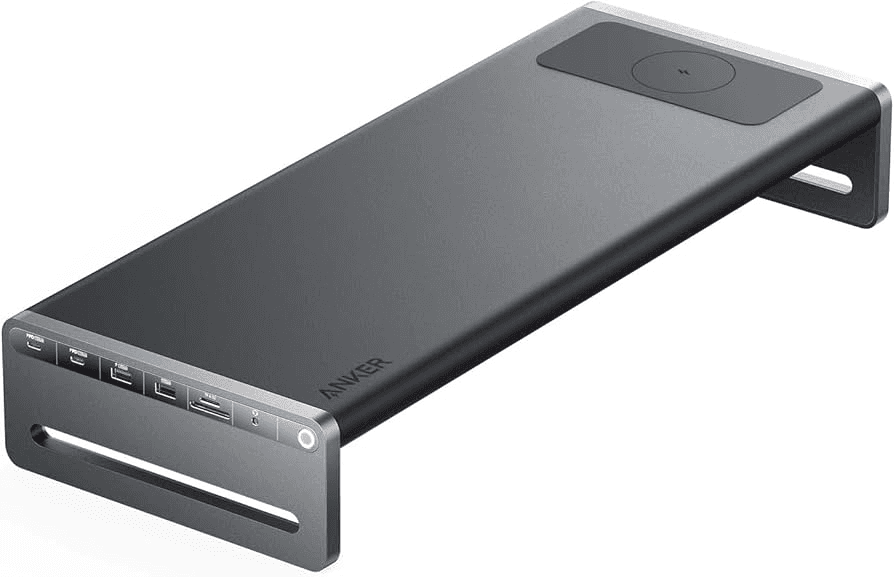
The Anker 675 USB-C Docking Station is one of the best products in this guide for laptop users who want a cleaner desk.
A docking station can turn a laptop into a proper workstation.
Instead of plugging in several cables every time, the Anker 675 USB-C Docking Station helps organize your monitor, keyboard, mouse, storage, charging, and accessories around one central setup.
The Anker 675 USB-C Docking Station also works well because it can make a desk feel less chaotic.
If you use a laptop as your main computer, the Anker 675 USB-C Docking Station may be one of the most important upgrades after a monitor.
Best for: Laptop desks, one-cable setups, clean workstations, and home offices.
Reasons to buy:
The Anker 675 USB-C Docking Station helps reduce cable chaos.
The Anker 675 USB-C Docking Station makes laptop setups feel more professional.
The Anker 675 USB-C Docking Station is great for connecting multiple desk accessories.
Reasons to avoid:
The Anker 675 USB-C Docking Station may be more than you need if you only use one or two accessories.
WorthTheCart score: 9.4/10
Anker 555 USB-C Hub
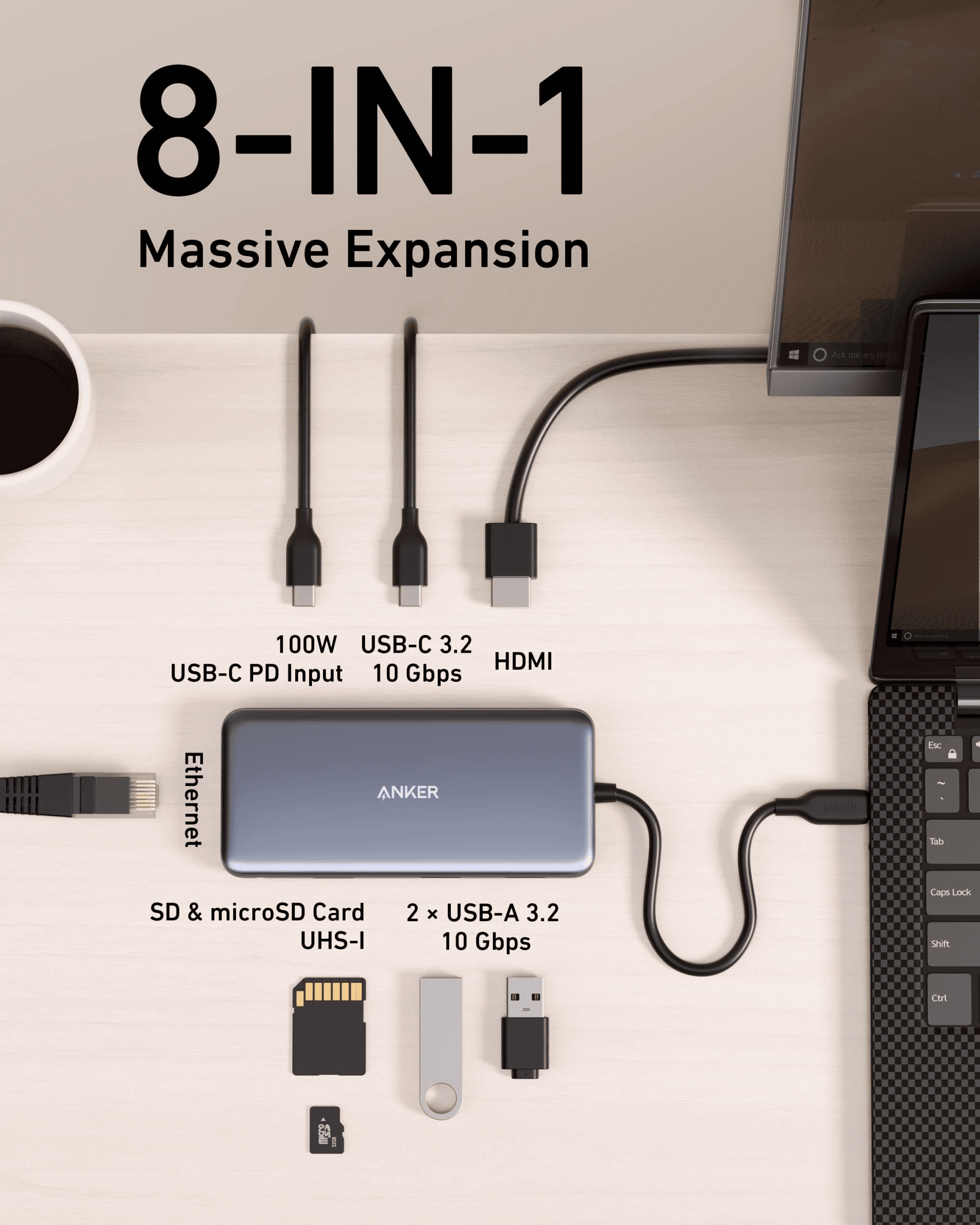
The Anker 555 USB-C Hub is a better choice if you want something smaller than the Anker 675 USB-C Docking Station.
The Anker 555 USB-C Hub makes sense for laptop users who need extra ports but do not want a full desk dock.
The Anker 555 USB-C Hub is especially useful for MacBook users, Windows laptop users, students, and people who move between workspaces.
It is not as complete as the Anker 675 USB-C Docking Station, but it is easier to carry and simpler to use.
Best for: Laptop users, travel, students, and compact setups.
Reasons to buy:
The Anker 555 USB-C Hub is compact.
The Anker 555 USB-C Hub adds useful ports to a laptop.
The Anker 555 USB-C Hub is better for portable setups than a full dock.
Reasons to avoid:
The Anker 555 USB-C Hub is not as powerful as a full docking station.
WorthTheCart score: 8.9/10
Anker MagGo 3-in-1
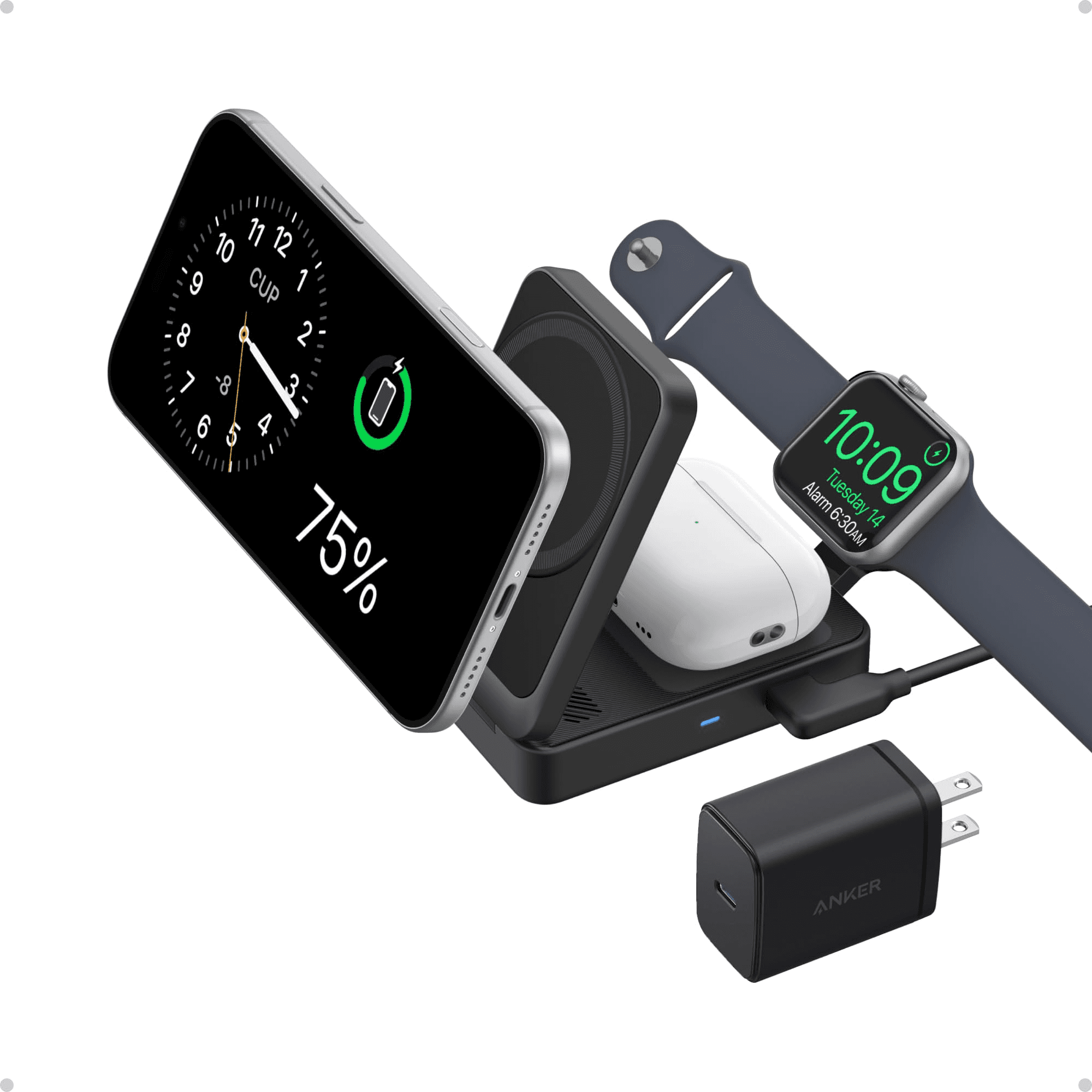
The Anker MagGo 3-in-1 is a great desk upgrade for Apple users who want fewer cables.
The Anker MagGo 3-in-1 makes the most sense if you use an iPhone, AirPods, and Apple Watch.
Instead of having several chargers spread across the desk, the Anker MagGo 3-in-1 keeps your charging setup more organized.
The Anker MagGo 3-in-1 is not a must-have for everyone, but it is one of the best clean desk accessories for Apple-focused workspaces.
Best for: Apple users, clean desk setups, wireless charging, and reducing cable clutter.
Reasons to buy:
The Anker MagGo 3-in-1 charges multiple Apple devices in one place.
The Anker MagGo 3-in-1 helps reduce visible cables.
The Anker MagGo 3-in-1 makes a desk look more organized.
Reasons to avoid:
The Anker MagGo 3-in-1 is mainly useful if you are already in the Apple ecosystem.
WorthTheCart score: 9.0/10
UGREEN Nexode Charging Station
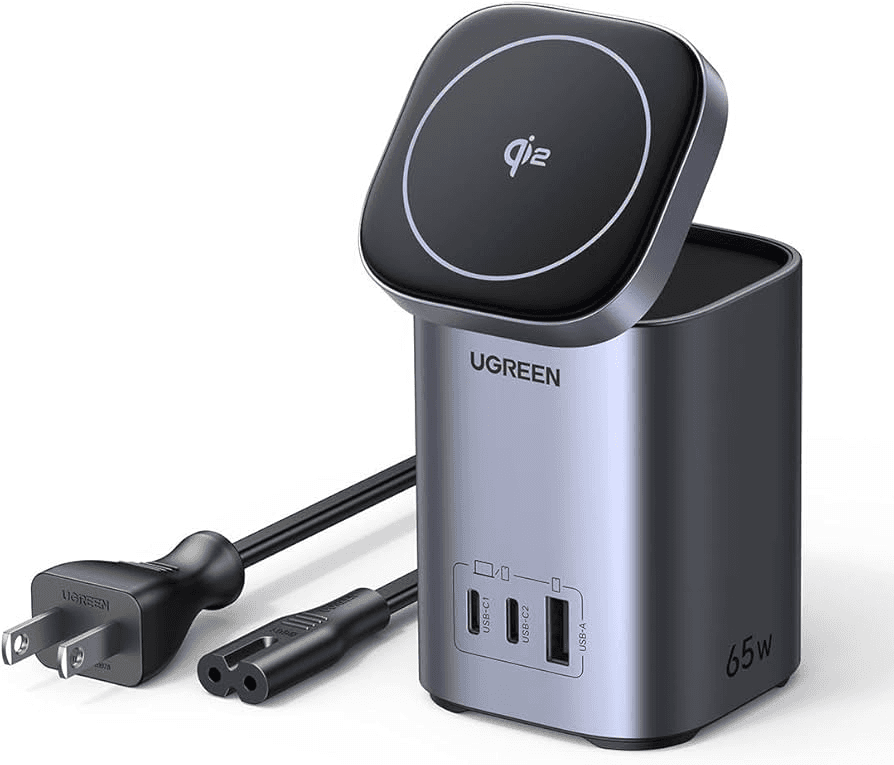
The UGREEN Nexode Charging Station is a strong pick for people who charge several devices at once.
The UGREEN Nexode Charging Station fits well in a productive workspace because modern desks often have too many chargers.
A laptop charger, phone charger, tablet charger, headphone charger, camera charger, and portable monitor cable can quickly make a desk feel messy.
The UGREEN Nexode Charging Station helps bring that charging setup into one cleaner station.
If your desk always has chargers everywhere, the UGREEN Nexode Charging Station is worth considering.
Best for: Multi-device charging, laptop users, creators, students, and tech-heavy setups.
Reasons to buy:
The UGREEN Nexode Charging Station helps centralize charging.
The UGREEN Nexode Charging Station is useful for multiple devices.
The UGREEN Nexode Charging Station can make a desk feel less cluttered.
Reasons to avoid:
The UGREEN Nexode Charging Station may be unnecessary if you only charge one device at your desk.
WorthTheCart score: 9.0/10
Best Video Call and Creator Setup Gear
Elgato Facecam MK.2
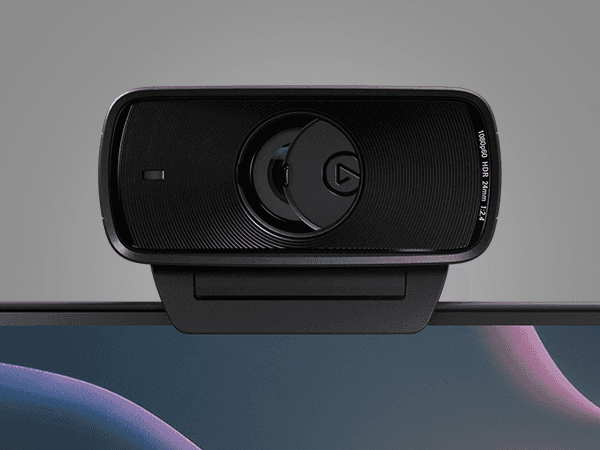
The Elgato Facecam MK.2 is one of the best webcam choices for creators, streamers, remote workers, and anyone who wants to look better on video calls.
A laptop webcam can be fine for quick calls, but it usually does not make your setup look professional.
The Elgato Facecam MK.2 is especially useful if you make content, record videos, join client calls, teach online, stream, or want a sharper camera for meetings.
The Elgato Facecam MK.2 works well in this list because a productive workspace is not only about what you see.
It is also about how clearly other people see and hear you.
Best for: Creators, streamers, remote workers, online calls, and content production.
Reasons to buy:
The Elgato Facecam MK.2 is good for content and calls.
The Elgato Facecam MK.2 can make a setup look more professional.
The Elgato Facecam MK.2 is a smart upgrade from many laptop webcams.
Reasons to avoid:
The Elgato Facecam MK.2 is not necessary if you rarely appear on video.
WorthTheCart score: 9.1/10
Logitech Brio 4K
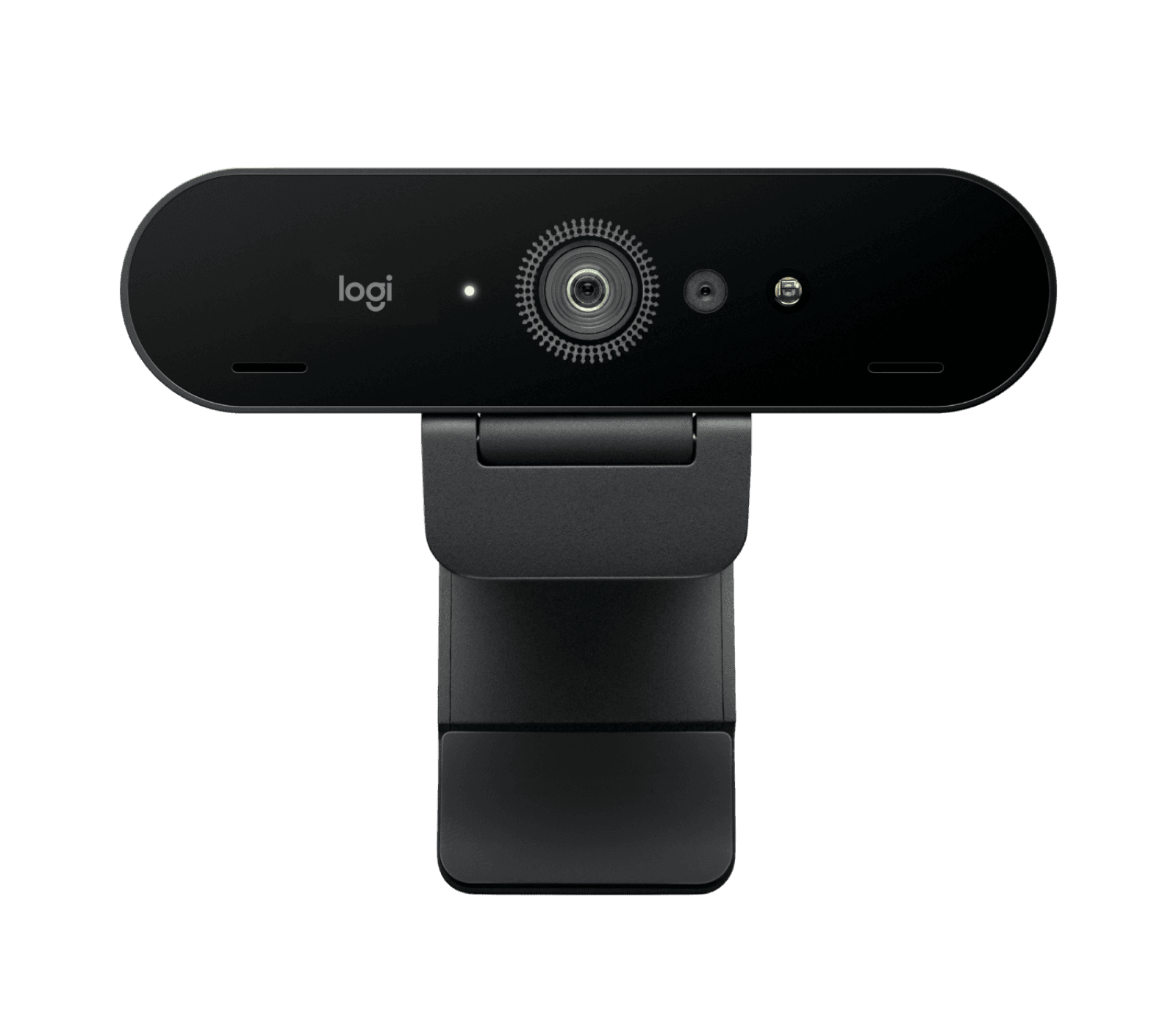
The Logitech Brio 4K is another strong webcam option , especially for people who want a more business-focused camera upgrade. I personaly use this my self and I very happy with the quality.
The Logitech Brio 4K is a good fit for remote workers, online meetings, interviews, teaching, presentations, and corporate-style calls.
Compared with the Elgato Facecam MK.2, the Logitech Brio 4K feels more like a professional meeting camera.
The Elgato Facecam MK.2 is stronger for creator-style setups, while the Logitech Brio 4K may fit better in a business workspace.
Best for: Remote work, meetings, interviews, presentations, and professional calls.
Reasons to buy:
The Logitech Brio 4K is good for professional video calls.
The Logitech Brio 4K is a recognized webcam option.
The Logitech Brio 4K fits business-focused workspaces.
Reasons to avoid:
The Logitech Brio 4K may be more than you need for casual calls.
WorthTheCart score: 9.0/10
Shure MV7+
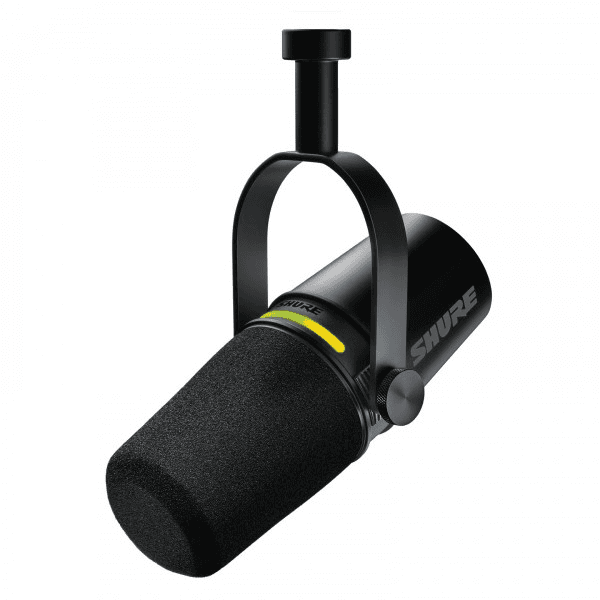
The Shure MV7+ is one of the best premium microphone upgrades for a serious workspace.
Voice quality matters more than many people realize.
Bad audio can make video calls feel less professional, and it can make content harder to watch.
The Shure MV7+ is a great fit for creators, podcasters, YouTubers, streamers, remote workers, consultants, and anyone who spends a lot of time speaking online.
The Shure MV7+ is not the cheapest microphone, but it feels like a proper step up for people who care about sound quality.
Best for: Podcasting, YouTube, streaming, voiceovers, calls, and premium desk audio.
Reasons to buy:
The Shure MV7+ makes a setup feel more professional.
The Shure MV7+ is useful for content and calls.
The Shure MV7+ is a strong long-term microphone upgrade.
Reasons to avoid:
The Shure MV7+ may be too expensive if you only need basic meeting audio.
WorthTheCart score: 9.3/10
FIFINE AM8
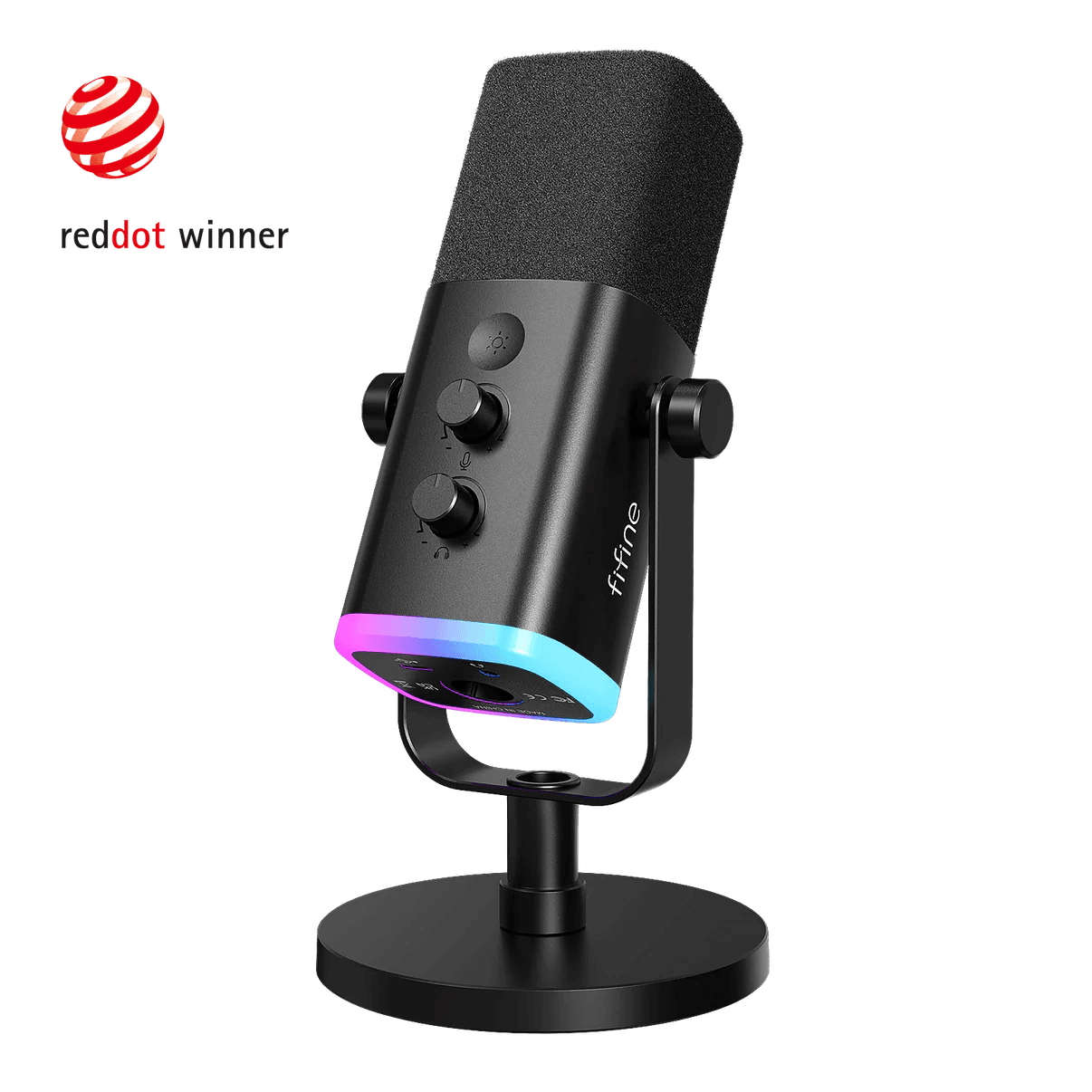
The FIFINE AM8 is the budget microphone pick for this productive workspace guide.
The FIFINE AM8 makes sense if you want better audio than a laptop microphone but do not want to spend Shure money.
The FIFINE AM8 is useful for Discord, Zoom, streaming, beginner content, online classes, and general voice calls.
It is not as premium as the Shure MV7+, but the FIFINE AM8 gives beginners a more affordable way to improve audio.
Best for: Budget audio, beginner creators, Discord, calls, and online classes.
Reasons to buy:
The FIFINE AM8 is more affordable than many premium microphones.
The FIFINE AM8 is a good first microphone upgrade.
The FIFINE AM8 works well for casual content and calls.
Reasons to avoid:
The FIFINE AM8 is not as premium as the Shure MV7+.
WorthTheCart score: 8.7/10
Best Focus and Noise-Canceling Upgrade
Sony WH-1000XM5
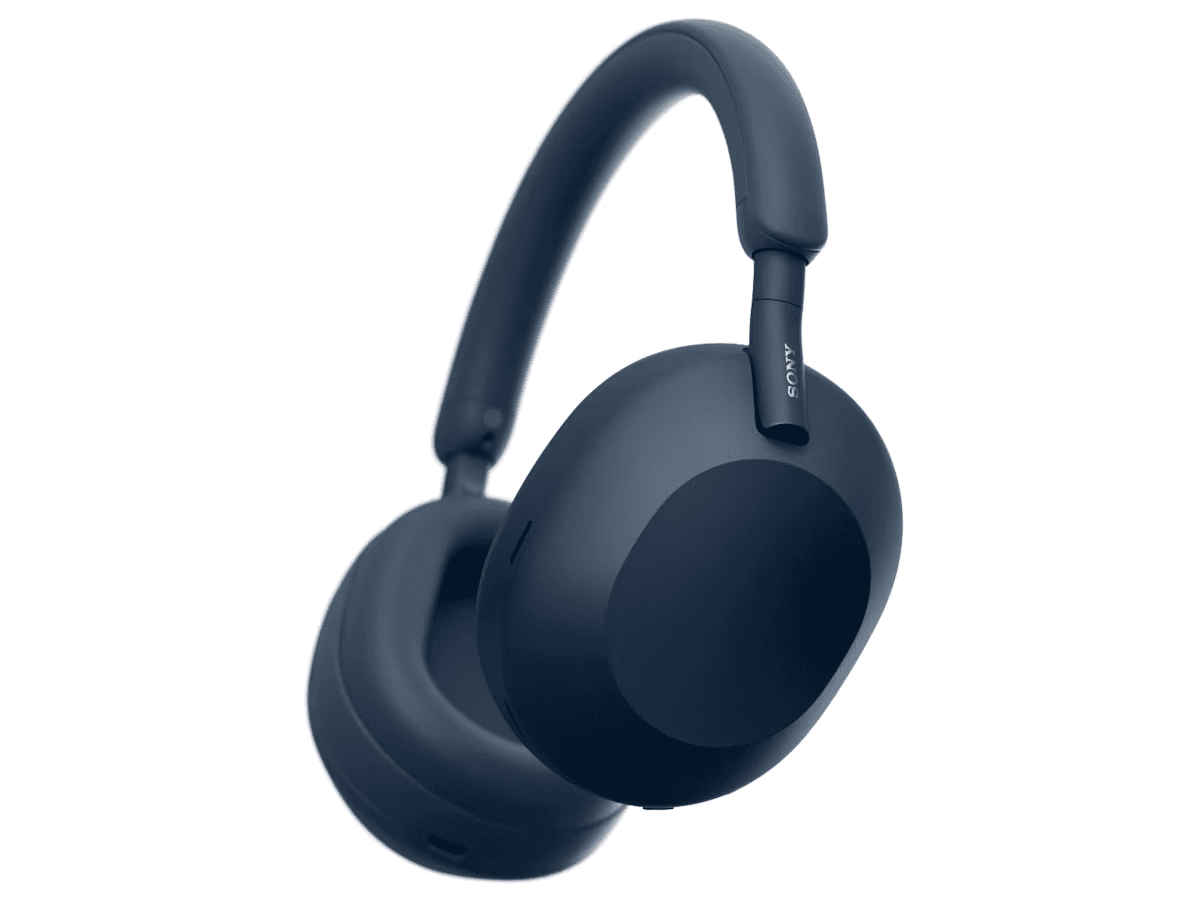
The Sony WH-1000XM5 is one of the best focus upgrades for a home office.
A productive workspace is not only about what is on the desk.
It is also about what you can block out.
The Sony WH-1000XM5 makes sense for people who work in shared homes, noisy apartments, dorm rooms, open rooms, or busy environments.
The Sony WH-1000XM5 is useful for deep work, studying, writing, editing, calls, and listening to music while staying focused.
If distractions are one of the biggest problems in your workspace, the Sony WH-1000XM5 may matter more than another desk accessory.
Best for: Focus, noise cancellation, studying, writing, travel, and work-from-home distractions.
Reasons to buy:
The Sony WH-1000XM5 helps reduce distractions.
The Sony WH-1000XM5 is useful for work and travel.
The Sony WH-1000XM5 can make deep work easier.
Reasons to avoid:
The Sony WH-1000XM5 may feel unnecessary if your workspace is already quiet.
WorthTheCart score: 9.3/10
Best Desk Organization and Cable Management
Grovemade / Orbitkey Desk Mat

The Grovemade / Orbitkey Desk Mat is one of the simplest ways to make a workspace feel more finished.
A desk mat creates a defined work area for your keyboard, mouse, notebook, and accessories.
The Grovemade / Orbitkey Desk Mat helps a desk look cleaner and can make typing and mouse movement feel smoother.
It is not a performance upgrade like the Keychron V1 Max or Logitech MX Master 3S, but the Grovemade / Orbitkey Desk Mat changes the feeling of the entire desk.
If your setup looks scattered, a desk mat is one of the first visual upgrades to consider.
Best for: Clean desk setups, keyboard and mouse areas, writing, and desk styling.
Reasons to buy:
The Grovemade / Orbitkey Desk Mat makes a desk look cleaner.
The Grovemade / Orbitkey Desk Mat creates a more organized workspace.
The Grovemade / Orbitkey Desk Mat pairs well with keyboards and mice.
Reasons to avoid:
The Grovemade / Orbitkey Desk Mat is more about feel and organization than raw productivity.
WorthTheCart score: 8.8/10
fenge Desk Shelf
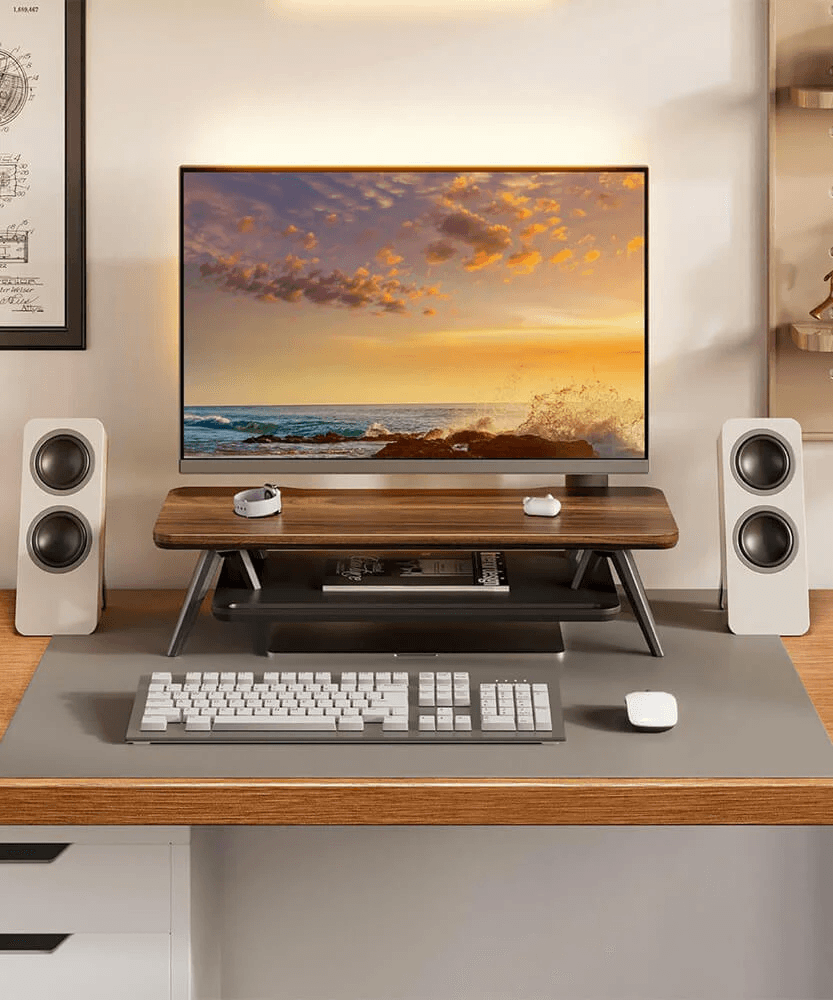
The fenge Desk Shelf is a strong desk organization upgrade if you want your workspace to look more layered and intentional.
A desk shelf gives your monitor, laptop, notebook, speakers, accessories, or small tools a clearer place to sit.
The fenge Desk Shelf can make a desk look more premium without needing a full redesign.
The fenge Desk Shelf is especially useful for people who want a clean desk setup but still need space for everyday items.
It works well with the Dell UltraSharp U2723QE, ASUS ProArt Monitor, Keychron V1 Max, and Logitech MX Master 3S.
Best for: Clean desk setups, monitor organization, storage, and visual structure.
Reasons to buy:
The fenge Desk Shelf adds usable desk layers.
The fenge Desk Shelf helps organize small desk items.
The fenge Desk Shelf makes a setup look more intentional.
Reasons to avoid:
The fenge Desk Shelf may not fit every desk size.
WorthTheCart score: 8.7/10
Under-desk Cable Tray
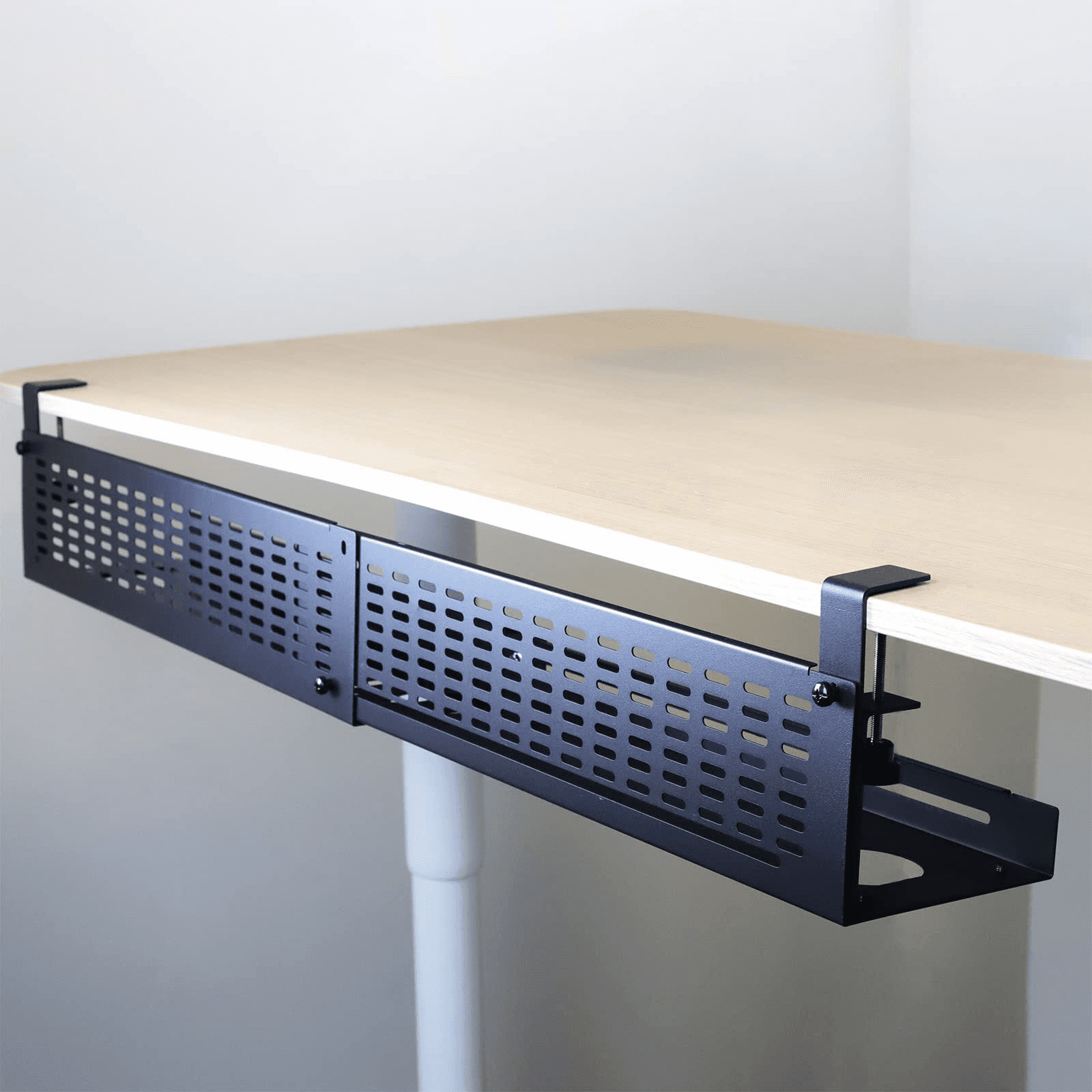
The Under-desk Cable Tray is one of the most underrated productive workspace upgrades.
Cable mess can make even an expensive desk setup look unfinished.
The Under-desk Cable Tray helps hide power strips, adapters, and extra cable length underneath the desk.
This is especially useful if you have a monitor, laptop dock, charger, lamp, speakers, microphone, webcam, and external storage all connected at once.
The Under-desk Cable Tray is not exciting, but it makes a huge visual difference.
Best for: Cable management, clean desk setups, home offices, and multi-device desks.
Reasons to buy:
The Under-desk Cable Tray hides messy cables.
The Under-desk Cable Tray makes a desk look cleaner.
The Under-desk Cable Tray is useful for tech-heavy workspaces.
Reasons to avoid:
The Under-desk Cable Tray requires setup and cable planning.
WorthTheCart score: 8.9/10
Cable Clips
Cable Clips are a small upgrade, but they solve a real everyday problem.
Charging cables fall behind the desk.
USB-C cables disappear under monitors.
Headphone cables slide off the surface.
Cable Clips help keep those small cables where you need them.
They pair especially well with the Anker MagGo 3-in-1, UGREEN Nexode Charging Station, Anker 555 USB-C Hub, and Anker 675 USB-C Docking Station.
Best for: Chargers, USB-C cables, desk organization, and small cable problems.
Reasons to buy:
Cable Clips are simple and useful.
Cable Clips keep cables easier to reach.
Cable Clips are a cheap clean desk upgrade.
Reasons to avoid:
Cable Clips will not fix full cable mess by themselves.
WorthTheCart score: 8.6/10
Best Storage and Backup Products
Samsung T9 Portable SSD
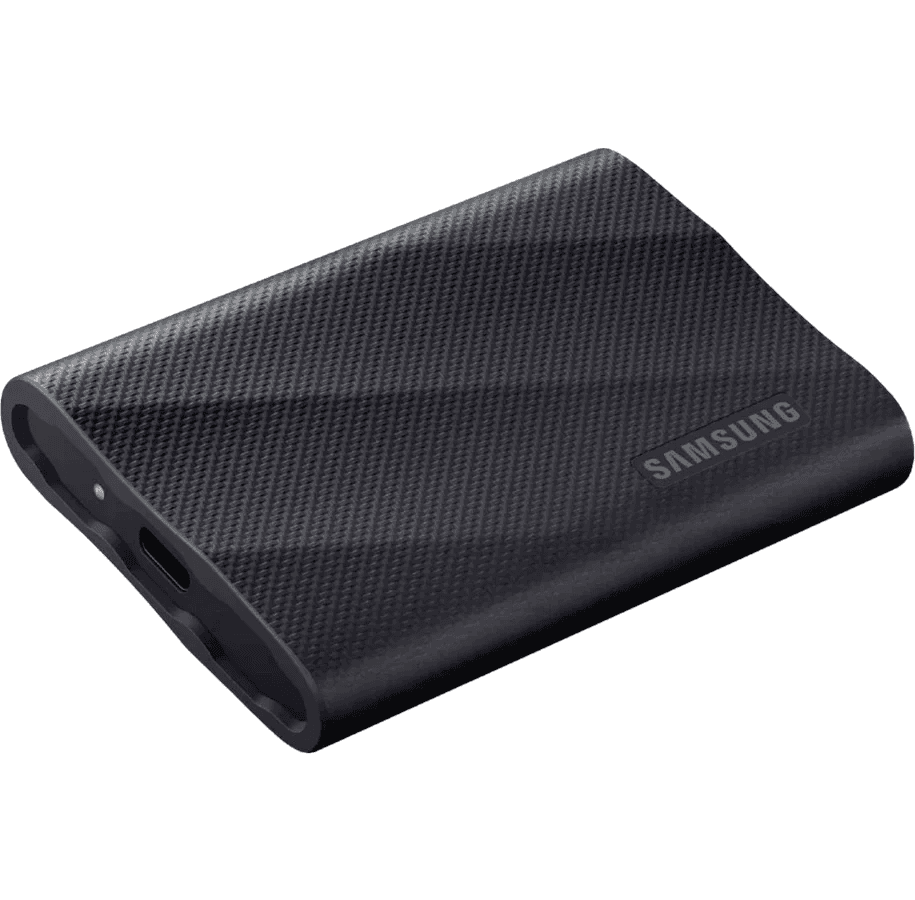
The Samsung T9 Portable SSD is a strong storage upgrade for creators, students, editors, photographers, and laptop users.
If you work with videos, photos, website files, projects, downloads, or large folders, fast external storage can make your workspace feel more capable.
The Samsung T9 Portable SSD is especially useful for people who do not want to fill up their laptop storage.
The Samsung T9 Portable SSD also fits well into a clean desk setup because it is small and easy to keep nearby.
If you create content for a blog, YouTube channel, store, or client work, the Samsung T9 Portable SSD is one of the more practical upgrades in this guide.
Best for: Creators, editors, storage, backups, travel, and laptop users.
Reasons to buy:
The Samsung T9 Portable SSD is compact.
The Samsung T9 Portable SSD is useful for large files.
The Samsung T9 Portable SSD helps keep laptop storage free.
Reasons to avoid:
The Samsung T9 Portable SSD may be unnecessary if you only use cloud storage.
WorthTheCart score: 9.1/10
WD My Passport
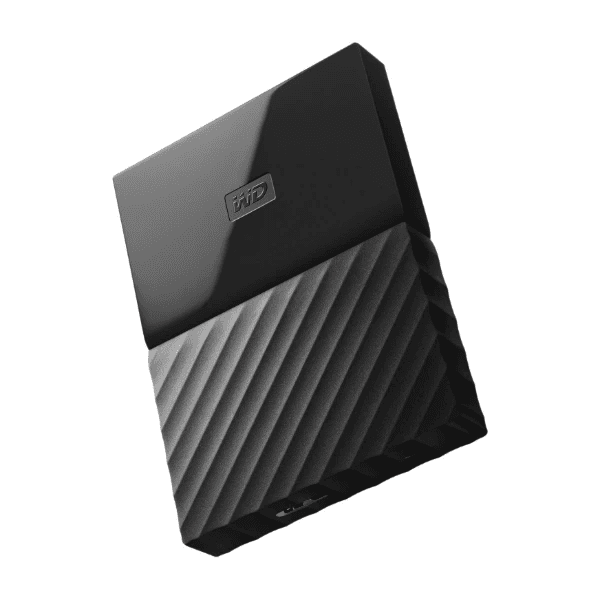
The WD My Passport is a simple backup drive for people who want extra file protection without overthinking it.
The WD My Passport is not as exciting as the Samsung T9 Portable SSD, but it can be useful for backups, documents, photos, and older files.
If you run a blog, online store, YouTube channel, or remote business, having a backup system matters.
The WD My Passport is especially useful if you want a place to store copies of important work files.
Best for: Backups, documents, photos, older files, and simple storage.
Reasons to buy:
The WD My Passport is practical for backups.
The WD My Passport gives you extra storage.
The WD My Passport is useful for long-term files.
Reasons to avoid:
The WD My Passport may not feel as fast or premium as an SSD.
WorthTheCart score: 8.6/10
Best Planning and Focus Tools
Rocketbook Core
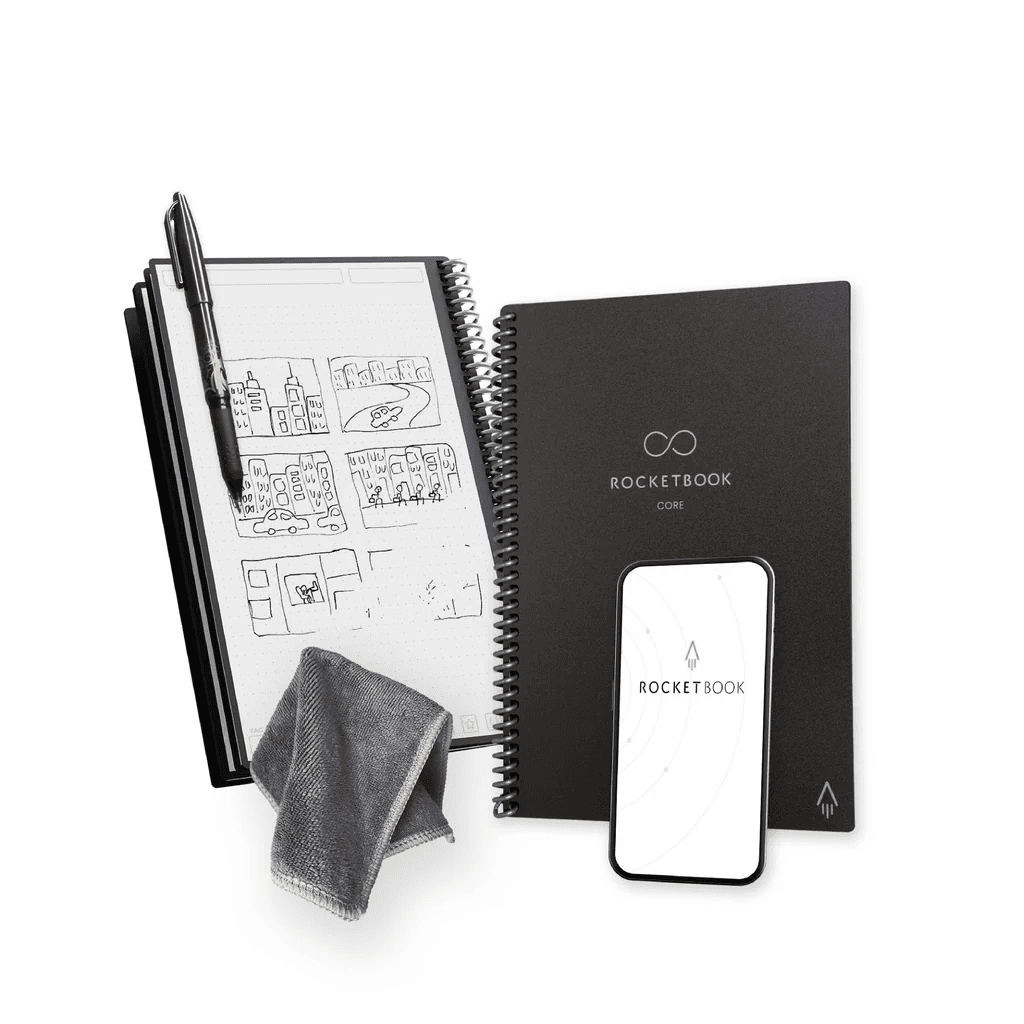
The Rocketbook Core is a good desk tool for people who still like writing by hand but want a more reusable system.
The Rocketbook Core works well for notes, planning, quick ideas, content outlines, meeting notes, schoolwork, and daily tasks.
A lot of productivity tools are digital, but sometimes it is faster to write something down.
The Rocketbook Core gives you that analog feeling while still fitting into a modern workspace.
Best for: Notes, planning, students, meetings, content ideas, and reusable writing.
Reasons to buy:
The Rocketbook Core is good for quick notes.
The Rocketbook Core fits students and remote workers.
The Rocketbook Core helps keep paper clutter lower.
Reasons to avoid:
The Rocketbook Core is not necessary if you prefer fully digital notes.
WorthTheCart score: 8.7/10
Time Timer MOD
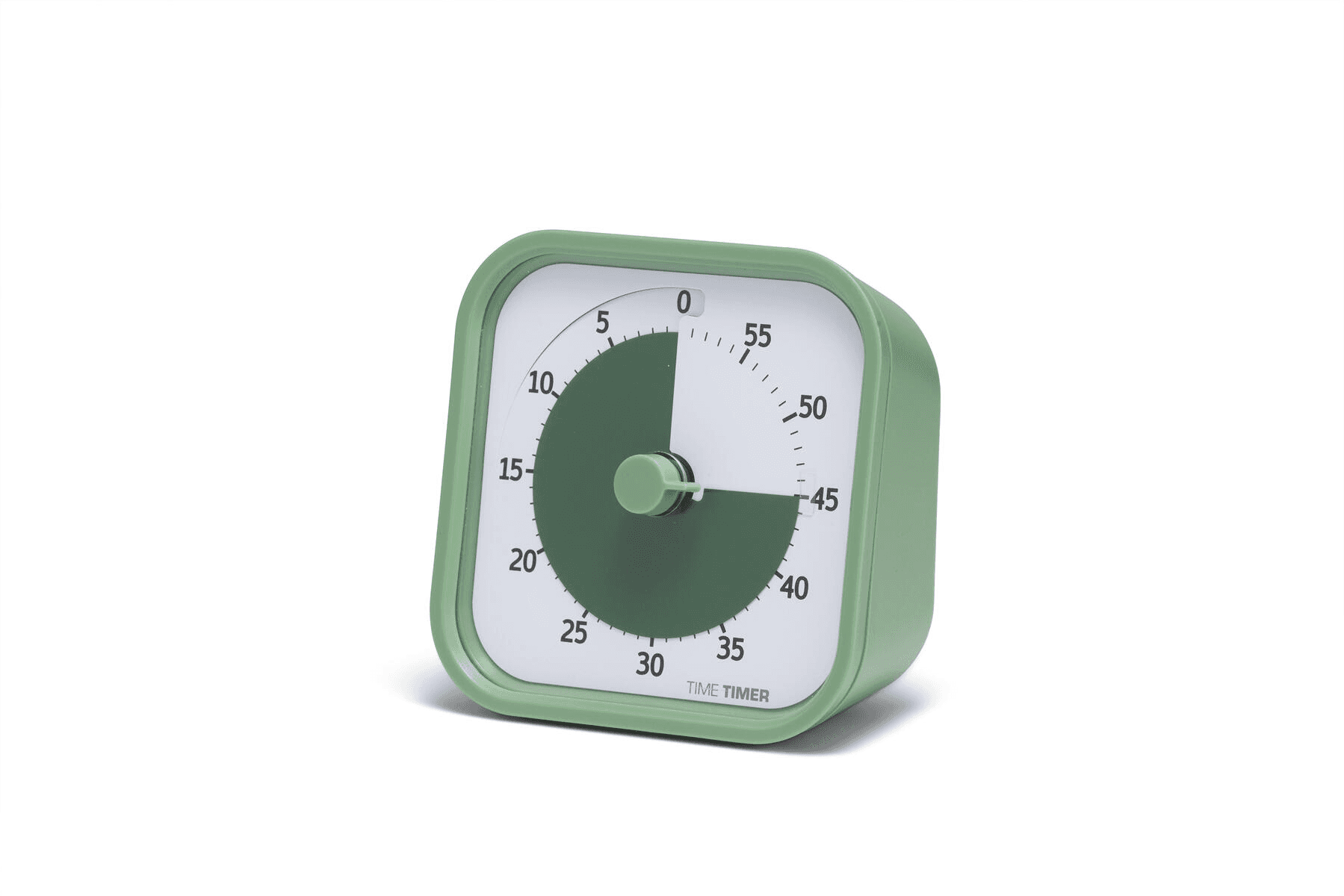
The Time Timer MOD is one of the best focus tools in this guide.
If you struggle with procrastination, long study sessions, deep work, or time blindness, the Time Timer MOD can make time feel more visible.
The Time Timer MOD works well for Pomodoro sessions, writing blocks, schoolwork, editing, emails, and focused desk sessions.
It is not a tech-heavy product, but that is part of why it works.
The Time Timer MOD gives your workspace a simple physical reminder to stay focused.
Best for: Deep work, studying, Pomodoro, writing, and focus sessions.
Reasons to buy:
The Time Timer MOD helps make time visible.
The Time Timer MOD is simple and distraction-free.
The Time Timer MOD is useful for work and studying.
Reasons to avoid:
The Time Timer MOD may feel unnecessary if you already use timer apps successfully.
WorthTheCart score: 8.8/10
Quartet Glass Desktop Whiteboard
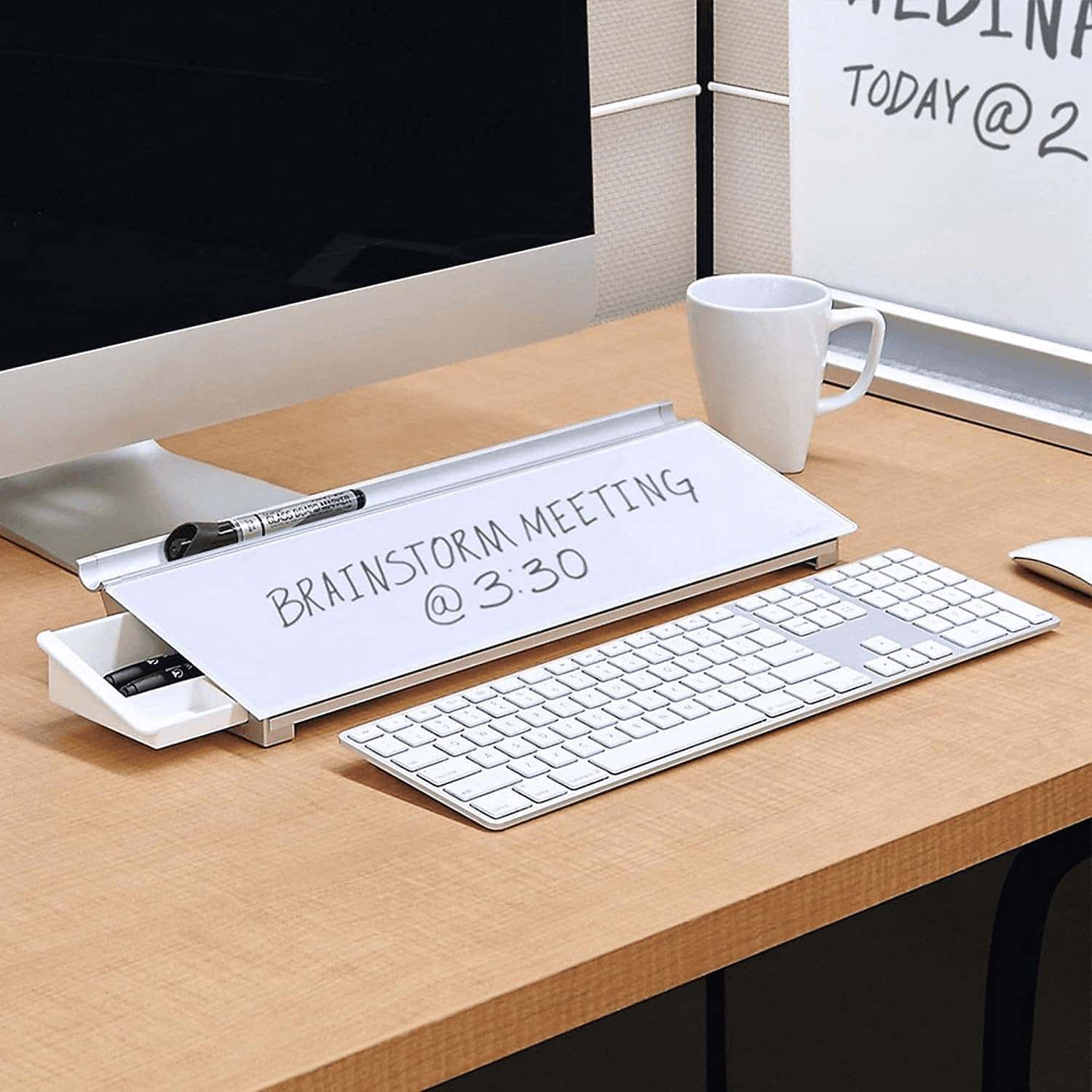
The Quartet Glass Desktop Whiteboard is a smart planning tool for people who like visual reminders.
The Quartet Glass Desktop Whiteboard can sit on the desk and hold quick notes, tasks, deadlines, content ideas, reminders, or daily priorities.
Unlike a notebook, the Quartet Glass Desktop Whiteboard stays visible.
That makes it useful for people who forget tasks when they are hidden inside an app.
The Quartet Glass Desktop Whiteboard is a good fit for students, creators, bloggers, small business owners, and remote workers.
Best for: To-do lists, planning, visible reminders, content ideas, and daily priorities.
Reasons to buy:
The Quartet Glass Desktop Whiteboard keeps reminders visible.
The Quartet Glass Desktop Whiteboard is easy to reuse.
The Quartet Glass Desktop Whiteboard works well for desk planning.
Reasons to avoid:
The Quartet Glass Desktop Whiteboard takes up desk space.
WorthTheCart score: 8.6/10
Best Ergonomic and Comfort Upgrades
HUANUO Footrest
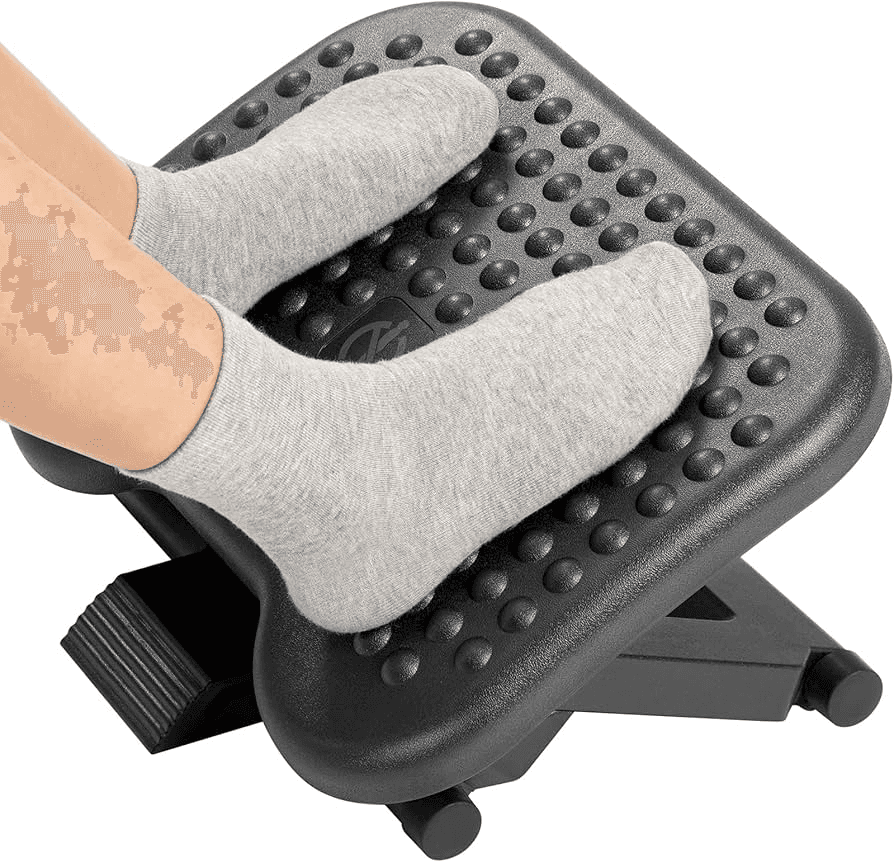
The HUANUO Footrest is a useful comfort upgrade if your feet do not rest naturally while sitting.
A footrest can help make long desk sessions feel more comfortable, especially for shorter users or people using chairs and desks that do not line up perfectly.
The HUANUO Footrest is not a glamorous product, but it belongs in a productive workspace because comfort affects focus.
If your legs feel awkward at your desk, the HUANUO Footrest may make more difference than another decorative accessory.
Best for: Long desk sessions, sitting comfort, shorter users, and posture support.
Reasons to buy:
The HUANUO Footrest can make sitting more comfortable.
The HUANUO Footrest is useful for long work sessions.
The HUANUO Footrest is a simple ergonomic upgrade.
Reasons to avoid:
The HUANUO Footrest may not be needed if your chair and desk already fit you well.
WorthTheCart score: 8.5/10
Everlasting Comfort Seat Cushion
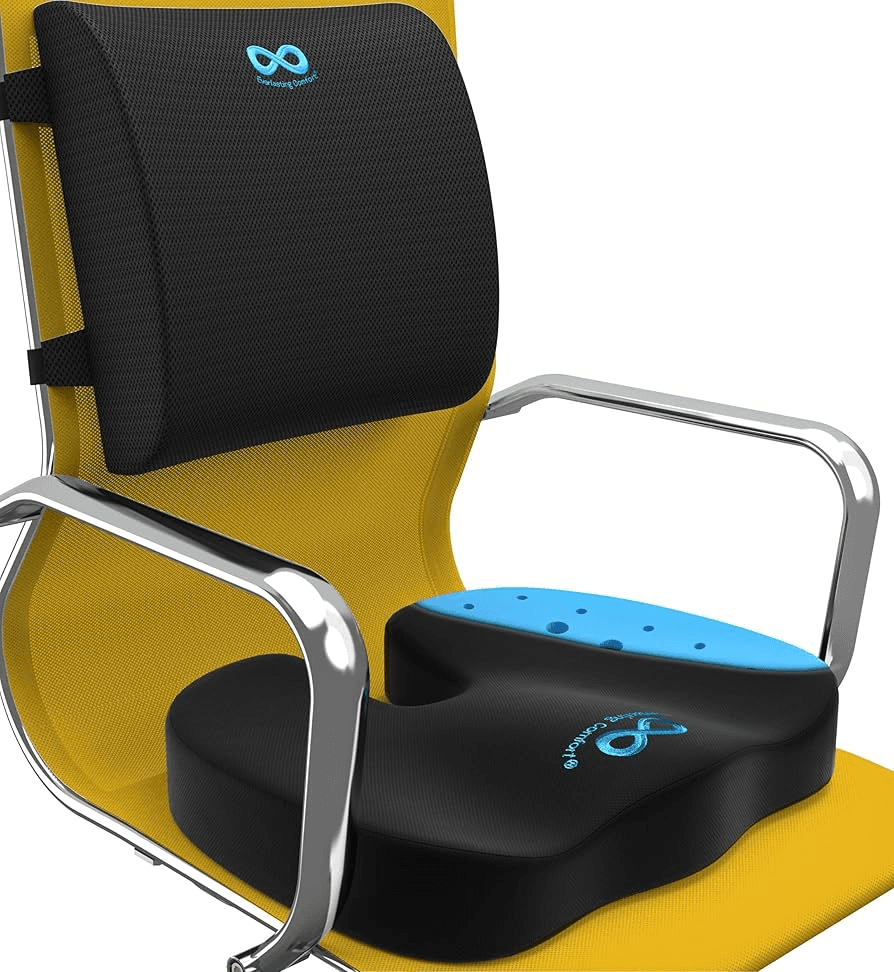
The Everlasting Comfort Seat Cushion is a budget-friendly way to make an existing chair more comfortable.
Not everyone can buy a new chair immediately.
The Everlasting Comfort Seat Cushion makes sense if your current chair is too firm, too flat, or uncomfortable after long sessions.
The Everlasting Comfort Seat Cushion is not a replacement for a truly good ergonomic chair, but it can help improve a chair you already own.
If the Branch Ergonomic Chair or Herman Miller Aeron is outside your budget, the Everlasting Comfort Seat Cushion is a smaller comfort upgrade to consider first.
Best for: Existing chairs, budget comfort, long sitting sessions, and chair upgrades.
Reasons to buy:
The Everlasting Comfort Seat Cushion is cheaper than a new chair.
The Everlasting Comfort Seat Cushion can improve sitting comfort.
The Everlasting Comfort Seat Cushion is easy to add to an existing setup.
Reasons to avoid:
The Everlasting Comfort Seat Cushion will not fix every chair problem.
WorthTheCart score: 8.4/10
Branch Ergonomic Chair
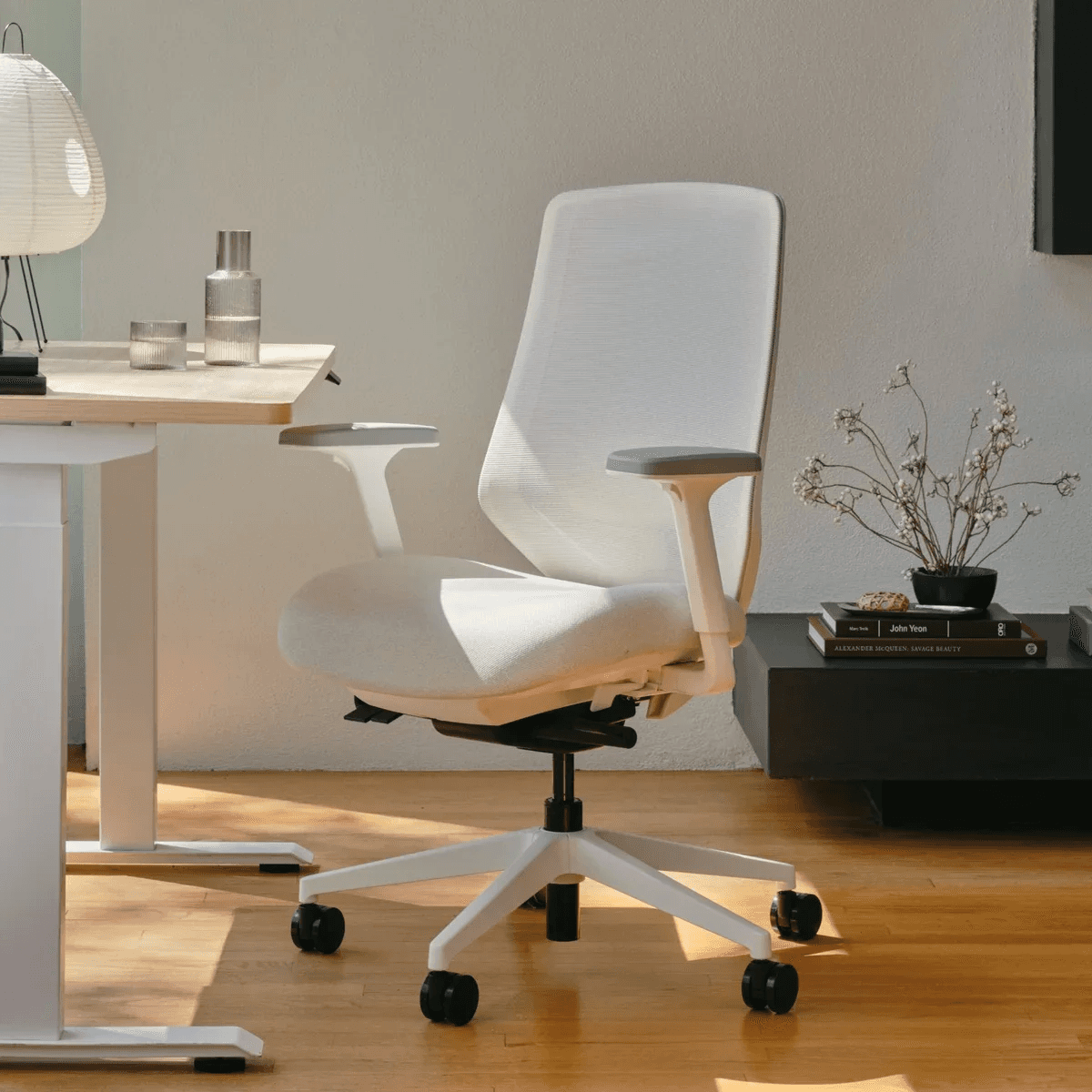
The Branch Ergonomic Chair is one of the best chair upgrades for most home offices.
A chair is one of the most important workspace products because it affects every hour you sit at your desk.
The Branch Ergonomic Chair is a strong pick if you want a proper ergonomic chair without going straight to ultra-premium pricing.
The Branch Ergonomic Chair works well for remote workers, students, freelancers, and people who spend long hours at a desk.
If your current chair is uncomfortable, the Branch Ergonomic Chair may be a bigger productivity upgrade than a new gadget.
Best for: Remote workers, students, home offices, and long sitting sessions.
Reasons to buy:
The Branch Ergonomic Chair is more realistic than ultra-premium chairs.
The Branch Ergonomic Chair is built for desk comfort.
The Branch Ergonomic Chair makes sense for daily work.
Reasons to avoid:
The Branch Ergonomic Chair still costs more than basic office chairs.
WorthTheCart score: 9.2/10
Herman Miller Aeron

The Herman Miller Aeron is the premium chair pick for people who want a serious long-term workspace upgrade.
The Herman Miller Aeron is not cheap, and it is not meant for casual desk users.
But if you work from home full-time, build content, run a business, study for hours, or spend most of your day at a desk, the Herman Miller Aeron can make sense as a long-term investment.
The Herman Miller Aeron is one of the most recognizable ergonomic office chairs, and it belongs in this guide as the premium comfort option.
For most people, the Branch Ergonomic Chair is the more realistic pick.
For people who want the high-end option, the Herman Miller Aeron is the stronger premium choice.
Best for: Full-time remote workers, serious home offices, and premium ergonomic setups.
Reasons to buy:
The Herman Miller Aeron is a serious long-term chair.
The Herman Miller Aeron is ideal for people who spend many hours at a desk.
The Herman Miller Aeron is a premium workspace upgrade.
Reasons to avoid:
The Herman Miller Aeron is expensive and unnecessary for casual users.
WorthTheCart score: 9.5/10
Best Standing Desk Upgrades
FlexiSpot H7
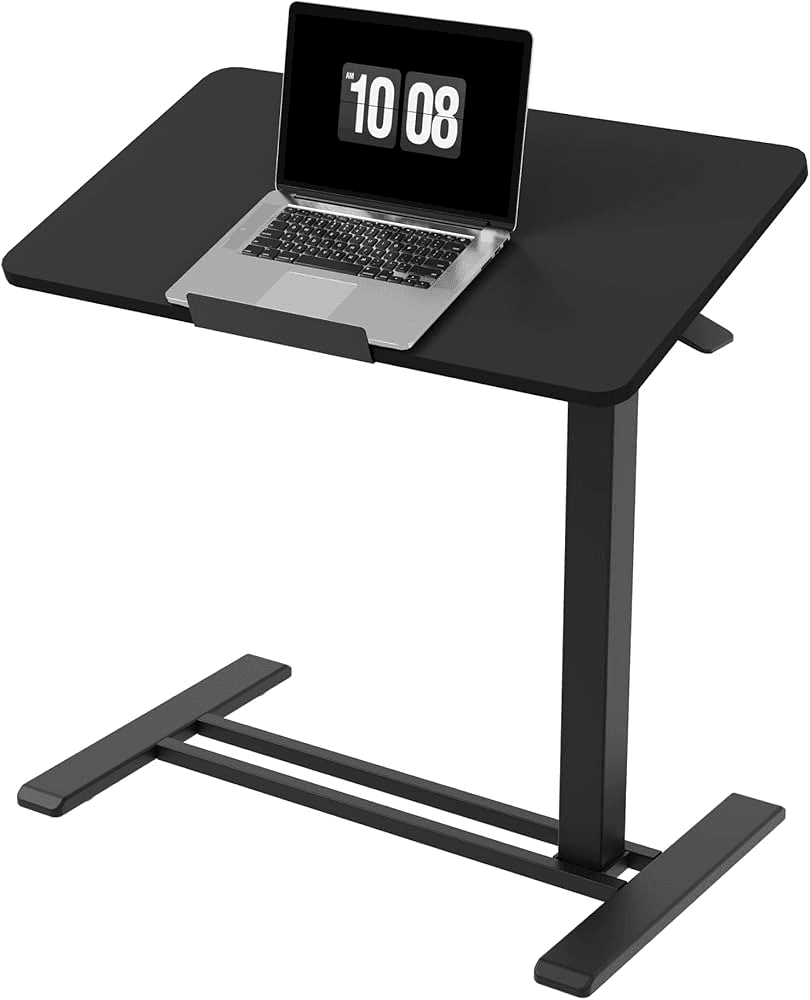
The FlexiSpot H7 is a strong choice if you want to upgrade your desk setup into a more flexible sit-stand workspace.
Standing all day is not the goal.
The real benefit of a standing desk setup is movement.
The FlexiSpot H7 makes sense for people who want to change positions during the day instead of sitting in one posture for hours.
The FlexiSpot H7 is best for people who are building a more permanent home office rather than a temporary laptop setup.
Best for: Sit-stand workspaces, long workdays, remote workers, and permanent home offices.
Reasons to buy:
The FlexiSpot H7 supports a more flexible workspace.
The FlexiSpot H7 is useful for people who dislike sitting all day.
The FlexiSpot H7 fits a more serious desk setup.
Reasons to avoid:
The FlexiSpot H7 is a bigger upgrade than most desk accessories.
WorthTheCart score: 8.9/10
FlexiSpot Standing Desk Converter
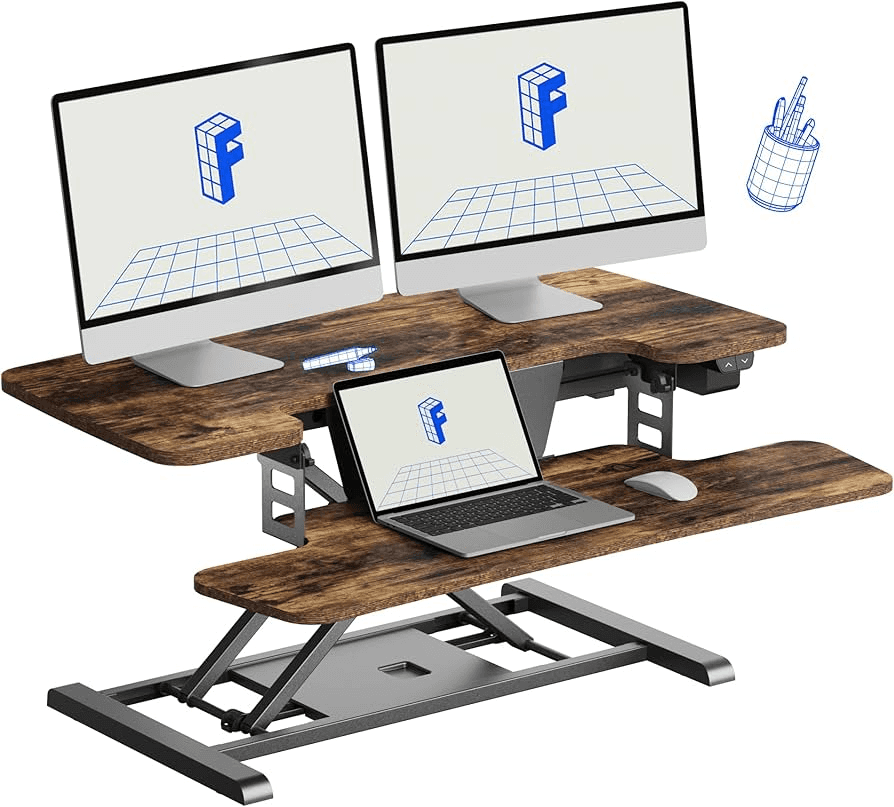
The FlexiSpot Standing Desk Converter is a better option if you want sit-stand flexibility without replacing your entire desk.
The FlexiSpot Standing Desk Converter sits on top of your existing desk and gives you a way to raise your workspace.
That makes the FlexiSpot Standing Desk Converter useful for renters, students, small spaces, or people who are not ready to buy a full standing desk.
The FlexiSpot Standing Desk Converter is less clean than a full sit-stand desk, but it is more accessible.
Best for: Existing desks, renters, small offices, and people testing standing work.
Reasons to buy:
The FlexiSpot Standing Desk Converter works with an existing desk.
The FlexiSpot Standing Desk Converter is easier than replacing the whole desk.
The FlexiSpot Standing Desk Converter is useful for testing sit-stand work.
Reasons to avoid:
The FlexiSpot Standing Desk Converter can add bulk to the desktop.
WorthTheCart score: 8.7/10
Best Wi-Fi Upgrade
Eero 6+ Mesh Wi-Fi
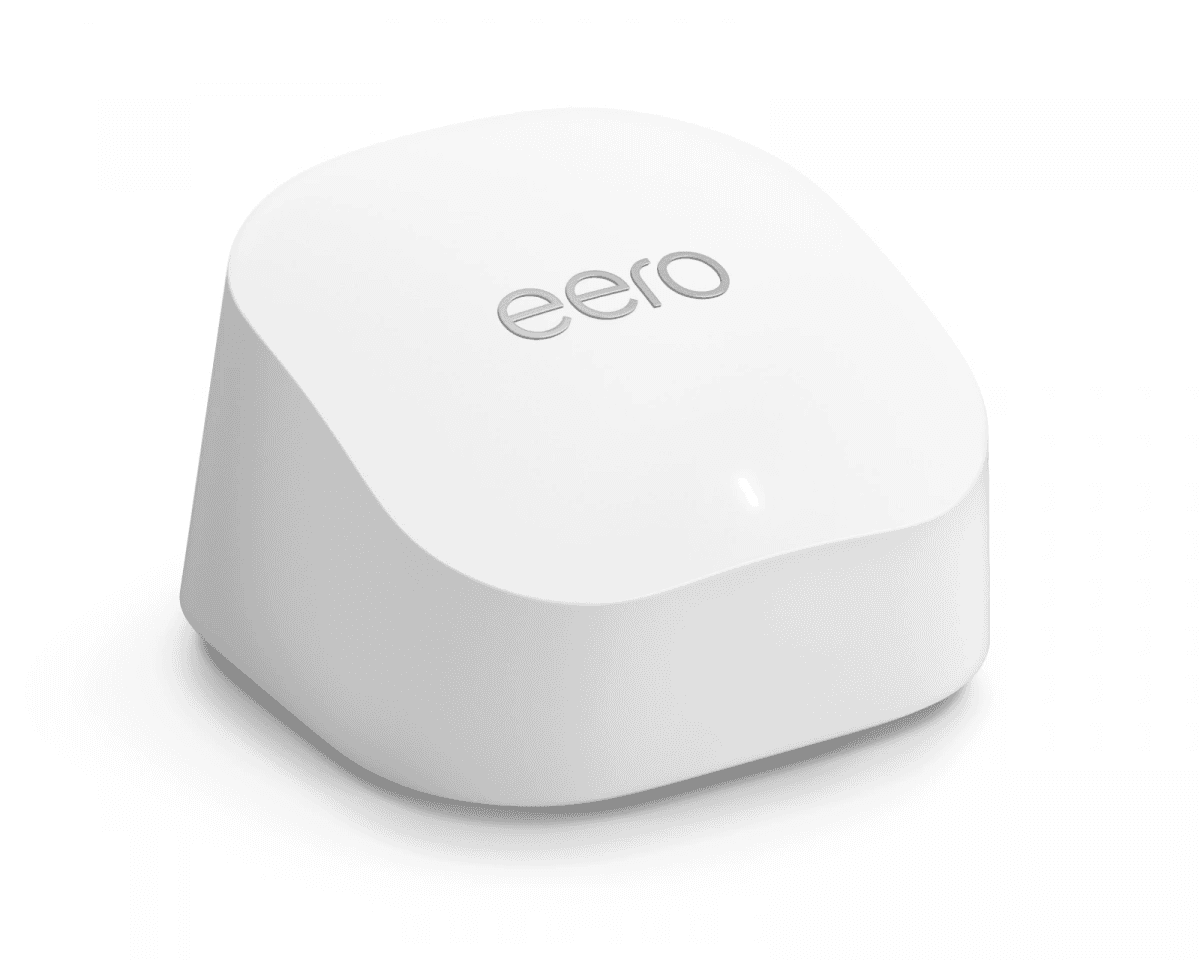
The Eero 6+ Mesh Wi-Fi is one of the most important upgrades people forget when building a home office.
A beautiful desk setup does not matter much if your internet drops during video calls.
The Eero 6+ Mesh Wi-Fi is a strong pick for people who work far from the router, have dead zones, share internet with family, or rely on stable Wi-Fi for meetings, uploads, streaming, or online work.
The Eero 6+ Mesh Wi-Fi is not a desk accessory, but it can directly affect how productive your workspace feels.
Best for: Home office Wi-Fi, video calls, uploads, larger homes, and weak signal areas.
Reasons to buy:
The Eero 6+ Mesh Wi-Fi can improve home office reliability.
The Eero 6+ Mesh Wi-Fi is useful for weak Wi-Fi areas.
The Eero 6+ Mesh Wi-Fi supports remote work and online calls.
Reasons to avoid:
The Eero 6+ Mesh Wi-Fi may be unnecessary if your current Wi-Fi is already strong.
WorthTheCart score: 8.9/10
Best Business Tools for Your Workspace
Bluehost

Bluehost is not a physical desk product, but it belongs in this guide if your workspace is also where you build a website, blog, portfolio, or online project.
A productive workspace is not only about hardware.
It can also be about what you build from that desk.
Bluehost makes sense for beginners who want to start a website, publish content, create a blog, or build an online presence without making hosting too complicated.
If you are using your desk to build a personal brand, affiliate site, niche blog, or small business website, Bluehost can be part of that setup.
Best for: Bloggers, beginners, website owners, creators, and small online projects.
Reasons to buy:
Bluehost is useful for starting a website.
Bluehost fits beginner online projects.
Bluehost makes sense if your workspace is for building online content.
Reasons to avoid:
Bluehost is not needed if you already have hosting or use another website platform.
check out my full bluehost review here: https://worth-the-cart.com/posts/bluehost-review-2026-is-bluehost-actually-worth-it-for-beginners-bloggers-and-small-websites
WorthTheCart score: 9.5/10
Shopify

Shopify is the ecommerce pick for people who want their workspace to become a place where they build a store.
If your desk setup is for more than school or remote work, Shopify can be one of the most important tools on this list.
Shopify is useful for people who want to sell products, test a brand idea, start a small business, build an ecommerce store, or turn a product idea into a real storefront.
A good desk helps you work.
Shopify helps you build the store you may be working on.
That is why Shopify fits at the end of this guide: it is not a desk accessory, but it can be the reason you are building the desk in the first place.
Best for: Ecommerce beginners, product brands, online stores, and small business owners.
Reasons to buy:
Shopify helps you build an online store.
Shopify is useful for beginners who want to sell products.
Shopify turns your workspace into a place for building a business.
Reasons to avoid:
Shopify is not needed if you are not interested in ecommerce.
check out my full shopify review here: https://worth-the-cart.com/posts/shopify-review-is-shopify-worth-it
WorthTheCart score: 9.7/10
NordVPN

NordVPN is one of those digital tools that feels boring until you actually need it. It helps make public Wi-Fi safer, hides your IP address, and adds useful extras like Threat Protection for blocking risky sites and downloads. The app is simple enough for beginners, but still has enough privacy features for people who take online security seriously. It is not something everyone needs every day, but if you travel, work remotely, study in cafés, or use public Wi-Fi often, NordVPN is a practical subscription that actually earns its place.
Score: 9.4/10
Best for: Travel, public Wi-Fi, remote work, everyday privacy
Skip if: You rarely use public networks and only need very basic protection
What Should You Buy First?
If you are starting from scratch, do not buy everything at once.
Start with the products that affect your daily work the most.
The best first upgrades are usually the Keychron V1 Max, Logitech MX Master 3S, Dell UltraSharp U2723QE, BenQ ScreenBar Halo, and Branch Ergonomic Chair.
If you use a laptop, add the Anker 675 USB-C Docking Station, Rain Design mStand, and Anker 555 USB-C Hub.
If your desk is messy, start with the Under-desk Cable Tray, Cable Clips, Grovemade / Orbitkey Desk Mat, and fenge Desk Shelf.
If you make content, prioritize the Elgato Facecam MK.2, Shure MV7+, FIFINE AM8, Samsung T9 Portable SSD, and ASUS ProArt Monitor.
If your biggest issue is comfort, look at the HUANUO Footrest, Everlasting Comfort Seat Cushion, Branch Ergonomic Chair, Herman Miller Aeron, FlexiSpot H7, or FlexiSpot Standing Desk Converter.
If you are building a blog or business from your desk, Bluehost and Shopify are the tools that help turn the workspace into something productive beyond the desk itself.
Final Verdict: What Is Actually Worth the Cart?
The best productive workspace is not the one with the most expensive products.
It is the one where every product has a clear job.
The Keychron V1 Max improves typing.
The Logitech MX Master 3S improves control.
The Dell UltraSharp U2723QE improves screen space.
The BenQ ScreenBar Halo improves lighting.
The Anker 675 USB-C Docking Station improves laptop connectivity.
The Branch Ergonomic Chair and Herman Miller Aeron improve comfort.
The Under-desk Cable Tray, Cable Clips, Grovemade / Orbitkey Desk Mat, and fenge Desk Shelf improve organization.
The Elgato Facecam MK.2, Logitech Brio 4K, Shure MV7+, and FIFINE AM8 improve how you show up online.
The Sony WH-1000XM5 improves focus.
The Samsung T9 Portable SSD, WD My Passport, Rocketbook Core, Time Timer MOD, and Quartet Glass Desktop Whiteboard improve storage, planning, and daily workflow.
And if your goal is to build something online, Bluehost and Shopify help turn your workspace into a place where you can actually create a website, blog, store, or business.
For most people, the best starting combo is simple:
Keychron V1 Max
Logitech MX Master 3S
Dell UltraSharp U2723QE
BenQ ScreenBar Halo
Anker 675 USB-C Docking Station
Branch Ergonomic Chair
Under-desk Cable Tray
That setup covers typing, control, screen space, lighting, connection, comfort, and cable management.
Everything after that depends on your work.
Pros
This guide covers the full workspace, including typing, mouse control, monitors, lighting, webcams, microphones, charging, cable management, storage, ergonomics, Wi-Fi, focus tools, and business tools.
Cons
You do not need every product at once, and some premium upgrades only make sense if you work from your desk often.
WorthTheCart? Final Verdict
The best productive workspace setup starts with the basics: a better keyboard, mouse, monitor, lighting, chair, cable management, and charging system. The Keychron V1 Max, Logitech MX Master 3S, Dell UltraSharp U2723QE, BenQ ScreenBar Halo, and Anker 675 USB-C Docking Station are the strongest starting points for most people.