Tech Reviews
ZimaCube 2 Review: The Home Server That Finally Makes Cloud Subscriptions Feel Silly
Tired of paying rent on your own files? The ZimaCube 2 is a powerful six-bay home server that puts your photos, media, and backups in one box you own — accessible everywhere you go. We break down the Standard, Pro, and Creator Pack to find out which one is actually worth the cart.
By Worth-the-cart
•
•
7 min read
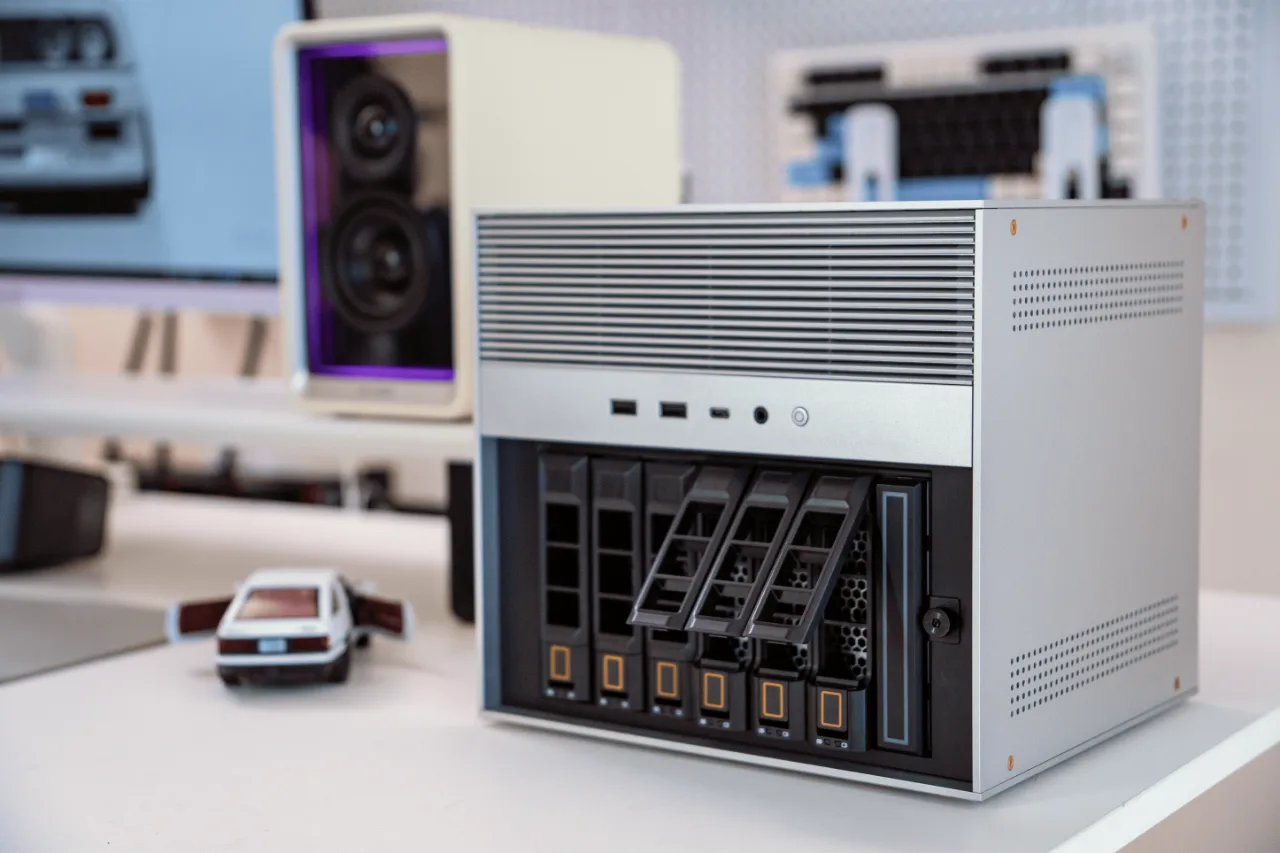

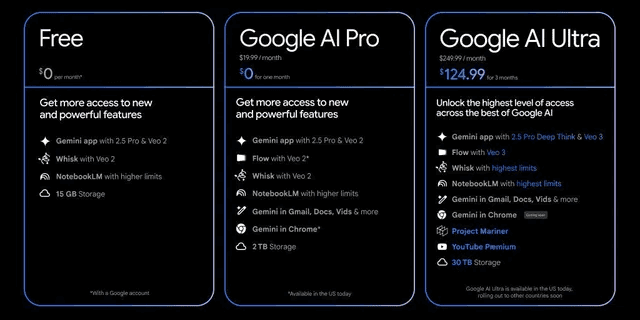
Here's a number that should bother you: if you're paying for 2TB of cloud storage, you'll hand over roughly $100 every single year, forever, and you'll never own a thing. Ten years from now, that's $1,000 spent renting space on someone else's computer — and the moment you stop paying, your files are held hostage.
The ZimaCube 2 flips that math on its head. It's a compact home server from IceWhale that sits quietly on your desk or shelf, holds your entire digital life, and makes every file available to you anywhere in the world — your phone, your laptop, a hotel Wi-Fi connection at 2 a.m. You pay once, and it's yours. No monthly bill, no storage tiers, no company deciding what you're allowed to keep.
I've spent a lot of time digging through this thing's spec sheets, independent test results, and owner feedback for this ZimaCube 2 review, and my honest take is this: it's one of the most exciting home server products you can buy right now, and it fixes almost everything people complained about in the original ZimaCube. But it's not perfect, the software still has catching up to do, and one of the three versions is genuinely hard to recommend for most people.
By the end of this review, you'll know exactly what the ZimaCube 2 does well, where it falls short, which of the three editions actually fits your life, and whether it deserves a spot in your cart. Let's get into it.
What Is the ZimaCube 2, Exactly?
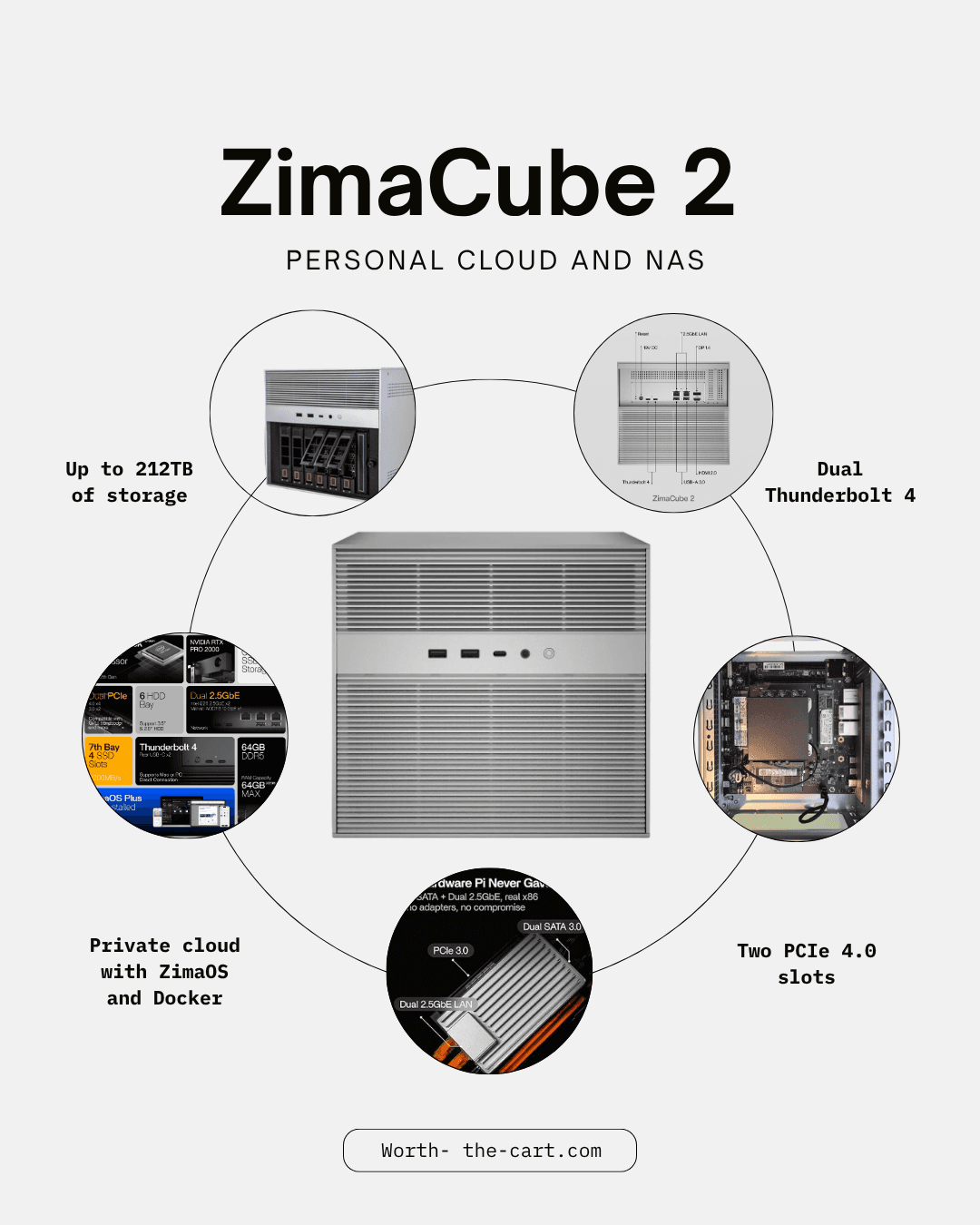
The ZimaCube 2 is a six-bay personal cloud and NAS (network attached storage) device — essentially a small, quiet home server. It stores your files, photos, videos, and backups locally, then makes them accessible from anywhere through IceWhale's ZimaOS software. Unlike most budget NAS boxes, it runs proper Intel desktop-class processors, includes Thunderbolt 4 for extremely fast direct transfers, and has room to grow with four NVMe SSD slots and PCIe expansion.
In plain English: it's Dropbox, Google Photos, Netflix, and a backup drive rolled into one box that lives in your home — with no monthly fee attached.
It's also worth understanding where this product comes from, because it explains a lot about how good it is. The original ZimaCube launched as a Kickstarter project and delivered a workable but slightly rough NAS built around a modest processor. The ZimaCube 2 is different. This is a direct-to-retail product from a company that's no longer a scrappy crowdfunding startup — and it shows. The hardware is more powerful, the connectivity is dramatically better, and the whole package feels like a finished product rather than an enthusiast experiment.
ZimaCube 2 Specifications at a Glance
There are three versions of the ZimaCube 2, and choosing between them is the single biggest decision you'll make. Here's how they line up:
Standard | Pro | Creator Pack | |
|---|---|---|---|
Price | $850 | $1,499 | $2,899 |
CPU | Intel Core i3-1215U (6 cores) | Intel Core i5-1235U (10 cores) | Intel Core i5-1235U (10 cores) |
RAM | 8GB DDR5 | 16GB DDR5 | 64GB DDR5 |
OS drive | 256GB NVMe SSD | 256GB NVMe SSD | 1TB NVMe SSD |
GPU | Intel integrated graphics | Intel integrated graphics | NVIDIA RTX Pro 2000 |
Drive bays | 6× 3.5"/2.5" SATA | 6× 3.5"/2.5" SATA | 6× 3.5"/2.5" SATA |
NVMe slots | 4 | 4 | 4 |
Networking | Dual 2.5GbE | Dual 2.5GbE + 10GbE | Dual 2.5GbE + 10GbE |
Thunderbolt 4 | Yes (40Gbps) | Yes (40Gbps) | Yes (40Gbps) |
Video output | HDMI + DisplayPort | HDMI + DisplayPort | HDMI + DisplayPort |
Max RAM | 64GB DDR5 (upgradeable) | 64GB DDR5 (upgradeable) | 64GB (included) |
PCIe expansion | Yes | Yes | Yes (GPU occupies one slot) |
A few things jump out of that table immediately. Every version — even the cheapest — gets the full six drive bays, all four NVMe slots, Thunderbolt 4, and video output. IceWhale didn't cripple the base model to upsell you, which is refreshingly rare in this market. The differences are purely about processing power, memory, networking speed, and (in the Creator Pack's case) a dedicated GPU.
One thing worth knowing before we go further: hard drives are not included with any version. More on that later, because it matters for your real budget.
The Big Idea: Your Files, Everywhere, Without the Monthly Bill
This is where the ZimaCube 2 earns its keep, and it's worth doing the actual math instead of hand-waving about "savings."
Say you're currently paying for a 2TB cloud plan at around $9.99 a month. That's about $120 a year. Maybe you also pay for a photo backup service, or a bit of web hosting for a personal project or small business site — call it another $100–$180 a year. It's easy for a modern household to quietly spend $200–$300 every year just renting storage and server space, and that number only goes up as your photo library grows.
Now run the ZimaCube 2 numbers. The ZimaCube 2 Standard costs $850 once. Load it with a couple of affordable NAS hard drives and you've got 20, 30, even 80+ terabytes of space — ten to forty times more than that cloud plan — accessible from anywhere. Against a $300-a-year subscription habit, the box pays for itself in roughly three years, and everything after that is effectively free storage. Against cloud plans big enough to actually match its capacity (which get eye-wateringly expensive), it pays for itself far sooner. And unlike a subscription, when the payback period ends, you still own a powerful, expandable machine.
But the savings argument, honestly, undersells it. The more interesting part is everything a home server does that cloud storage simply can't:
Stream your own media library to your TV, phone, or tablet through apps like Plex or Jellyfin — your personal Netflix, with no licensing games, no content disappearing from your library, and no "this title is not available in your region."
Back up every device in the house automatically. Phones, laptops, family computers — everything syncs to one box you control.
Host your own projects. Websites, game servers for you and your friends, smart home dashboards, password managers, note-taking apps — instead of paying a hosting company monthly for each one.
Keep private files actually private. Your tax documents, family photos, and personal archives sit on hardware in your home, not on a corporate server farm being scanned, analyzed, or monetized.
Survive a subscription apocalypse. Prices for cloud services keep creeping up. A home server is immune to every future price hike.
Imagine landing in another country, opening your phone, and pulling up the exact contract, photo album, or movie you need from the box sitting back home on your shelf. That's the everyday reality here, and once you've lived with it, going back to juggling cloud plans and "storage almost full" warnings feels genuinely backwards.
Storage That Actually Grows With You
Most affordable NAS boxes give you two or four drive bays and call it a day. When you outgrow them, your only option is buying a whole new unit. The ZimaCube 2 takes the opposite approach: six 3.5-inch bays, plus four NVMe SSD slots, plus PCIe expansion on the back. That's an unusual amount of headroom at this price, and it fundamentally changes how you buy.
You don't have to spend big up front. A sensible path looks like this:
Start with two hard drives in a mirrored setup, so one drive can fail without losing anything.
Expand by adding drives to the empty bays as your library grows — no migration, no new hardware.
Accelerate later by dropping a fast NVMe SSD into one of the four slots for the files and apps you use daily, while the big spinning drives handle archives and media.
Specialize eventually via the PCIe slot — faster networking, more storage controllers, or even a graphics card for heavier workloads.
The system is clearly designed as a platform you build on over years, not a sealed appliance you outgrow in eighteen months. That matters more than any single spec, because storage needs only ever move in one direction.
The build quality supports the long-haul idea too. The chassis is mostly aluminum with a clean, minimalist cube design, it feels solid and premium in independent hands-on reports, and installing drives in the main bays is a tool-free affair. It looks more like a piece of design furniture than an IT-closet refugee — which genuinely matters when this thing is going to live in your living room, office, or on a bookshelf rather than hidden in a basement.
Thunderbolt 4 and 10GbE: The Features That Change Daily Use
Specs like "Thunderbolt 4" and "10GbE" sound abstract until you translate them into what actually happens at your desk.
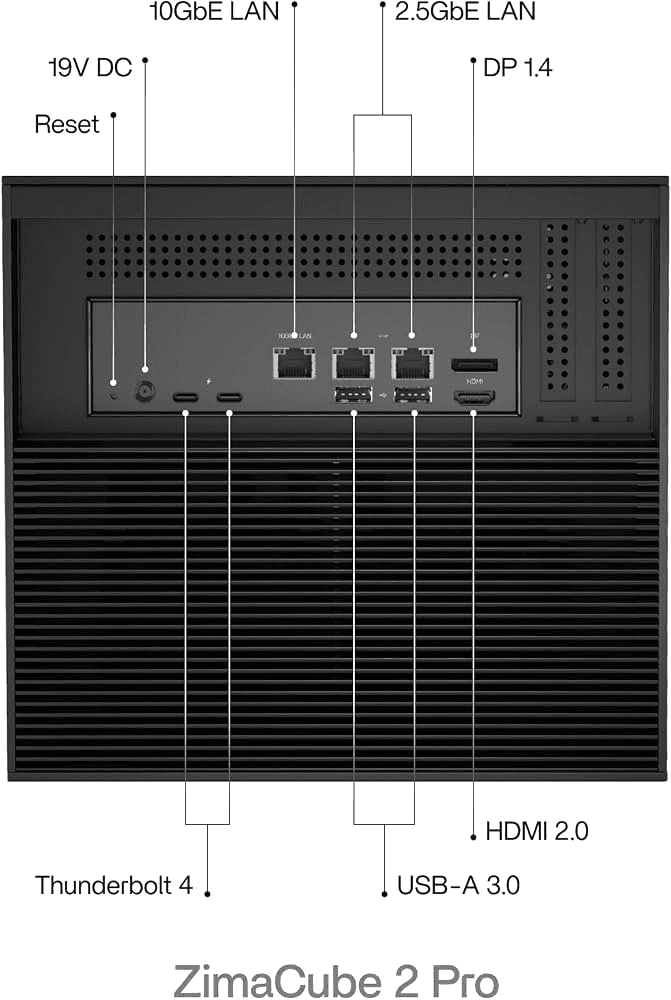
Thunderbolt 4 gives you a 40Gbps direct cable connection between the ZimaCube 2 and your laptop — no network required. For someone working from home with big files, this changes the workflow completely. A video editor can edit 4K footage directly off the server as if it were a local drive plugged into the laptop. A photographer can browse a 100,000-image archive without copying anything locally. No shuttling files back and forth on external SSDs, no waiting for uploads, no "wait, which version is the newest one?" chaos between your laptop and your storage.
This is the feature that makes the ZimaCube 2 more than a backup box. It blurs the line between "network storage" and "the fast drive on your desk," and very few NAS devices at any price offer it.
Then there's networking. Every model gets dual 2.5GbE Ethernet ports, which is already faster than the gigabit networking in most homes. The Pro and Creator Pack add a 10GbE port on top. If you've ever waited twenty minutes for a big project folder to crawl across your network, 10GbE turns that into a coffee-sip. For a normal household streaming movies and syncing photos, though, 2.5GbE is already more than enough — which is a genuine point in the Standard model's favor, and something to remember when you're tempted by the Pro.
There's one more quietly brilliant feature: HDMI and DisplayPort output. Plug in a monitor and keyboard, and the ZimaCube 2 becomes a full Intel mini PC. In practice this means setup and troubleshooting never require another computer, and in a pinch the box can double as a desktop, media center PC, or a local machine for whatever you want to run directly. Most NAS units are headless black boxes; this one isn't.
ZimaOS: Easy to Start, Still Maturing
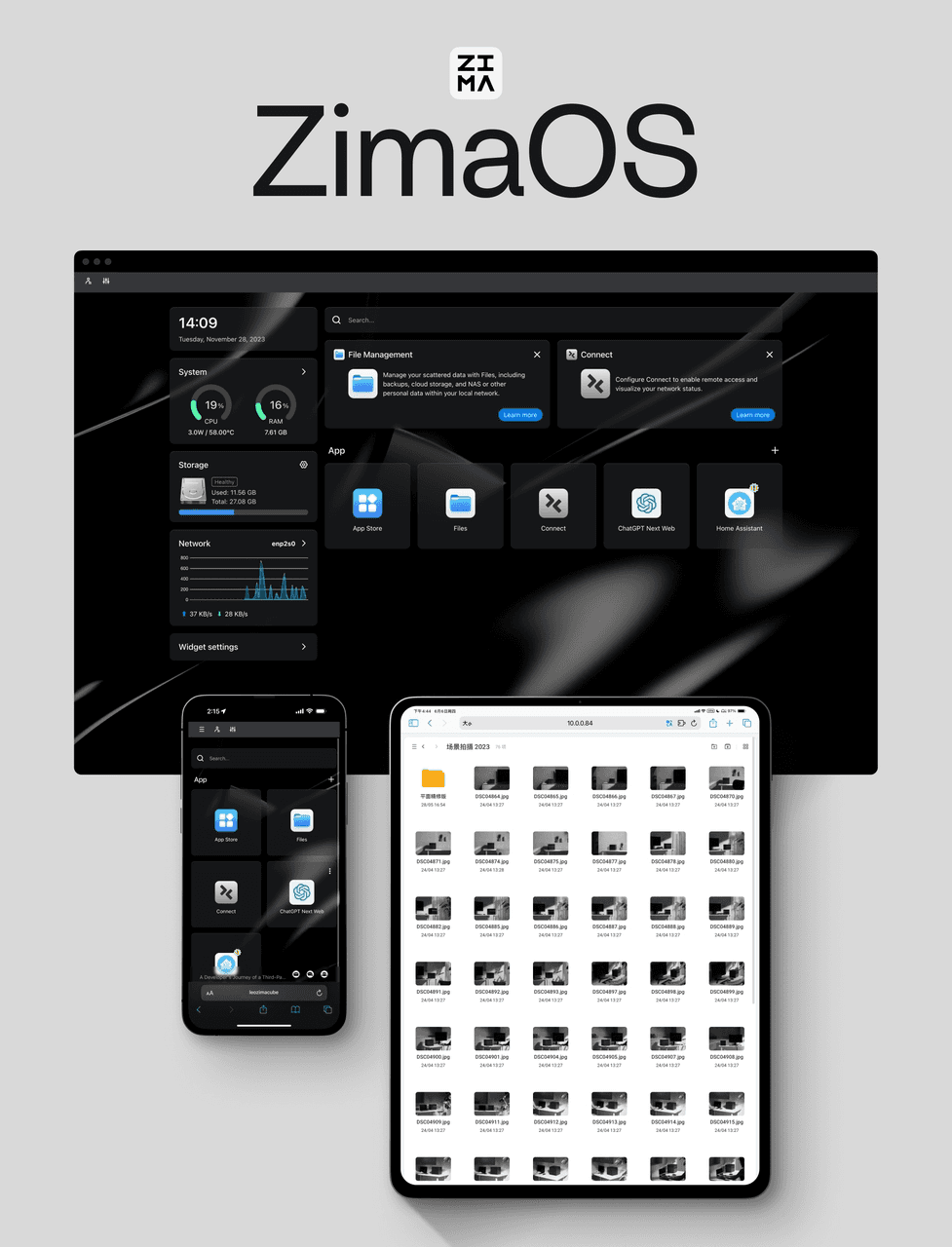
Here's the honest part of this ZimaCube 2 review, because no product this ambitious gets everything right.
ZimaOS, the included operating system, is genuinely pleasant for beginners — arguably the friendliest first-server experience on the market. The interface is clean and visual, and installing apps like Plex, Jellyfin, Immich (a superb self-hosted Google Photos alternative), or backup tools is closer to using an app store than configuring a server. Remote access to your files works with minimal fuss, and the mobile experience is straightforward. If the phrase "Docker container" means nothing to you, that's fine — ZimaOS handles the complicated parts behind friendly buttons.
But the software isn't as mature as the hardware it runs on, and independent reviewers have been consistent on this point. The rough edges worth knowing about:
Backup scheduling is more limited than it should be for a device at this price. The tools exist and work, but fine-grained control is thin.
VPN support leans on app-based workarounds rather than deep, native integration — workable, but not elegant.
Fan control and hardware monitoring inside the OS feel incomplete. On first-party hardware, you'd expect tighter control over cooling behavior than currently offered.
Built-in security tooling is sparse compared to long-established NAS platforms.
None of these are dealbreakers for a typical home user, and IceWhale ships regular updates — the software today is noticeably better than at launch. But you should go in knowing you're buying hardware that's a step ahead of its software.
Here's the safety net, and it's a big one: you're not locked in. The ZimaCube 2 is compatible with TrueNAS and other operating systems, so if you ever outgrow ZimaOS or simply want something more powerful, you can install it on the same hardware. That flexibility is rare in turnkey NAS boxes — most competitors deliberately lock you into their ecosystem — and it adds real long-term value and resale confidence.
Everyday Life With a ZimaCube 2: What You'd Actually Use It For
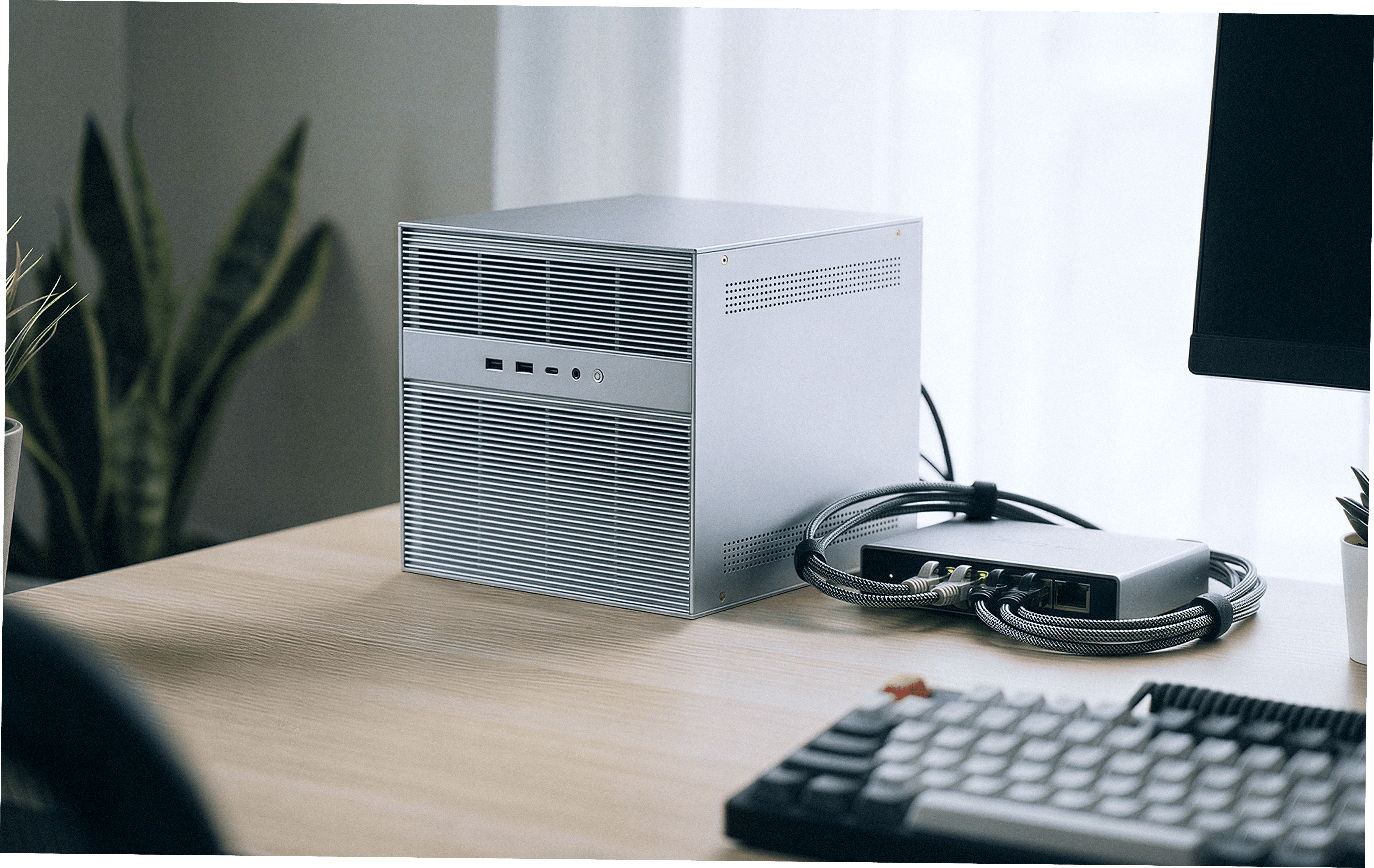
Spec sheets don't answer the real question: what does this box do for you on a random Tuesday? Based on how these systems are typically used, here's the realistic picture.
The family photo vault. Every phone in the house backs up automatically over Wi-Fi. Your photos stop living on a device that can be dropped in a lake, and stop costing you a monthly fee to store. Apps like Immich give you face recognition, search, and timeline views that feel just like the big-name photo services.
The personal streaming service. Rip your movie collection, organize your shows, and stream them to any TV or phone through Plex or Jellyfin. The Intel chips include hardware video encoding (including HEVC), so transcoding for different devices is smooth — a real advantage over the ARM-based NAS boxes at lower prices, which choke the moment two people stream at once.
The work-from-home hub. Your project files live in one place, accessible from your desk, your laptop in the kitchen, and your hotel room next month. With Thunderbolt 4, heavy files behave like local storage at your desk.
The tinkerer's playground. A password manager, an ad-blocker for your whole network, a smart-home dashboard, a game server, a website — the self-hosting world is enormous, and the ZimaCube 2 has the processing power to run a dozen of these at once. This is where it embarrasses cheaper NAS hardware: those boxes store files, but they don't have the muscle to do much.
The AI experiment bench. Even the Standard model can run smaller local AI models, and the Creator Pack — with its NVIDIA RTX Pro 2000 — is explicitly built for running larger language models privately at home. Your questions never leave your house. It's a niche, but a fast-growing one.
Which ZimaCube 2 Should You Buy?
This is the decision that actually matters, so let's take each edition seriously.
ZimaCube 2 Standard — Best Value
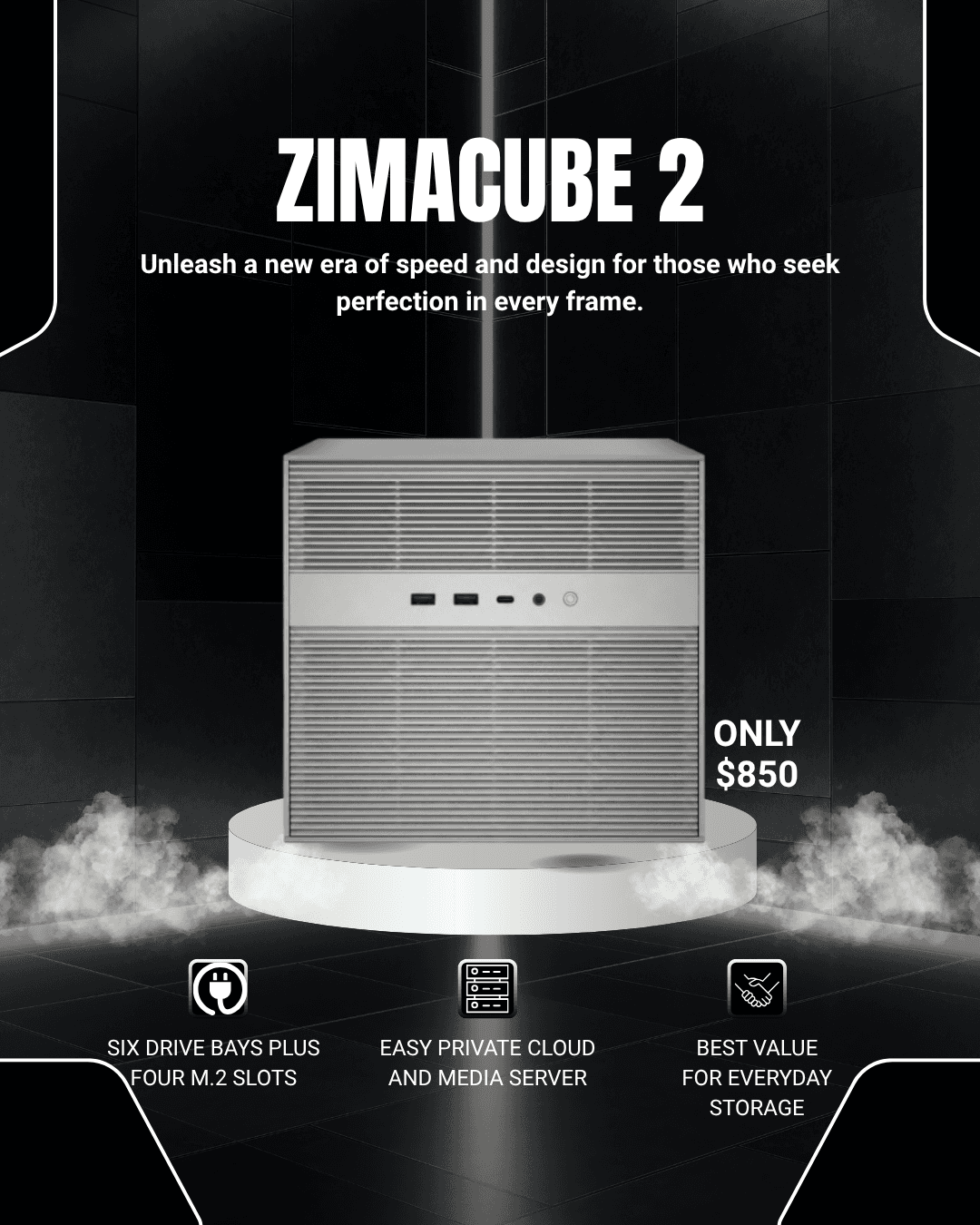
The ZimaCube 2 Standard at $850 is the version most people should buy, and it's not particularly close.
The i3-1215U is far more capable than the ARM chips in similarly priced NAS boxes — this is a real six-core Intel processor with hardware video encoding. The 8GB of DDR5 handles file serving, backups, media streaming, and a handful of self-hosted apps comfortably, and the memory is upgradeable to 64GB later if your ambitions grow. Crucially, you give up nothing structural: the full six bays, all four NVMe slots, Thunderbolt 4, dual 2.5GbE, and video output are all here.
For a household that wants to ditch cloud subscriptions, back up every device, stream its own media, and dabble in self-hosting, the Standard doesn't just suffice — it has headroom to spare.
Buy it if: you want your files everywhere, your subscriptions gone, and a platform that grows with you.
Skip it if: you plan to run many virtual machines or heavy simultaneous workloads, or you know you need 10GbE networking from day one.
ZimaCube 2 Pro — Best Overall
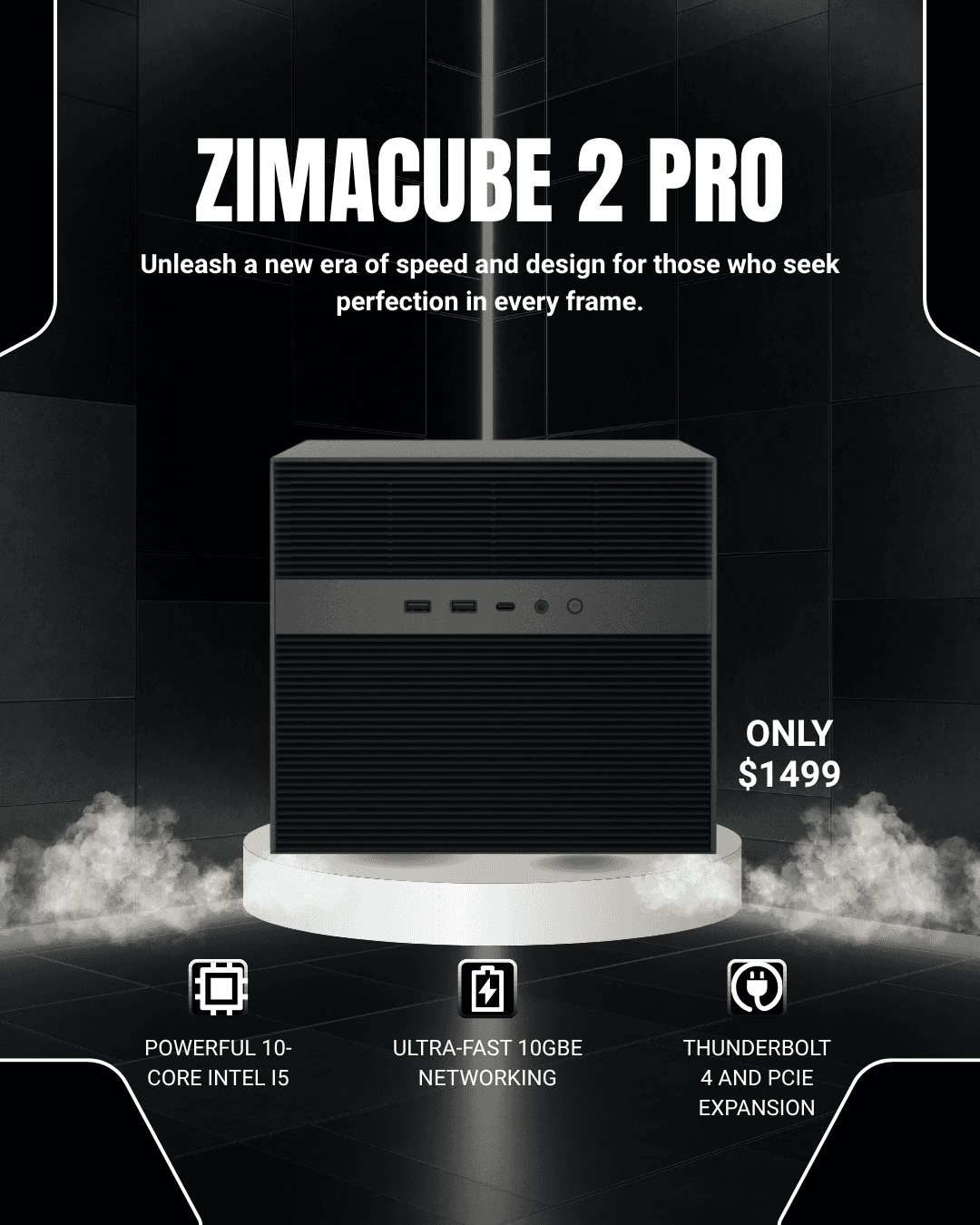
The ZimaCube 2 Pro at $1,499 doubles the RAM to 16GB, steps up to the 10-core i5-1235U, and — most importantly — adds 10GbE networking alongside the dual 2.5GbE ports.
Who actually feels that difference? Creators moving large files daily, households where several people hammer the server at once, and home-lab enthusiasts running a stack of Docker containers, a VM or two, and a media server simultaneously. For that crowd, the Pro is the sweet spot: the extra cores and memory keep everything responsive, and the 10GbE port future-proofs the network side for many years. Independent testing has praised exactly this combination — ten drives of potential storage, dual PCIe slots still free, fast networking, and Thunderbolt, all in one compact box.
Buy it if: you edit video over the network, self-host multiple services, or want maximum headroom without going overboard.
Skip it if: your needs are storage, backup, and streaming — the Standard does all of that for $649 less, and you'll likely never notice what you skipped.
ZimaCube 2 Creator Pack — For AI Tinkerers Only
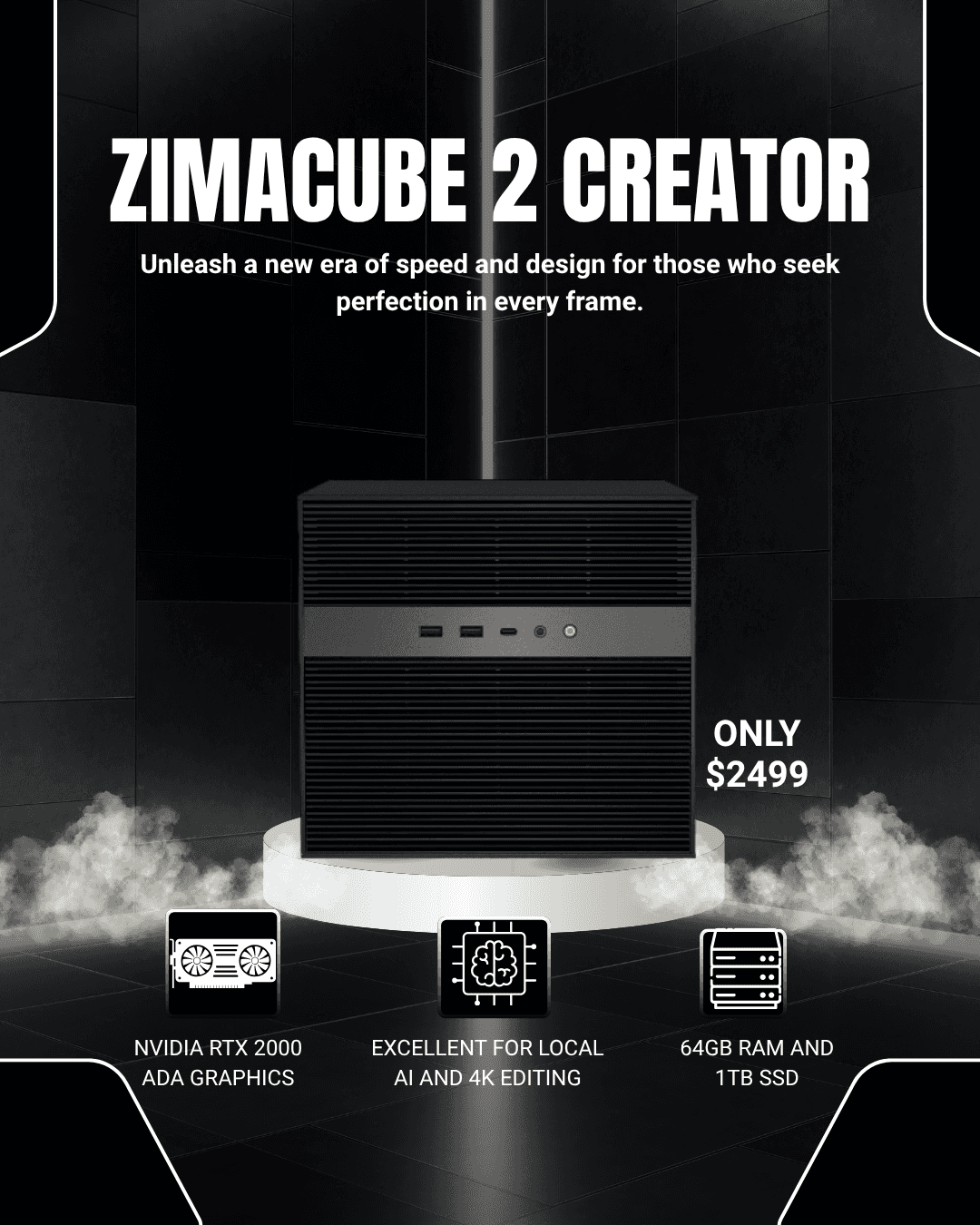
The ZimaCube 2 Creator Pack at $2,899 takes the Pro and piles on 64GB of RAM, a 1TB OS drive, and an NVIDIA RTX Pro 2000 workstation GPU.
That GPU is the whole story. It unlocks serious local AI work — running large language models privately at home, image generation, GPU-accelerated video work, and enough transcoding muscle for a small army of simultaneous streams. As an all-in-one "private AI machine that's also a full NAS," it's genuinely coherent, and for the right buyer it replaces two separate expensive purchases.
But let's be honest: most people reading a home server review do not need a workstation GPU in their NAS. If you're not specifically planning GPU workloads, the $1,400 premium over the Pro buys you very little in daily life — your files don't sync faster, your movies don't look better, your backups don't improve. The score reflects that mismatch between price and typical use, not any flaw in the hardware itself.
Buy it if: you want a private, local AI workstation that also happens to be an excellent NAS.
Skip it if: you just want your files everywhere. That's the Standard's job, at less than a third of the price.
Hidden Costs Nobody Mentions
Two budget lines the product page won't shout about:
Drives are not included. Realistically, add $200–$500 for a pair of quality NAS-grade hard drives, depending on capacity — more if you want to fill several bays on day one. Factor this into any comparison against cloud pricing. The good news: even with drives included, the long-term math still favors the ZimaCube 2 comfortably, and drives you buy are capacity you own forever.
Electricity. A home server runs 24/7. The ZimaCube 2's laptop-class Intel chips are efficient at idle, but expect a modest bump on your power bill — roughly the cost of one streaming subscription per year, depending on your local rates and how many drives you spin. Worth knowing, not worth worrying about.
There's also a soft cost worth naming: a weekend of setup. ZimaOS makes it as painless as this category gets, but plan an afternoon for installing drives, creating your storage pool, setting up backups, and getting your phones syncing. It's a one-time investment that pays out every day afterward.

What Matters Less Than You Think
One spec-sheet reality check before the verdict: the ZimaCube 2 runs Intel's 12th-generation processors, which first launched in 2022. Some reviewers ding it for that, and if you compare spec sheets against the newest mini PCs, it looks dated.
In practice? For a NAS serving files from hard drives and streaming media, these chips are nowhere near their limits. You will saturate your network connection and your drives' speed long before the CPU breaks a sweat in everyday use. The processor generation is genuinely the least important line on the spec sheet for this kind of device — expandability, connectivity, and software support matter enormously more. Don't let it scare you off, and don't pay extra elsewhere just for a newer chip badge.
Final Verdict: Is the ZimaCube 2 Worth the Cart?
Yes — for the right buyer, the ZimaCube 2 is one of the best home server purchases you can make in 2026.
The core promise delivers completely: your files, photos, and media available everywhere you go, storage big enough to swallow your entire digital life several times over, and a one-time price that beats years of cloud storage and web hosting subscriptions. The hardware is polished, quiet, unusually powerful for the money, and built to expand for years. The honest trade-off is software that's still catching up to that hardware — delightful for beginners, but with rough edges around backups, VPN, and monitoring that power users will notice, softened by the freedom to install TrueNAS if you ever want more.
The best choice for most people is the ZimaCube 2 Standard at $850 — it does 90% of what the expensive models do at a fraction of the price, with the same bays, slots, and Thunderbolt. The best overall machine is the ZimaCube 2 Pro at $1,499 if you move big files, serve a busy household, or run a serious home lab. And the Creator Pack is a niche pick for local-AI enthusiasts who'll genuinely use that GPU.
If you've been paying rent on your own files for years, this is the box that lets you stop.
Frequently Asked Questions
Do I need to be technical to use the ZimaCube 2? No. ZimaOS is designed for beginners — installing apps and setting up remote access is closer to using a smartphone than configuring a server. If you can install an app and follow a setup wizard, you can run this. Power users can install TrueNAS or another OS instead.
Does the ZimaCube 2 come with hard drives? No. All three versions ship without storage drives, apart from the NVMe SSD that holds the operating system. Budget for at least two NAS-grade hard drives on top of the purchase price.
Can I access my files away from home? Yes. ZimaOS includes remote access, so your files, photos, and media are available from your phone or laptop anywhere with an internet connection — one of the main reasons to own one.
Is the ZimaCube 2 good for Plex or Jellyfin? Yes. The Intel processors include hardware video encoding (including HEVC), so media streaming and transcoding run smoothly — a real advantage over cheaper ARM-based NAS boxes. The Creator Pack's GPU adds muscle for many simultaneous transcodes, but most households won't need it.
ZimaCube 2 Standard or Pro — which should I buy? Standard for typical home use: backups, photo sync, streaming, and a few self-hosted apps. Pro if you edit large files over the network, want 10GbE networking, or run many services at once. When in doubt, buy the Standard — the RAM is upgradeable later.
How much storage can the ZimaCube 2 hold? With six 3.5-inch bays and four NVMe slots, total capacity depends on the drives you install — filling the bays with large modTired of paying rent on your own files? The ZimaCube 2 is a powerful six-bay home server that puts your photos, media, and backups in one box you own — accessible everywhere you go. We break down the Standard, Pro, and Creator Pack to find out which one is actually worth the cart.ern hard drives puts well over 100TB within reach, far beyond any consumer cloud plan.
Can it really replace my web hosting? For personal projects, portfolios, small sites, and self-hosted tools, yes — the ZimaCube 2 has more than enough power to serve them, saving you the monthly hosting fee. For a high-traffic business site, dedicated hosting still makes sense.
Is it loud? No. The aluminum chassis and laptop-class chips keep it quiet enough for a living room or office shelf. The main sound you'll hear is the gentle hum of hard drives, which any multi-drive NAS produces.
All pictures served to: https://www.zimaspace.com/
Keep reading


