Gaming Gear
Best Gaming Keyboards for Every Budget in 2026
The best gaming keyboard is not automatically the most expensive. We compare mechanical, optical, wireless, and Hall Effect keyboards from $35 to $191 to find the right option for every budget and setup.
By worth-the-cart
•
•
5 min read


Gaming keyboards have become harder to compare, not easier. One model advertises incredibly precise Rapid Trigger settings, another focuses on a softer gasket-mounted typing feel, and a third costs less than a new AAA game while still offering real mechanical switches. All three can be good purchases, but they are good for completely different reasons. The most expensive option is not automatically the best one for your desk, and the cheapest model is not necessarily a bad keyboard simply because it lacks the newest competitive features.
The good news is that you no longer need to spend close to $200 to get a genuinely useful gaming keyboard. Affordable models now offer features that used to be limited to enthusiast boards, including hot-swappable switches, multiple wireless modes, sound-dampening material, and compact layouts that preserve the keys most people actually use. Premium Hall Effect keyboards still have a place, particularly for competitive FPS players who want adjustable actuation and Rapid Trigger, but most gamers will benefit more from choosing the right layout and switch type. A comfortable 75% keyboard that works well for both gaming and everyday typing can be a smarter purchase than a highly specialized 60% model with technology you never configure.
This guide covers keyboards priced from approximately $35 to $191, including Hall Effect, mechanical, and optical models in 60%, 65%, 75%, and tenkeyless layouts. Rather than forcing them into a single ranking, each keyboard is matched to the kind of buyer it serves best. That makes the differences easier to understand and prevents a niche competitive feature from outweighing practical considerations such as arrow keys, wireless connectivity, switch compatibility, and long-term repairability. Prices can change, and several of these Amazon listings include different colors or switch variants, so confirm the selected configuration before ordering.
The Short Answer
The EPOMAKER x AULA F75 is the easiest recommendation for most people because it offers the most balanced collection of features for approximately $65. Its 75% layout keeps the function row and dedicated arrow keys, while USB-C, 2.4GHz wireless, and Bluetooth make it flexible enough for a gaming PC, laptop, and other devices. It also includes hot-swappable switches, a volume knob, a 4,000mAh battery, and a gasket-mounted construction with several internal padding layers. It is not the fastest keyboard in this guide, but it provides the kind of features most buyers will notice every day.
Competitive FPS players who genuinely use Rapid Trigger should consider the IQUNIX EZ60 instead. It is much more expensive at around $191, but its Hall Effect switches, adjustable actuation, advertised 8,000Hz polling rate, and extremely low claimed latency give it a clear purpose. At the opposite end of the range, the renewed Redragon K552 is the simple budget choice at roughly $35. It is wired and basic, but it provides a compact TKL layout and mechanical red switches without charging extra for wireless features or customization that a budget buyer may not need.
Quick Comparison
Keyboard | Approximate price | Layout | Connection | Switch technology | Best for |
|---|---|---|---|---|---|
$191 | 60% | Wired | Hall Effect magnetic | Competitive FPS and Rapid Trigger | |
$65 | 75% | USB-C, 2.4GHz and Bluetooth | Hot-swappable mechanical | Best balance for most buyers | |
$40 | TKL | Wired USB-C | Hot-swappable mechanical | Affordable TKL and simple reliability | |
$80 | 75% | Bluetooth and USB-C | Mechanical | Mac and Windows users | |
$52 | 65% | USB-C, 2.4GHz and Bluetooth | Hot-swappable mechanical | Affordable wireless gaming | |
$62 | 60% | Wired | Hot-swappable optical | Compact optical-switch setup | |
$35 | TKL | Wired | Mechanical red switches | Lowest-cost practical option | |
$69 before switches and keycaps | 60% with arrow keys | Wired | Hot-swappable mechanical kit | Building a personalized keyboard |
How to Choose the Right Gaming Keyboard
The best gaming keyboard is the one whose expensive features you will actually use. Before comparing RGB patterns or manufacturer latency claims, decide which layout fits your daily routine, whether you need a wired or wireless connection, and how much customization you realistically plan to do. A keyboard can look impressive on a specifications sheet and still be frustrating if it removes keys you use every day. It is also easy to overpay for hot-swap sockets or advanced software when you have no intention of changing switches or building separate profiles.
Hall Effect, Mechanical, and Optical Switches
Traditional mechanical switches register a keypress when physical electrical contacts meet, while Hall Effect keyboards use magnetic sensing to measure how far a key has moved. This allows a Hall Effect model to offer adjustable actuation, letting you choose how deeply a key must be pressed before the input registers. Rapid Trigger can also reset a key based on its movement instead of requiring it to return to one fixed reset point. In movement-sensitive games such as Counter-Strike 2 and Valorant, those controls can make quick directional changes feel more immediate, especially when the settings are tuned around the player.
That does not mean Hall Effect is automatically better for everyone. If you mainly play Minecraft, strategy games, slower single-player titles, or casual multiplayer, a good mechanical keyboard may improve your overall experience more through its typing feel, layout, sound, or wireless convenience. Optical switches are another alternative, using a light-based method to register presses, but they require a compatible optical PCB and do not share the same broad switch ecosystem as conventional mechanical boards. The important distinction is not which technology sounds most advanced; it is whether that technology solves a problem you actually have.
Choosing the Right Layout
A 60% keyboard removes the number pad, function row, navigation cluster, and usually dedicated arrow keys, creating additional room for low-sensitivity mouse movement. That compact size can be excellent for FPS gaming, but many ordinary commands must be accessed through shortcuts and secondary layers. A 65% model adds dedicated arrow keys and a small selection of navigation keys without becoming much wider, making it one of the smallest layouts that still feels convenient outside games. For buyers who want more mouse space without giving up basic navigation, 65% is often a safer choice than 60%.
A 75% keyboard keeps both the arrow keys and function row in a compressed design, which makes it particularly useful for a setup shared between gaming, school, work, and general browsing. TKL, or tenkeyless, removes only the number pad and preserves a more familiar arrangement of function keys, arrows, and navigation controls. It takes up more space than a 75% model but requires almost no adjustment for someone moving from a full-size keyboard. If you do not need a number pad and dislike keyboard layers, TKL remains one of the easiest layouts to recommend.
Wired and Wireless Connections
A wired keyboard avoids charging, pairing, and wireless interference, which makes it the simplest choice for a permanent desktop setup. Modern 2.4GHz wireless connections can also work well for gaming, while Bluetooth is better treated as a convenience feature for switching between devices. On a tri-mode keyboard, USB-C or 2.4GHz is generally the better choice for gaming, with Bluetooth reserved for tasks where maximum responsiveness is less important. Wireless is useful when it removes clutter or lets one keyboard serve several devices, but it should not automatically be treated as a necessary premium feature.
Understanding Hot-Swap Compatibility
A hot-swappable keyboard lets you replace compatible switches without soldering, making it possible to change the feel later or replace one faulty switch instead of discarding the whole board. This can extend the useful life of a keyboard, but the word “hot-swappable” does not mean universal compatibility. Standard mechanical sockets, optical sockets, and magnetic Hall Effect systems are separate ecosystems, and even models within the same category can have limitations. A Gateron optical switch will not fit a standard MX mechanical PCB, while magnetic switches may only work with specific Hall Effect sensors and firmware. Always check the exact switch type before ordering a replacement set.
IQUNIX EZ60: Best for Competitive Gaming
At approximately $191, the IQUNIX EZ60 is by far the most expensive keyboard in this guide, but it is also the most specialized. Its value does not come from providing more keys, wireless convenience, or the broadest everyday usability. Instead, it gives competitive players unusually detailed control over how each key responds. The wired 60% board uses magnetic Hall Effect switches and supports adjustable actuation, Rapid Trigger, an advertised 8,000Hz polling rate, 0.01mm Rapid Trigger sensitivity, and a claimed latency of 0.125ms. Those features place it in the competitive enthusiast category rather than the ordinary mechanical-keyboard market.
The practical advantage is the ability to tune actuation behavior around individual keys and games. A player could use a very shallow actuation point for movement keys so they respond with minimal travel, while leaving less frequently used keys deeper to reduce accidental presses. Rapid Trigger is particularly relevant when quickly stopping, changing direction, or repeating an input, which can matter in competitive shooters where movement affects accuracy. The compact 60% layout also creates considerable room for wide mouse movements, making it suitable for FPS players who use low sensitivity and need more clear desk space.
The compromise is that many of these benefits are narrow and require configuration. There is no dedicated function row, number pad, or full navigation cluster, and arrow-key access may depend on a secondary layer. Someone who regularly writes, edits spreadsheets, or relies on function-key shortcuts may find the layout less convenient than a 75% or TKL keyboard. The difference between an advertised 0.125ms latency and a conventional gaming keyboard will not transform casual play either, because the monitor, PC performance, network connection, mouse, and player all remain part of the same response chain. Its magnetic hot-swap support should also not be mistaken for universal MX mechanical compatibility.
The IQUNIX EZ60 is worth considering when competitive FPS gaming is a serious hobby and you already understand why adjustable actuation and Rapid Trigger could help your playstyle. It also suits someone who specifically wants a premium 60% Hall Effect keyboard and is comfortable using shortcut layers outside games. It is harder to justify for players who mainly want satisfying mechanical typing, wireless convenience, or maximum value per dollar. The AULA F75 costs roughly one-third as much and is far more practical for a mixed gaming and everyday setup, even though it cannot reproduce the EZ60’s magnetic-switch controls.

EPOMAKER x AULA F75: Best Overall Value
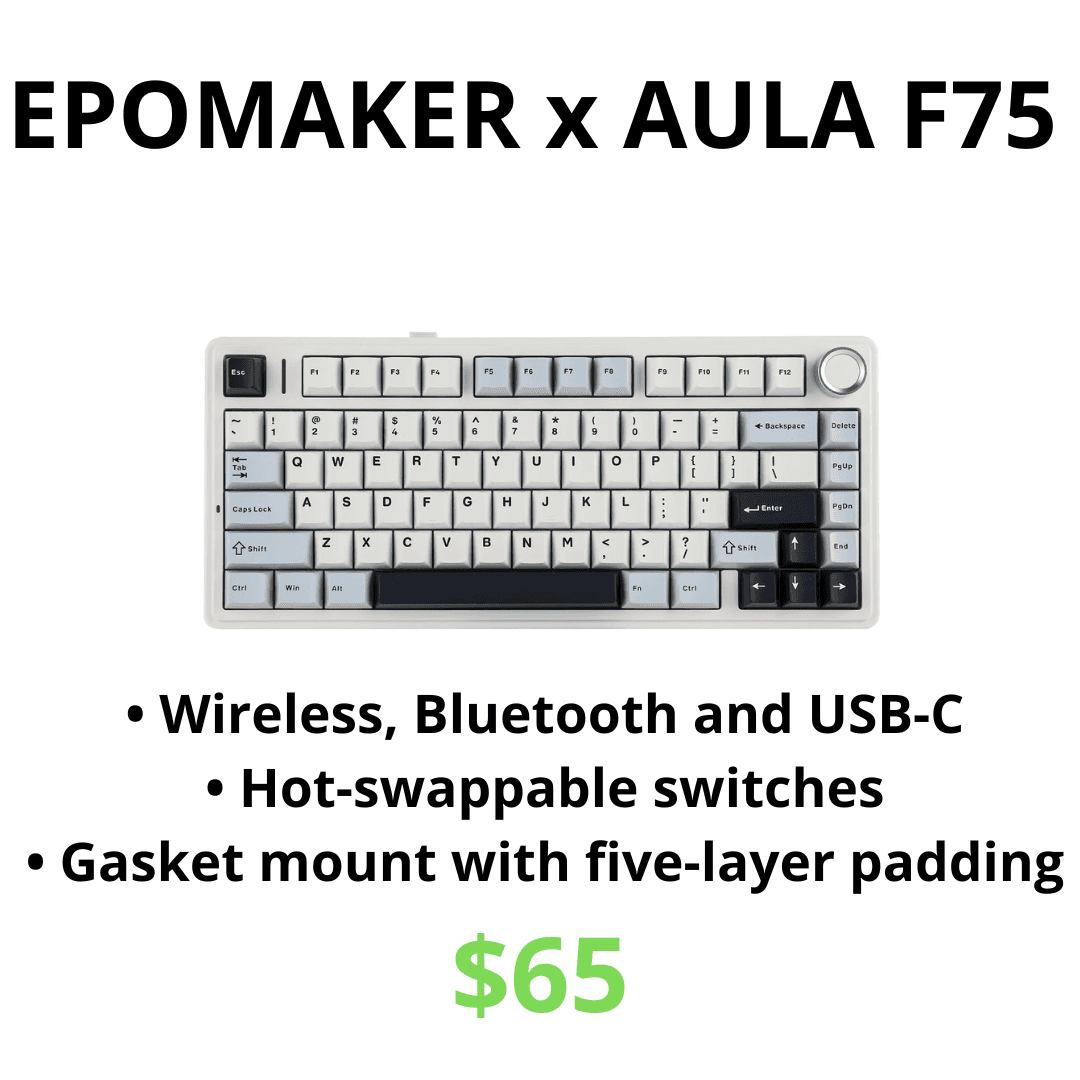
The EPOMAKER x AULA F75 competes in one of the busiest parts of the keyboard market, but its combination of features makes it stand out at approximately $65. Its 75% layout retains dedicated arrow keys and a function row while taking up less space than a full-size or TKL board. It supports wired USB-C, 2.4GHz wireless, and Bluetooth, allowing the same keyboard to serve a gaming PC and secondary devices without constantly moving cables. The F75 also includes hot-swappable switches, RGB lighting, a volume knob, and a 4,000mAh battery, although actual battery life will depend heavily on connection mode and lighting brightness.
The F75’s strongest quality is not that it beats every competitor in one measurement; it is that it avoids major sacrifices at its price. Its gasket-mounted construction and multiple internal padding layers are intended to produce a softer typing feel and reduce the hollow case noise found in many cheap gaming keyboards. Switch and keycap choice will still influence the final sound, but the underlying structure is more ambitious than the price suggests. The hot-swap sockets also create an affordable upgrade path, letting the owner experiment with a different switch feel or replace a faulty switch without buying another keyboard.
There are still limitations behind the impressive feature list. The case is plastic, so buyers expecting the weight and finish of an aluminum custom keyboard may find it less premium than the product photos suggest. Software on affordable keyboards can also feel less polished than the ecosystems offered by larger gaming brands, particularly for buyers who want advanced profile switching, complicated macros, or automatic game integration. Several F75 colors and switch configurations are sold through similar listings, which makes it important to check the selected variant rather than assuming the lowest displayed price applies to the exact version you want.
For most people, those compromises are reasonable. The AULA F75 is particularly well suited to someone buying a first serious mechanical keyboard, upgrading from a membrane model, or building one setup for both gaming and everyday computer use. Its wireless options are genuinely useful, its 75% layout is easier to live with than a 60% board, and its construction offers more customization than a basic branded gaming keyboard at the same price. Competitive players who specifically need Rapid Trigger should still choose a Hall Effect model, while buyers who prefer a familiar TKL layout may be happier with the Keychron C1. Everyone else should treat the F75 as the value benchmark in this comparison.
Keychron C1: Best Affordable TKL
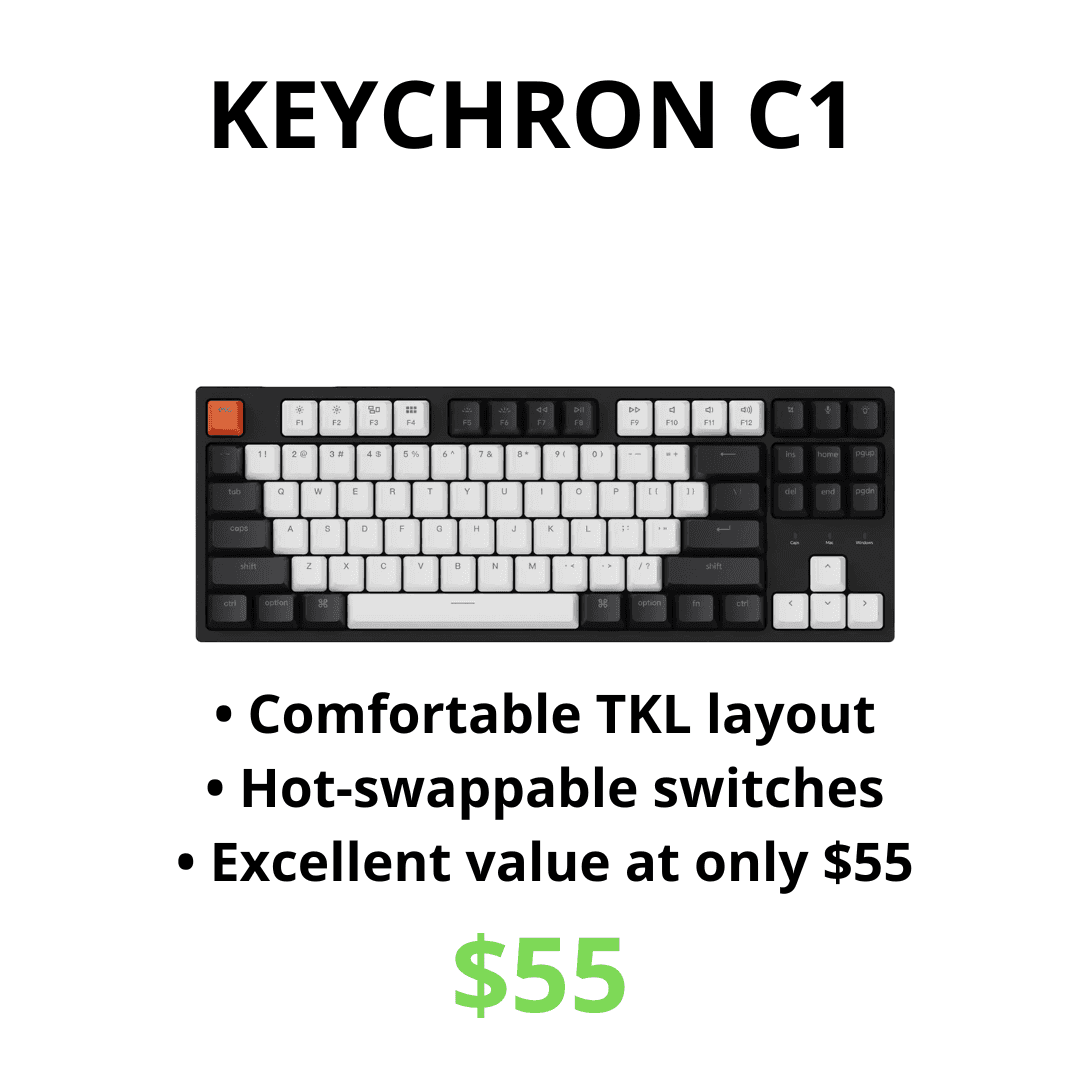
At approximately $40 for the listed configuration, the Keychron C1 takes a deliberately simpler approach. It is a wired TKL keyboard with 87 keys, a detachable USB-C connection, compatibility with macOS and Windows, RGB lighting on the relevant version, and hot-swap support on the applicable hot-swappable configuration. Keychron has sold the C1 in several versions, so buyers should confirm that the selected Amazon listing explicitly includes hot-swap sockets if that feature matters. The lower price is most attractive when it applies to the configuration you actually intend to use, not merely the cheapest variant shown on the page.
The TKL layout is the main reason to choose the C1 over an inexpensive 60% or 65% model. It retains separate function keys, dedicated arrows, and a full navigation cluster while removing the number pad, creating more mouse space without forcing the user to learn several shortcut layers. That balance makes it convenient for a computer used for both gaming and productivity. Its wired design is similarly straightforward: there is no battery to charge, Bluetooth menu to manage, or small wireless receiver to lose. For a keyboard that will remain connected to one desktop, that simplicity is a benefit rather than a missing feature.
Keychron’s support for both Mac and Windows also gives the C1 a practical advantage in a mixed-device household. Platform-specific keycaps and a physical system switch make moving between operating systems easier than on gaming keyboards designed almost exclusively around Windows. However, the C1 is better described as a capable general mechanical keyboard with gaming-friendly features than as a specialized competitive board. It uses a conventional wired implementation rather than Hall Effect switches, Rapid Trigger, or unusually high polling-rate claims, while its plastic case and conventional construction will not feel as soft or sound as controlled as the gasket-mounted AULA F75.
The C1 makes the most sense for someone who wants a familiar TKL layout, a dependable wired connection, and the option to replace compatible switches later without spending much. It is especially suitable for a desk shared between work and gaming, where dedicated navigation keys may be more valuable than an extremely compact footprint. The AULA F75 is the better choice when wireless connectivity, a volume knob, and padded gasket construction justify the additional cost. The Redragon K552 becomes more attractive when the lowest possible purchase price matters most, but the Keychron is the more flexible starting point for a buyer who wants a conventional layout and future switch customization.
Keychron K2 Version 2: Best for Mac and Windows
At approximately $80, the Keychron K2 Version 2 is a compact 75% mechanical keyboard built around flexibility rather than specialized competitive features. Its 84-key layout preserves the function row, arrow keys, and a useful selection of navigation controls while remaining considerably narrower than a full-size keyboard. The K2 can connect to as many as three devices through Bluetooth 5.1 and can also operate as a wired keyboard through USB-C, making it convenient for someone who moves between a desktop, laptop, tablet, or work computer. A 4,000mAh battery supports the wireless mode, and the keyboard includes keycaps for both Mac and Windows instead of treating one operating system as an afterthought.
For the K2 configuration in this guide, Gateron Brown switches are the best-balanced option. Brown switches provide a noticeable tactile bump without producing the sharp click of Gateron Blue switches, which makes them easier to use in a bedroom, shared office, or late-night gaming setup. They also give slightly more feedback than linear Red switches, helping the user feel when a key has actuated during typing without requiring the key to be pressed all the way down. Red switches can still be preferable for someone who wants the lightest, smoothest gaming-focused press, but Brown is the safer recommendation when the same keyboard will be used for gaming, writing, school, and general computer work.
The K2’s wireless connection requires an important qualification. Bluetooth is excellent for quickly switching between devices, but the keyboard’s official specifications list a much lower polling rate in wireless mode than through its wired USB-C connection. For casual games that difference may not be important, but competitive players should connect the cable and use the 1,000Hz wired mode rather than treating Bluetooth as a performance connection. The K2 also lacks a dedicated 2.4GHz receiver, which makes the RK68 Plus more attractive for buyers who specifically want inexpensive wireless gaming. Its relatively tall case may feel more comfortable with a wrist rest, and the standard version should not be assumed to support hot-swapping because Keychron sells the regular and hot-swappable K2 as separate configurations.
The Keychron K2 Version 2 makes the most sense for someone who wants one compact keyboard for Mac, Windows, and several everyday devices. Its familiar 75% layout is practical enough for productivity, while the Brown switches create a sensible middle ground between gaming speed and typing feedback. It is less compelling if it will only be connected to one Windows gaming PC, because the AULA F75 offers 2.4GHz wireless, hot-swappable switches, gasket-mounted construction, and a volume knob for less money. The K2 earns its place through operating-system support, reliable device switching, and a layout that is easy to use all day, not by being the most feature-heavy gaming keyboard at its price.

RK ROYAL KLUDGE RK68 Plus: Best Budget Wireless 65% Keyboard
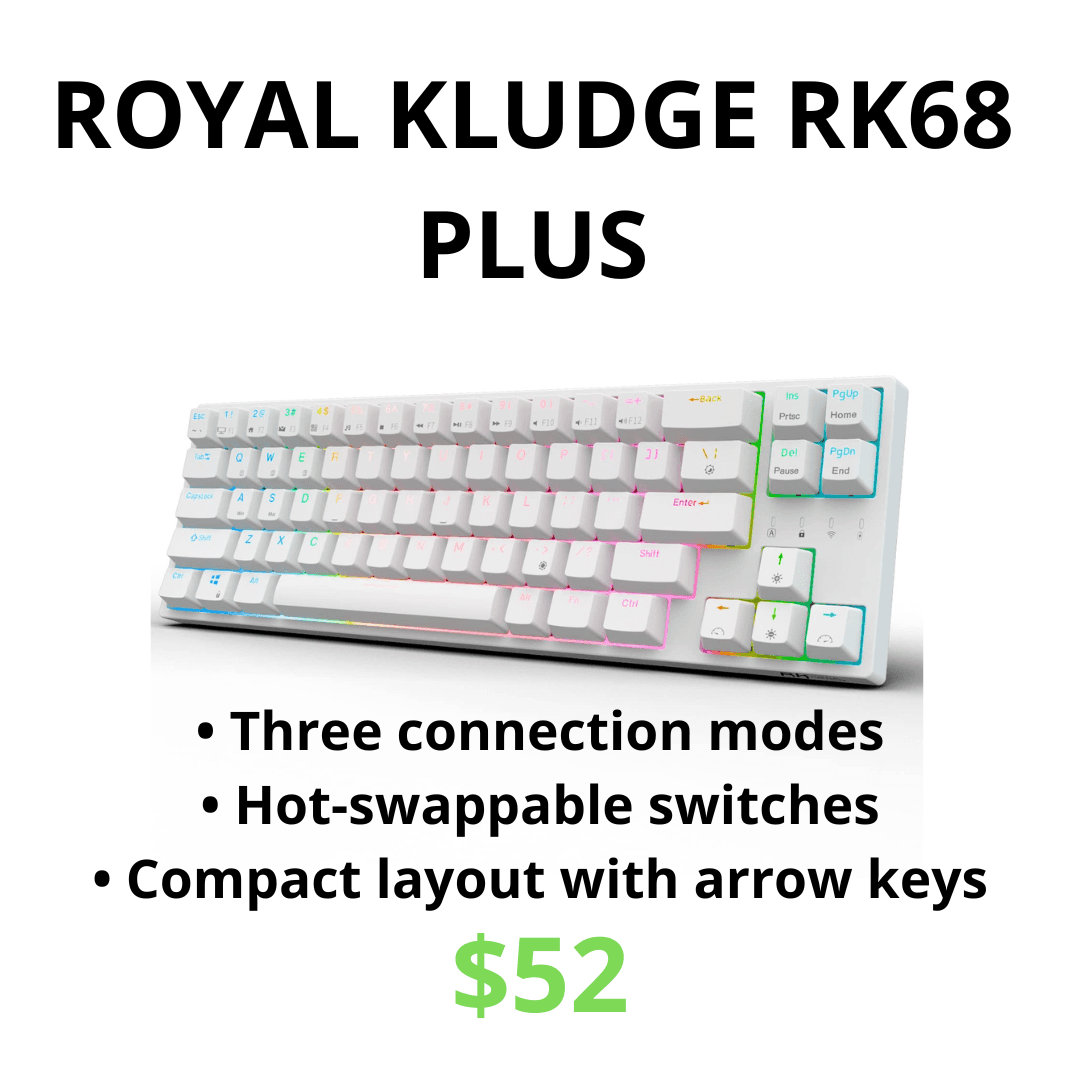
The RK ROYAL KLUDGE RK68 Plus offers a different interpretation of a compact wireless gaming keyboard. At around $52, it combines a 65% layout with Bluetooth, 2.4GHz wireless, and a wired USB-C mode, giving buyers more connection options than the more expensive Keychron K2. Its 68-key arrangement removes the function row but retains dedicated arrow keys and several navigation controls, which makes it noticeably easier to use outside games than a typical 60% board. The listing also includes RGB lighting, linear red switches, software support, and hot-swappable sockets, creating an unusually broad feature set for the price.
The 65% layout is the RK68 Plus’s strongest practical feature. It remains small enough to leave generous room for mouse movement, yet the dedicated arrows prevent basic navigation from being hidden behind a function layer. That distinction matters when editing text, browsing menus, or playing games that use arrow keys alongside the main keyboard controls. The included red switches use a smooth linear action without a tactile bump, which suits fast repeated inputs and buyers who do not want a clicky keyboard. Hot-swap support also means the feel does not have to remain permanent, provided replacement switches are compatible with the sockets in the exact version being purchased.
Its tri-mode connectivity gives the RK68 Plus a genuine advantage over Bluetooth-only wireless alternatives. The 2.4GHz receiver is the connection to use when gaming without a cable, while Bluetooth is better suited to laptops, tablets, and casual device switching. USB-C remains available when the battery needs charging or when the user wants the simplest possible connection. This flexibility makes the RK68 Plus particularly appealing for a small setup where one keyboard may move between several devices, and it avoids forcing the buyer to choose between a clean wireless desk and a connection appropriate for gaming.
The low price inevitably brings compromises. The plastic construction, stock stabilizers, keycaps, and overall sound are unlikely to feel as refined as the gasket-mounted AULA F75, and the tightly packed 65% layout can take time to learn. Royal Kludge software provides access to lighting and remapping, but buyers expecting the polish of a major gaming ecosystem may find it basic or awkward. Battery endurance can also vary considerably with RGB brightness and connection mode, while the small wireless receiver becomes another accessory that can be misplaced. None of these limitations ruins the value, but they explain why the RK68 Plus should be viewed as a feature-rich budget keyboard rather than an inexpensive premium model.
The RK68 Plus is the strongest choice here for someone who wants compact 2.4GHz wireless gaming at the lowest reasonable cost. It provides more useful everyday keys than a 60% board and more wireless flexibility than the Keychron K2, while remaining cheaper than both the K2 and AULA F75. The AULA is still worth the extra money for buyers who care about a softer gasket-mounted feel, a function row, a volume knob, and a more substantial internal construction. If the priority is simply obtaining dedicated arrows, hot-swap support, and three connection modes for roughly $52, the RK68 Plus is difficult to dismiss.
EPOMAKER SKYLOONG GK61/SK61: Best Compact Optical Keyboard
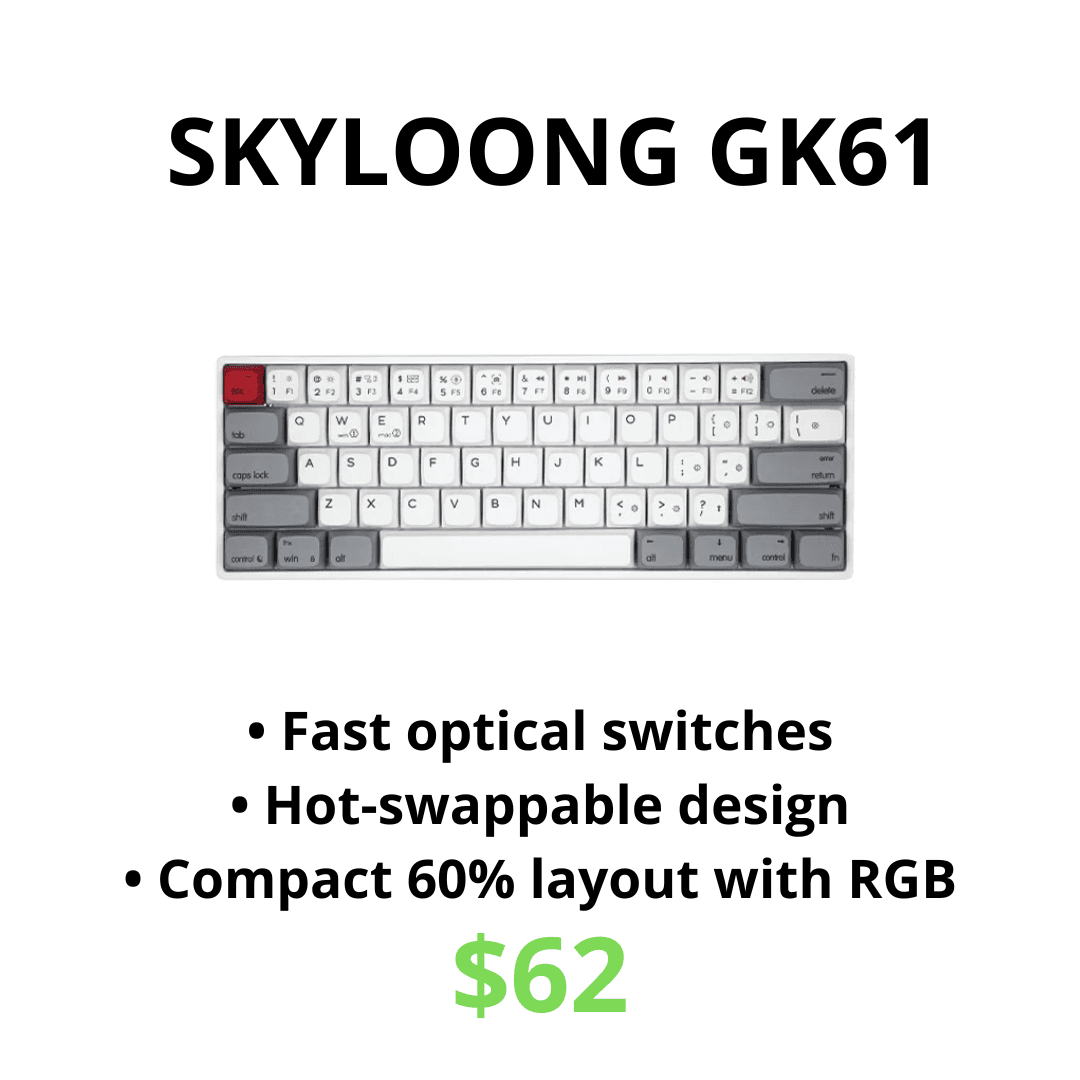
The EPOMAKER SKYLOONG GK61/SK61 is a wired 60% keyboard aimed at buyers who want optical switches and the smallest practical footprint. The configuration in this guide costs approximately $62 and uses Gateron Optical Black switches, along with 61 keys, RGB backlighting, double-shot ABS keycaps, and a hot-swappable optical PCB. By removing the function row, dedicated arrows, number pad, and navigation cluster, it leaves a large amount of clear desk space for mouse movement. That makes it particularly suitable for compact gaming setups and low-sensitivity FPS players who would rather use secondary key layers than sacrifice room beside the keyboard.
Gateron Optical Black switches have a linear action, meaning there is no tactile bump or click during the press, but they generally feel firmer than lighter Red switches. That additional resistance can reduce accidental keypresses for someone with heavier hands and create a more controlled bottom-out, although players who prefer extremely light inputs may find them tiring during long sessions. Optical actuation avoids the traditional metal contact used by a standard mechanical switch, and the design can provide a consistent, smooth response when paired with a compatible PCB. It should not be confused with the adjustable behavior of a Hall Effect keyboard, however, because ordinary optical switches do not automatically provide Rapid Trigger or freely adjustable actuation points.
The board’s hot-swap support is useful but much narrower than it first appears. The GK61/SK61 optical version accepts compatible optical switches and cannot be upgraded with ordinary three-pin or five-pin MX mechanical switches. This reduces the number of switches available compared with a conventional hot-swappable mechanical keyboard and makes it important to check that any replacement set is specifically labeled for the optical system. The compact layout creates a similar limitation in daily use, as arrow keys, function commands, and navigation controls must be accessed through layers. Users who frequently work with spreadsheets, editing shortcuts, or function-key-heavy games may find a 65% or 75% keyboard substantially easier to live with.
Software allows the user to remap keys, create macros, and change the RGB lighting, but compact-board software can require patience and is unlikely to feel as immediately approachable as simple onboard controls. The white case and RGB lighting give this configuration a distinctive appearance, although the ABS keycaps may develop shine sooner than thicker PBT alternatives. Because the keyboard is wired, it also lacks the multi-device convenience offered by the AULA F75, Keychron K2, and RK68 Plus. Those trade-offs are acceptable when optical switches and a minimal footprint are the priorities, but they make the GK61/SK61 a more specialized choice than its ordinary mechanical appearance suggests.
The GK61/SK61 is best for someone who specifically wants a compact wired optical keyboard and prefers the firmer feel of Gateron Optical Black switches. It offers plenty of mouse room, smooth linear inputs, extensive RGB, and the option to swap among compatible optical switches later. The RK68 Plus is a better purchase when dedicated arrows and wireless connectivity matter, while the AULA F75 remains the stronger all-purpose keyboard for gaming and productivity. Buyers who choose the SKYLOONG should do so because they want its particular combination of 60% size and optical switches, not simply because the listing uses the words “hot-swappable.”
Redragon K552 Renewed: Best Gaming Keyboard Under $40
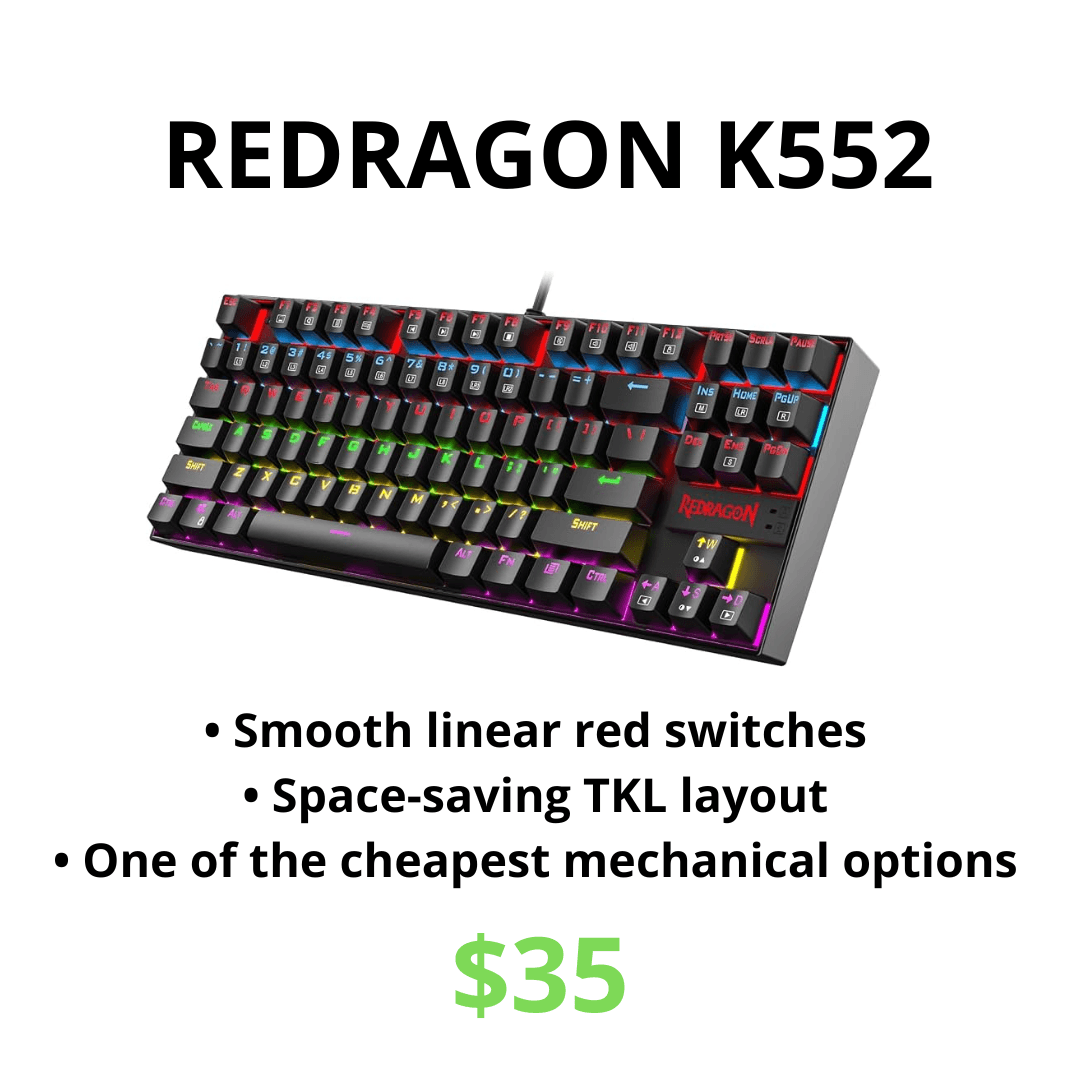
The renewed Redragon K552 is the least expensive complete keyboard in this guide at approximately $35, but it still provides the basic features that make a mechanical keyboard appealing. Its 87-key TKL layout removes the number pad while preserving the function row, arrow keys, and navigation cluster, giving the mouse more room without forcing the user to rely on compact-layout shortcuts. The listed white version uses linear red switches and includes backlighting, creating a recognizable gaming appearance without pushing the price into the range of more complicated wireless models. A wired connection keeps the setup simple and avoids the batteries, pairing steps, and small receivers that come with inexpensive wireless boards.
The red switches are a sensible choice for gaming because they move smoothly without a tactile bump or loud click. They are not as configurable as the Hall Effect switches in the IQUNIX EZ60, but they provide the familiar linear feel many players expect from a mechanical gaming keyboard. The K552 also supports full-key conflict-free input on the relevant model, which helps ensure that simultaneous commands register correctly during games. Its TKL layout is particularly useful for someone who wants more mouse space but still uses dedicated function and navigation keys for school, work, or general Windows shortcuts.
The word “renewed” is the largest reason to pause before buying. A professionally inspected renewed keyboard can be excellent value, but cosmetic condition, packaging, accessories, and the remaining warranty may differ from a brand-new product. Buyers should check the seller, return terms, and exact condition description rather than assuming every renewed unit will arrive looking untouched. The K552 is also based on a simpler and older design than the AULA F75, with no Bluetooth, 2.4GHz connection, volume knob, gasket mounting, or advanced switch configuration. Backlighting and switch details can vary across the many K552 versions sold online, so the exact listing matters more than the model name alone.
The K552 is the right choice when the budget is strict and the goal is simply to obtain a functional mechanical gaming keyboard with a sensible layout. It is especially attractive for a first PC setup where money would make a larger difference when spent on the mouse, headset, monitor, or games. The Keychron C1 is a more flexible alternative at around $40 when its hot-swappable configuration is available at that price, while the RK68 Plus adds wireless connectivity and a smaller layout for approximately $17 more. The Redragon remains worthwhile because it covers the essentials cheaply, not because it competes feature-for-feature with the more expensive keyboards in this guide.
SKYLOONG GK64X DIY Kit: Best for Building Your Own Keyboard
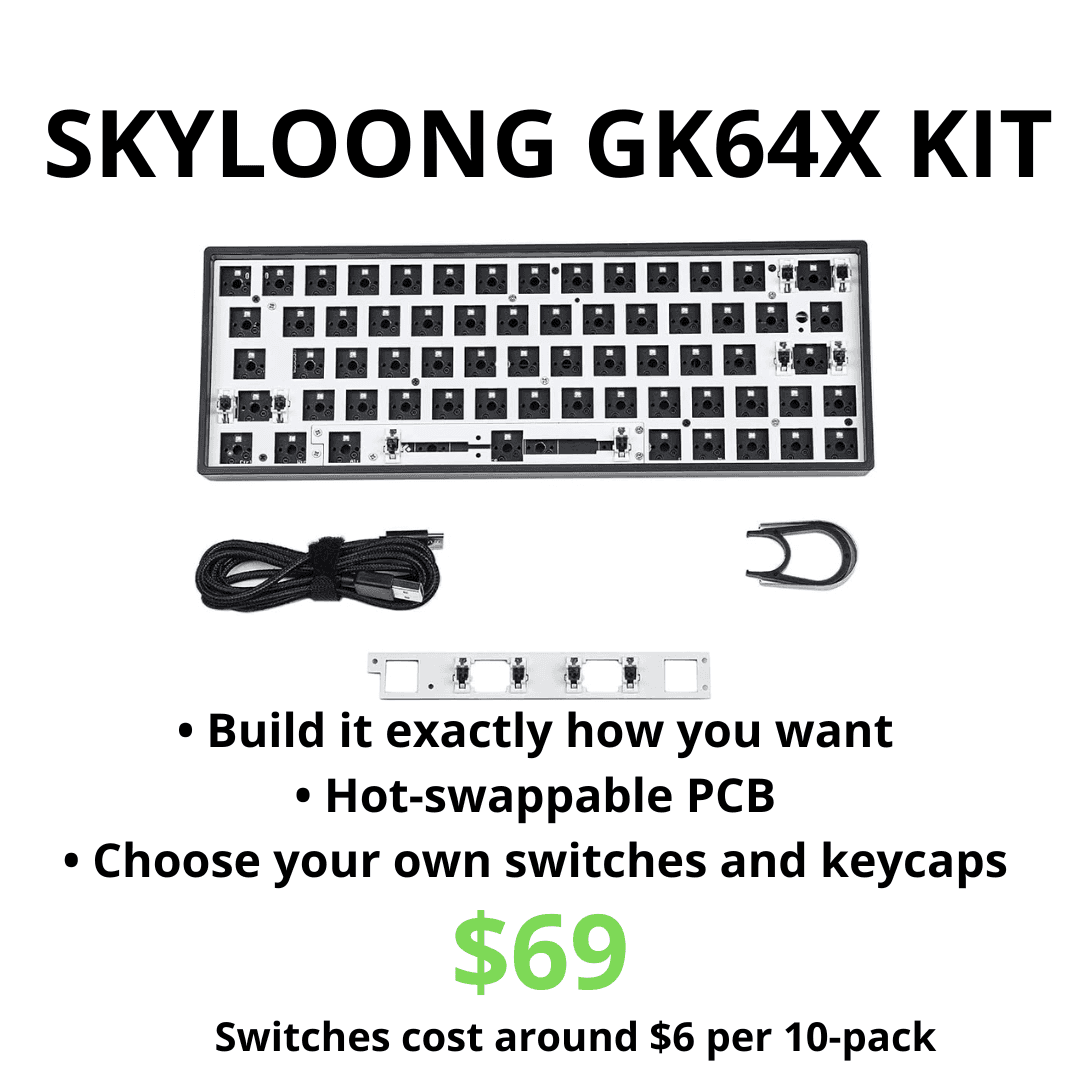
The SKYLOONG GK64X is fundamentally different from every other product in this comparison because the approximately $69 price does not buy a finished keyboard. The kit includes a plastic case, feet, stabilizers, a mounting plate, a wired USB-C hot-swap PCB, a cable, removal tools, and a configurable spacebar module. It does not include the switches or keycaps required to use the keyboard, leaving those choices to the builder. The 64-key layout remains close to a traditional 60% footprint but fits dedicated arrow keys into the lower-right corner, making it more convenient for everyday navigation than most 61-key boards.
The PCB supports compatible three-pin and five-pin Cherry MX-style mechanical switches and their common clones, including options from brands such as Gateron and Kailh. Switches can be installed without soldering, which makes the GK64X approachable as a first keyboard project and allows the feel to be changed later. Per-switch RGB lighting is already installed on the PCB, while software provides key remapping, macros, layers, and lighting control. The included space module can support either a conventional 6.25u spacebar or a split-space arrangement, giving an enthusiast an unusual opportunity to turn part of the spacebar area into additional programmable inputs.
Compatibility still needs attention because the kit does not accept optical switches, and compact layouts can make keycap selection more complicated. A standard full-size keycap set may not include every correctly sized key needed for the 64-key arrangement, particularly around the right Shift key and lower-right arrow cluster. Builders should verify both switch compatibility and the keycap sizes before ordering parts, rather than assuming that any inexpensive set will fit perfectly. The PCB is also wired rather than wireless, and the accompanying customization software has a reputation for requiring more patience than mainstream keyboard utilities. None of this is unusual for a DIY kit, but it means the GK64X is not as effortless as buying a finished AULA F75 or RK68 Plus.
The hidden cost is the most important limitation. If switches cost approximately $6 per 10-pack, a 64-key board requires at least seven packs to provide enough switches and a few spares, adding roughly $42 to the $69 kit. That brings the running total to about $111 before buying any keycaps, and even an inexpensive compatible keycap set can push the finished keyboard beyond $130. A buyer who chooses premium switches, thicker PBT keycaps, replacement stabilizers, lubricant, or sound-dampening material can spend substantially more. The GK64X can still represent good value as a learning experience, but it should not be compared with complete $69 keyboards as though the final cost were the same.
The kit is best for someone who enjoys the idea of choosing every visible and tactile part of a keyboard. It provides far more freedom than the other options here and makes future switch changes easy, while its compact arrow-key layout remains practical once assembled. It is a poor choice for someone who simply wants to connect a keyboard and start playing, because the AULA F75 offers a complete wireless package for less than the GK64X’s realistic finished cost. Buy the kit for the building process, personalized result, and opportunity to learn about mechanical keyboard not as the cheapest route to a working gaming setup.
Which Gaming Keyboard Should You Buy?
For less than $40, the decision is mainly between the renewed Redragon K552 and the Keychron C1. The Redragon reaches the lowest price and includes the mechanical gaming essentials, while the Keychron is the stronger long-term choice when the hot-swappable C1 configuration is genuinely available for around $40. Both use a familiar TKL layout and a wired connection, so neither asks the buyer to manage a battery or learn several compact-layout layers. Choose the K552 when every dollar matters, and choose the C1 when spending slightly more provides the correct hot-swap version and better platform flexibility.
Between approximately $50 and $70, the AULA F75 remains the best option for most people. Its 75% layout, 2.4GHz wireless, Bluetooth, USB-C, gasket mounting, hot-swap support, and volume knob create a better-rounded package than its price suggests. The RK68 Plus is the smarter alternative when the smallest possible wireless setup and dedicated arrow keys matter more than retaining a function row, while the GK61/SK61 is for buyers who specifically want Gateron optical switches and a wired 60% layout. These three keyboards occupy a similar price range, but they should not be treated as interchangeable because their layouts and switch ecosystems lead to very different ownership experiences.
At approximately $80, the Keychron K2 Version 2 makes sense primarily for people who move between Mac, Windows, and several Bluetooth devices. Gateron Brown switches make it a strong mixed-use typing and gaming keyboard, but the absence of 2.4GHz means serious gaming is better done through its USB-C cable. Someone buying only for a Windows gaming desktop receives more features for less money from the AULA F75. The K2 earns the additional cost when its operating-system support and multi-device Bluetooth behavior solve a real problem.
The IQUNIX EZ60 and GK64X sit outside the ordinary value comparison. The IQUNIX asks the buyer to pay around $191 for Hall Effect controls, Rapid Trigger, adjustable actuation, and extremely low manufacturer-claimed latency, which only makes sense when competitive performance is the priority. The GK64X can also become expensive after adding switches and keycaps, but its value comes from choosing and assembling the components rather than receiving maximum features per dollar. Both products are enthusiast purchases, while the AULA F75, Keychron C1, and RK68 Plus are easier recommendations for ordinary gaming setups.
Frequently Asked Questions
What is the best gaming keyboard for most people?
The EPOMAKER x AULA F75 is the best-balanced option in this guide. It combines a practical 75% layout with 2.4GHz wireless, Bluetooth, USB-C, hot-swappable switches, gasket-mounted construction, a volume knob, and a 4,000mAh battery for approximately $65. It is not as specialized as the IQUNIX EZ60, but its features are more useful across gaming, typing, school, and everyday computer use.
Is a Hall Effect keyboard worth the extra money?
A Hall Effect keyboard can be worth paying for when competitive FPS gaming is a serious priority and the player intends to use adjustable actuation and Rapid Trigger. Those features can make movement inputs more responsive and customizable, but they do not automatically improve skill or transform casual games. Buyers who mainly want a comfortable keyboard for mixed use will usually receive better value from a conventional mechanical model such as the AULA F75 or Keychron C1.
What keyboard size is best for gaming?
A 75% layout is the safest recommendation for most gamers because it preserves the function row and arrow keys without taking up as much space as a full-size keyboard. A 65% layout is better when additional mouse room matters and the user can live without separate function keys, while 60% offers the most compact footprint at the cost of more shortcuts and layers. TKL remains ideal for someone who wants a familiar layout but does not use a number pad.
Are Gateron Brown or Red switches better for gaming?
Gateron Red switches are light and linear, making them a popular choice for fast repeated inputs and players who do not want tactile feedback. Gateron Brown switches add a tactile bump that can make typing feel more controlled without becoming as loud as Blue switches. For the Keychron K2 in this guide, Brown is the better-balanced choice because the keyboard is likely to be used for both gaming and productivity, while Red remains a reasonable alternative for a more gaming-focused setup.
Is a wireless keyboard fast enough for gaming?
A good 2.4GHz wireless connection can be suitable for gaming, which is why the AULA F75 and RK68 Plus are better wireless gaming choices than a Bluetooth-only model. Bluetooth is useful for convenience and device switching but usually operates at a lower polling rate and may introduce more latency. Competitive players should use 2.4GHz or a wired USB-C connection instead of relying on Bluetooth.
Can every hot-swappable keyboard use the same switches?
No. Traditional MX-style mechanical switches, optical switches, and magnetic Hall Effect switches use different sockets and sensing technologies. Even within one category, a keyboard may only accept particular switch designs or pin layouts, so compatibility should be checked before ordering replacements. Hot-swap makes changing supported switches easier; it does not make every switch interchangeable.
How much does the GK64X DIY keyboard actually cost to finish?
The kit costs approximately $69 but does not include switches or keycaps. Using the estimated price of $6 per 10-pack, seven switch packs add about $42 and bring the total to approximately $111 before keycaps. Once a compatible keycap set is added, a realistic finished cost can easily exceed $130, with premium parts raising it further.
Final Verdict
The AULA F75 is the keyboard most buyers should place in their cart. It delivers the strongest balance of price, layout, wireless flexibility, typing feel, and future customization without forcing the buyer into a specialized switch ecosystem. The RK68 Plus is the best cheaper wireless alternative, while the Keychron C1 is the straightforward wired choice for someone who wants a familiar TKL layout. Budget buyers can spend even less on the renewed Redragon K552, provided they check its condition and return terms carefully.
The Keychron K2 Version 2 is easier to recommend to Mac users and people who switch among several Bluetooth devices, particularly with Gateron Brown switches. The SKYLOONG GK61/SK61 suits a narrower buyer who specifically wants a firm optical switch and 60% layout, while the GK64X is for someone who values building and personalization more than the lowest finished price. These keyboards are not weaker choices simply because they are less universal; they make sense when their specific advantages match the setup.
The IQUNIX EZ60 remains the performance-focused option for competitive players who understand Rapid Trigger and adjustable actuation. Its technology is impressive, but most gamers do not need to spend $191 to obtain an enjoyable and responsive keyboard. For ordinary gaming, school, work, and content consumption on the same computer, the AULA F75 provides the most convincing answer to the question at the center of this guide: which gaming keyboard is genuinely worth the cart?
Popular Posts
tech Reviews
GOverlay Plus 7.8-Inch Review: The Little Screen That Brought My Gaming Setup Together
Tech Reviews
UNIHIKER K10 Review: The $28.90 AI Board That Can Become Almost Anything
Gaming
What We Know About the Guy Behind the GTA 6 Leak: CyberLeek
Home Servers
ZimaBlade Review: Is This Tiny Home Server Worth It?
Keep reading


