Gaming Tech
·
10 products compared
Last updated
9.5
⭐ Best Value Pick
AOC 24G4 24” FHD IPS 180Hz
Best Budget Gaming Monitors
Affiliate disclosure: WorthTheCart may earn a commission from qualifying purchases. This does not affect our editorial opinions, rankings, or recommendations.
A good gaming monitor is one of the easiest upgrades to actually feel.
You can buy a new keyboard, a better mouse, a nicer mousepad, or a cleaner desk setup, and those things can help. But moving from a basic 60Hz screen to a 144Hz, 165Hz, or 180Hz gaming monitor changes the way games look and feel immediately. Movement becomes smoother. Aiming can feel more responsive. Fast games feel less blurry. Even normal desktop use can feel cleaner.
That is why budget gaming monitors are so interesting right now.
You do not need to spend $400 or $500 to get a screen that feels good for gaming. There are now several monitors under $200 with high refresh rates, low response times, FreeSync or Adaptive Sync support, and solid panel quality. Some are better for competitive FPS games. Some are better for general gaming. Some are sharper because they use 1440p instead of 1080p. Some are simply cheap and useful if you are building your first setup.
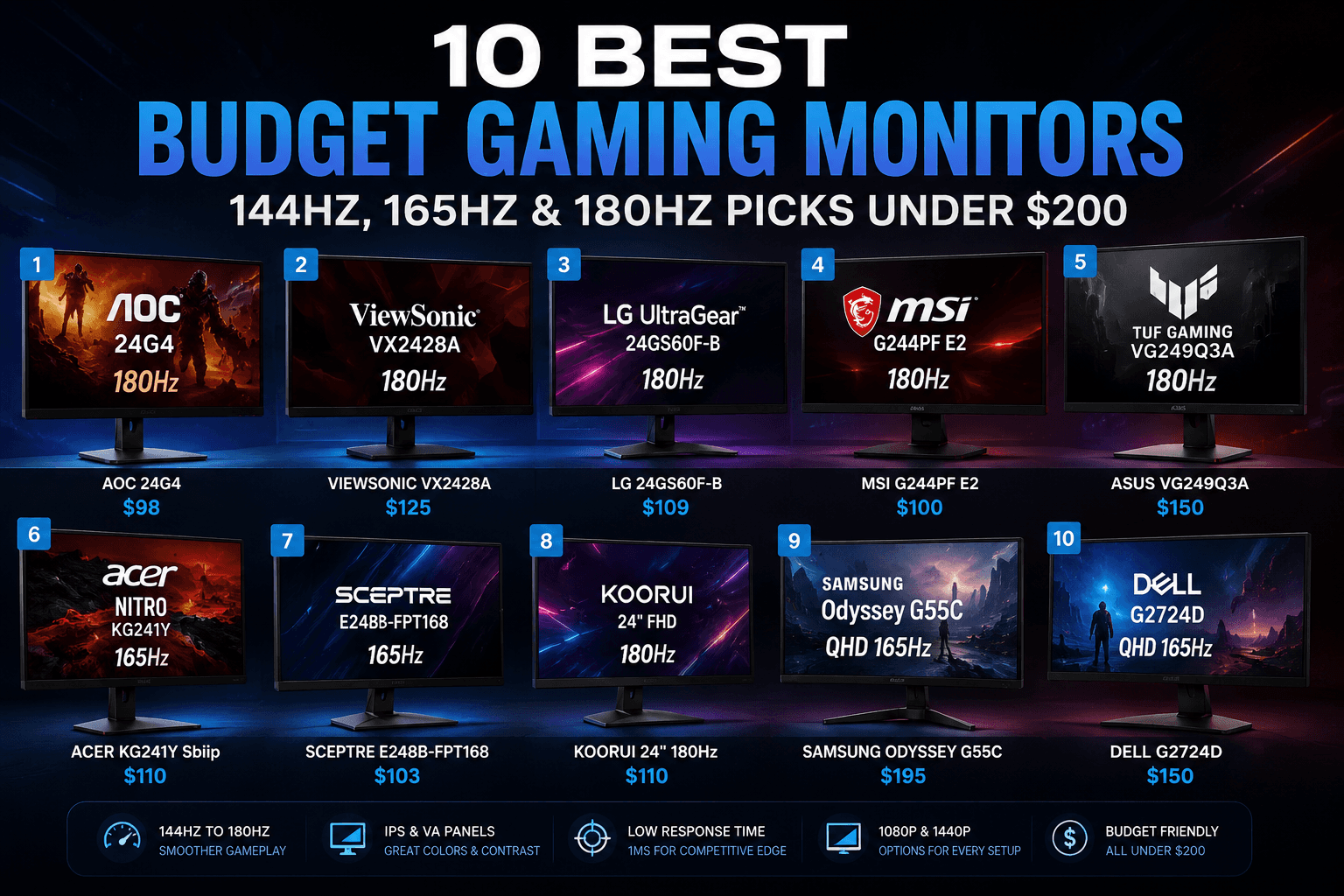
For this WorthTheCart guide, I compared ten budget gaming monitors with at least 144Hz:
AOC 24G4 24” FHD IPS 180Hz
ViewSonic VX2428A 24” FHD IPS 180Hz
LG 24GS60F-B UltraGear 24” FHD IPS 180Hz
MSI G244PF E2 24” FHD Rapid IPS 180Hz
ASUS TUF Gaming VG249Q3A 23.8” FHD Fast IPS 180Hz
Acer Nitro KG241Y Sbiip 23.8” FHD VA 165Hz
Sceptre E248B-FPT168 24” FHD IPS 165Hz
KOORUI 24” FHD 180Hz Gaming Monitor
Samsung Odyssey G55C 27” QHD 165Hz
Dell G2724D 27” QHD Fast IPS 165Hz
The goal is simple: find which budget gaming monitor gives you the best real upgrade for the money.
Quick Comparison
Monitor | Price Checked | Size | Resolution | Refresh Rate | Panel Type | Color / Design | Score |
|---|---|---|---|---|---|---|---|
$98 | 24” / 23.8” class | 1920x1080 FHD | 180Hz | IPS | Black gaming design | 9.2/10 | |
$125 | 24” | 1920x1080 FHD | 180Hz | IPS | Black, simple design | 8.8/10 | |
$109 | 24” / 23.8” class | 1920x1080 FHD | 180Hz | IPS | Black UltraGear design | 9.0/10 | |
$100 | 24” / 23.8” class | 1920x1080 FHD | 180Hz | Rapid IPS | Black esports design | 9.1/10 | |
$150 | 23.8” | 1920x1080 FHD | 180Hz | Fast IPS | Black TUF Gaming design | 8.9/10 | |
$110 | 23.8” | 1920x1080 FHD | 165Hz | VA | Black ZeroFrame design | 8.3/10 | |
$103 | 24” | 1920x1080 FHD | 165Hz | IPS | Machine black | 8.5/10 | |
$110 | 24” | 1920x1080 FHD | 180Hz | Usually VA on this listing | Black gaming design | 8.4/10 | |
$195 | 27” | 2560x1440 QHD | 165Hz | VA | Black curved Odyssey design | 9.5/10 | |
$150 | 27” | 2560x1440 QHD | 165Hz DisplayPort / 144Hz HDMI | Fast IPS | Black Dell Gaming design | 9.3/10 |
The main thing to notice is that this list has two different types of budget gaming monitors. The first group is made up of 24-inch 1080p monitors with 165Hz or 180Hz refresh rates. These are usually the best choice for competitive gaming, especially if you play FPS games and want high frame rates without needing an expensive graphics card.
The second group is made up of 27-inch 1440p monitors. These are usually better if you want sharper image quality, a bigger screen, and a more premium gaming experience. They are still fast, but they feel more like an all-around upgrade instead of just a cheap esports screen.
What Makes a Budget Gaming Monitor Worth Buying?
A budget gaming monitor should not just be cheap. It should feel like a real upgrade.
The most important feature is refresh rate. A 144Hz monitor already feels much smoother than a 60Hz monitor, and 165Hz or 180Hz gives a little extra smoothness for fast games. You do not need to obsess over the difference between 165Hz and 180Hz, but you will absolutely feel the difference compared with a normal office monitor.
Resolution also matters. Most budget monitors are 1080p, and that is still perfectly fine for 24-inch gaming. In fact, 24-inch 1080p is one of the best combinations for FPS games because the screen is not too large, the image is easy to scan, and the resolution is easier for most PCs to run at high frame rates.
But 1440p is different. A 27-inch 1440p monitor looks sharper and more spacious. Text looks cleaner, games show more detail, and single-player games feel more immersive. The downside is that 1440p is harder to run than 1080p, so your PC needs more graphics power if you want high FPS.
Panel type is also important. IPS monitors usually have better viewing angles and more consistent colors. VA monitors usually have better contrast and deeper blacks, but they can sometimes have more motion smearing in dark scenes. That does not mean VA is bad. It just means you should know what you are getting.
Build quality matters too, especially with the stand. Some cheap monitors have basic tilt-only stands. Others offer better height adjustment or more flexible ergonomics. If you already use a monitor arm, that may not matter as much. But if you use the included stand, it can make a big difference.
A good budget gaming monitor should feel smooth, clear, reliable, and easy to live with. It does not need to be perfect. It just needs to make gaming noticeably better without making you feel like you should have spent twice as much.
AOC 24G4 24” FHD IPS 180Hz
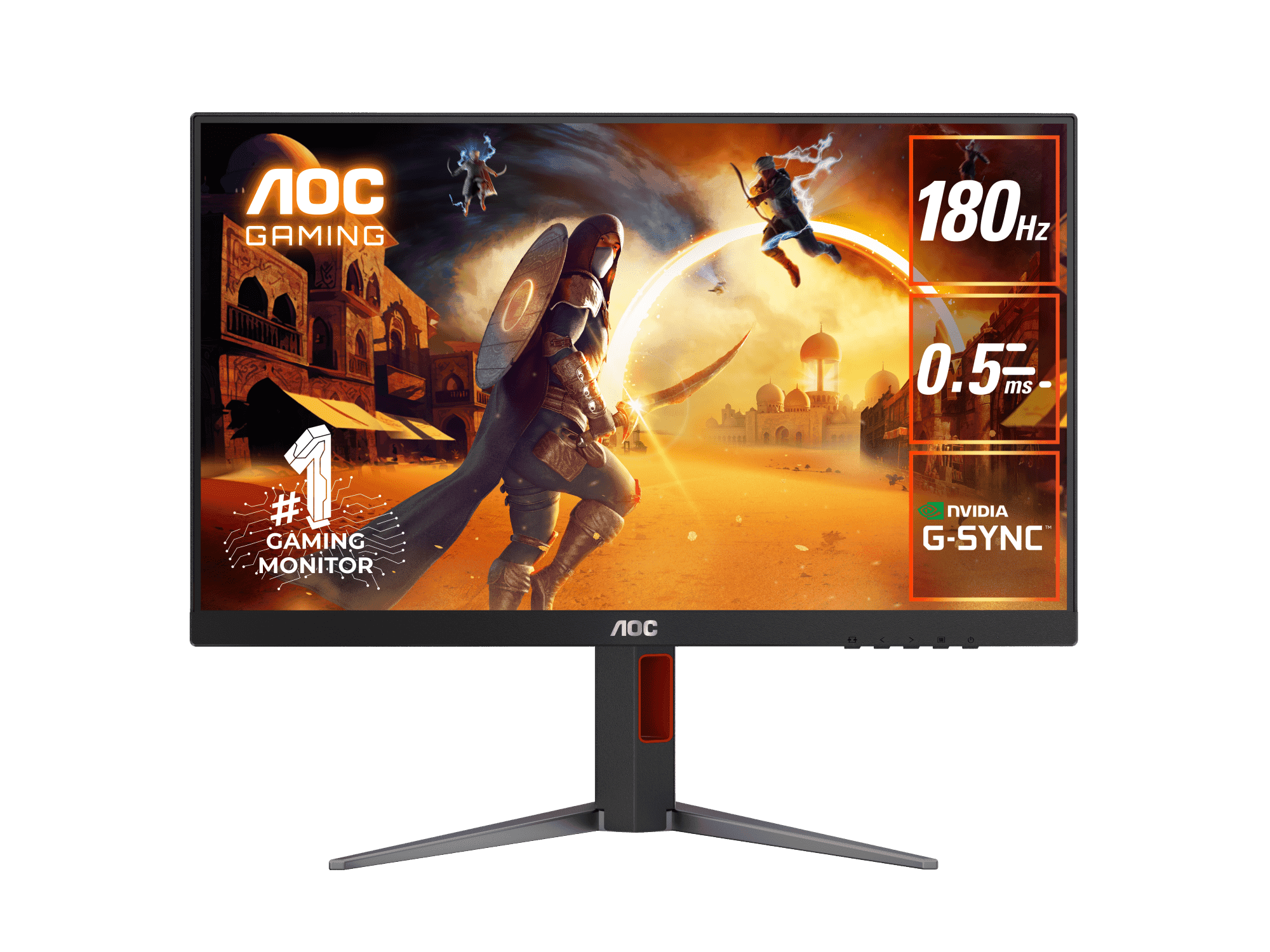
The AOC 24G4 is one of the easiest budget gaming monitors to recommend because it gets the important parts right at a very low price.
At the checked price of $98, it is almost exactly what a budget gaming monitor should be. You get a 24-inch class Full HD screen, an IPS panel, a 180Hz refresh rate, and a gaming-focused design that does not feel too complicated. AOC lists the 24G4 as a 180Hz gaming monitor, and the product family is built around a compact 23.8-inch IPS display for fast gaming.
This is the kind of monitor that makes sense for someone building a first real gaming setup. It is fast enough for shooters, smooth enough for everyday gaming, and cheap enough that it does not feel like overbuying. If you are coming from a 60Hz monitor, the jump to 180Hz will feel massive.
The 1080p resolution also makes sense here. On a 24-inch screen, Full HD still looks fine, and it is much easier for a budget gaming PC to push high frame rates at 1080p than at 1440p. That means this monitor is not only cheap to buy, but also easier to pair with a more affordable PC.
The IPS panel is another reason the AOC stands out. Budget monitors can sometimes feel washed out or narrow in viewing angles, but IPS usually gives a more balanced image. You are not buying this for professional color grading, but for gaming, school, YouTube, Discord, and normal use, the screen should feel more flexible than a basic VA option.
The design is black and gaming-focused without being too much. It should fit well into most setups, whether your desk is clean and minimal or more RGB-heavy.
The main weakness is that it is still a budget 1080p monitor. It will not look as sharp as the Samsung or Dell 1440p options, and it will not feel as premium as a more expensive display. But at this price, that is not really the point.
The AOC 24G4 is worth the cart if you want a cheap, fast, simple gaming monitor that actually feels like an upgrade.
Value: 9.7/10
Use: 9.1/10
Build: 8.8/10
Regret: 9.2/10
WorthTheCart Rating: 9.2/10
ViewSonic VX2428A 24” FHD IPS 180Hz
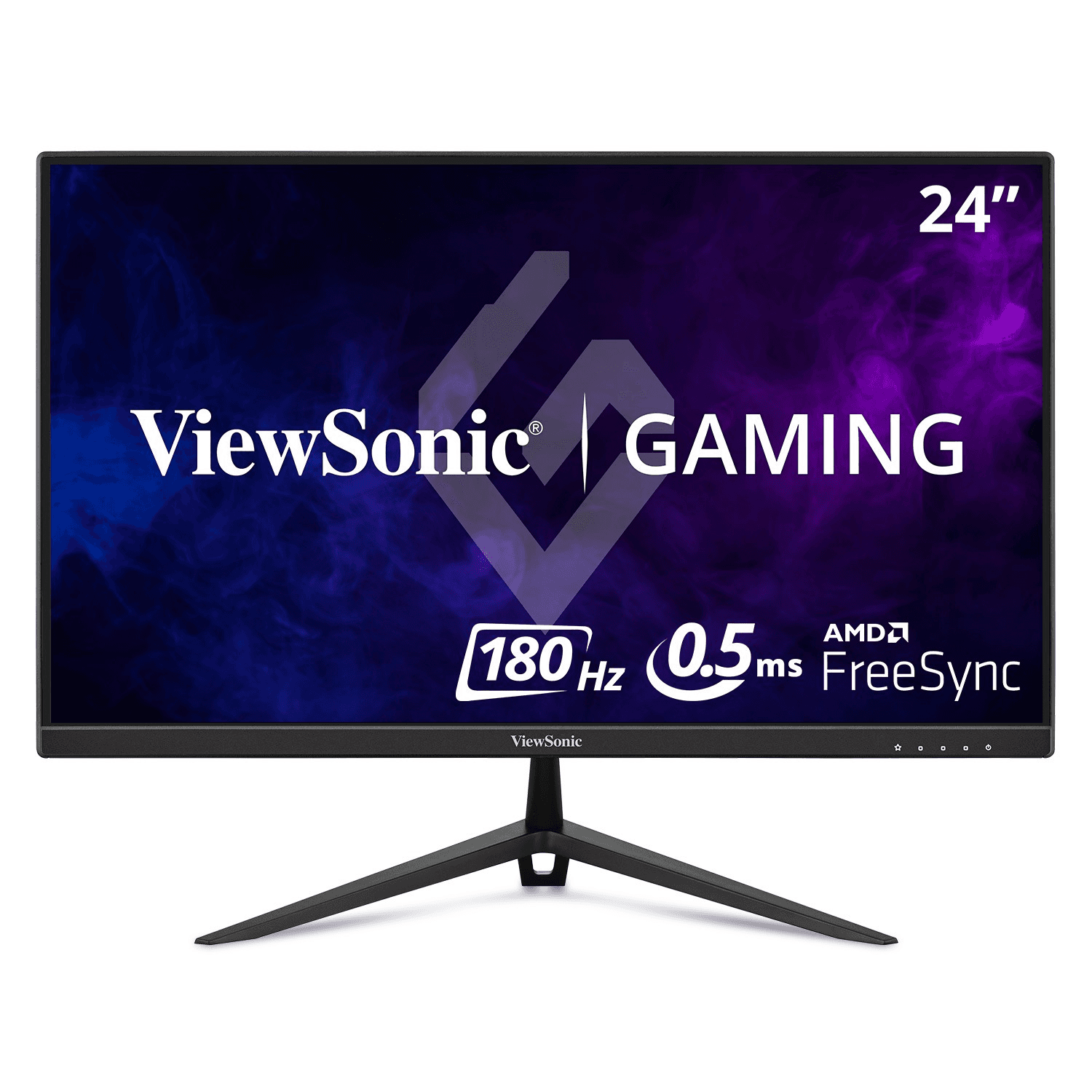
The ViewSonic VX2428A is another strong 24-inch 1080p gaming monitor, especially if you want a simple IPS display with a high refresh rate from a known monitor brand.
At the checked price of $125, it is not the cheapest monitor in this comparison, but it still lands in a comfortable budget range. ViewSonic describes the VX2428A as a 24-inch Full HD IPS gaming monitor with a 180Hz refresh rate, 0.5ms MPRT response time, FreeSync support, and eye-care features.
That makes it a practical pick for people who want smooth gaming but do not necessarily care about having the flashiest design. ViewSonic monitors often feel more understated than aggressive gaming monitors, which can be a good thing if you want your setup to look clean.
The 180Hz refresh rate gives it enough speed for FPS games, racing games, and fast competitive titles. The IPS panel helps with viewing angles and general color consistency, which is useful if you use the monitor for more than gaming. It is the type of screen that can work for homework, browsing, content, Discord, and gaming without feeling too specialized.
The main reason it does not score higher than the AOC or MSI is value. At $125, it is still good, but when similar 180Hz IPS monitors are closer to $100, the ViewSonic needs to be chosen for brand trust, clean design, or availability. It is a safe monitor, but not the most exciting one.
Still, the ViewSonic VX2428A is a good choice if you want a simple 180Hz gaming monitor that does not feel risky.
Value: 8.6/10
Use: 8.9/10
Build: 8.8/10
Regret: 8.8/10
WorthTheCart Rating: 8.8/10
LG 24GS60F-B UltraGear 24” FHD IPS 180Hz
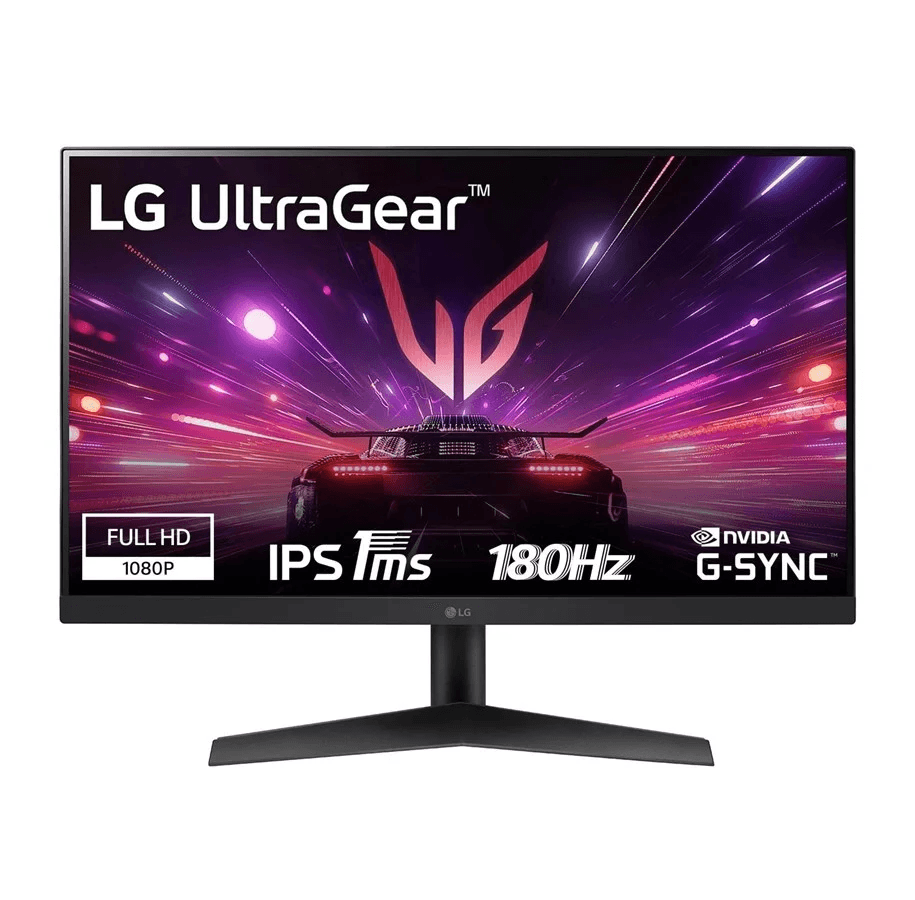
The LG 24GS60F-B UltraGear is one of the best trusted-brand picks in this budget category.
At the checked price of $109, it is very easy to like. LG lists the 24GS60F-B as a 24-inch UltraGear gaming monitor with a 180Hz refresh rate, IPS 1ms response time, HDR10, and up to 99% sRGB color coverage.
That combination makes it feel like a good middle ground between price, speed, and brand confidence. LG’s UltraGear line is already familiar to many gamers, so this monitor feels less like a random budget gamble and more like a proper entry-level gaming display.
For gaming, the 180Hz refresh rate is the main reason to care. It gives you smooth motion for shooters, action games, and fast camera movement. The IPS panel helps the image feel more consistent, and the 99% sRGB claim is useful if you also want decent color for normal desktop use, videos, and content.
The 24-inch 1080p format is also a smart choice for budget setups. It keeps the monitor sharp enough for gaming while making it easier for your PC or console to maintain higher frame rates. For competitive gaming, this size can feel more focused than a larger 27-inch screen because your eyes do not have to travel as much across the display.
The black UltraGear design also looks clean. It has enough gaming identity without being too loud.
The main downside is that it does not have the same “best screen overall” feeling as the Samsung Odyssey G55C or Dell G2724D. It is still a 1080p monitor. If you want sharper visuals, more screen space, or a more premium image, 1440p is better.
But for a budget 1080p gaming monitor, the LG 24GS60F-B UltraGear is one of the safest choices here.
Value: 9.2/10
Use: 9.0/10
Build: 8.9/10
Regret: 9.0/10
WorthTheCart Rating: 9.0/10
MSI G244PF E2 24” FHD Rapid IPS 180Hz
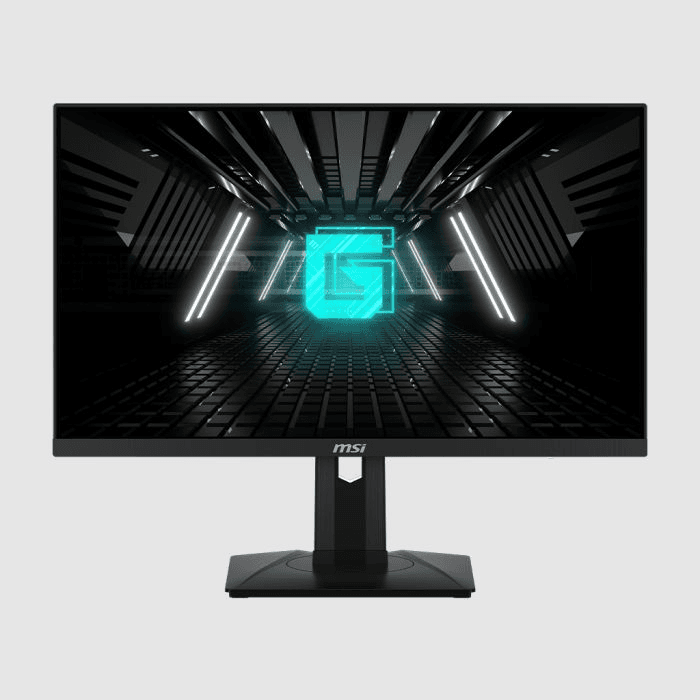
The MSI G244PF E2 is one of the strongest pure gaming picks in this list, especially at the checked price of $100.
MSI describes the G244PF E2 as an esports gaming monitor with a 1920x1080 resolution, 180Hz refresh rate, 1ms response time, Rapid IPS panel, and Adaptive Sync support.
That is exactly the kind of spec sheet you want in a budget esports monitor. It is not trying to be a huge cinematic display. It is trying to give you a fast, responsive, affordable screen for competitive gaming.
The Rapid IPS panel is a big part of the appeal. You get the usual IPS advantages, like better color consistency and viewing angles, but with a gaming-focused response time. This makes it a good choice for games where motion clarity matters. If you play Valorant, Counter-Strike, Fortnite, Apex Legends, Call of Duty, Rocket League, or similar fast games, the MSI makes a lot of sense.
The 24-inch size is also ideal for competitive play. A lot of serious FPS players prefer 24-inch monitors because the whole screen stays easy to scan. You do not need to move your head as much, and the image feels focused.
At $100, the value is very strong. This is the kind of monitor that proves budget gaming does not have to mean slow or outdated. You are getting 180Hz, 1080p, IPS, and gaming-focused features for around the price of many basic office monitors.
The reason it does not take the overall top spot is that it is still a 1080p budget monitor. The Samsung Odyssey G55C and Dell G2724D simply offer a more premium image because of their 1440p resolution. But if you care mostly about fast 1080p gaming, the MSI G244PF E2 is one of the best buys here.
Value: 9.6/10
Use: 9.2/10
Build: 8.8/10
Regret: 9.0/10
WorthTheCart Rating: 9.1/10
ASUS TUF Gaming VG249Q3A 23.8” FHD Fast IPS 180Hz
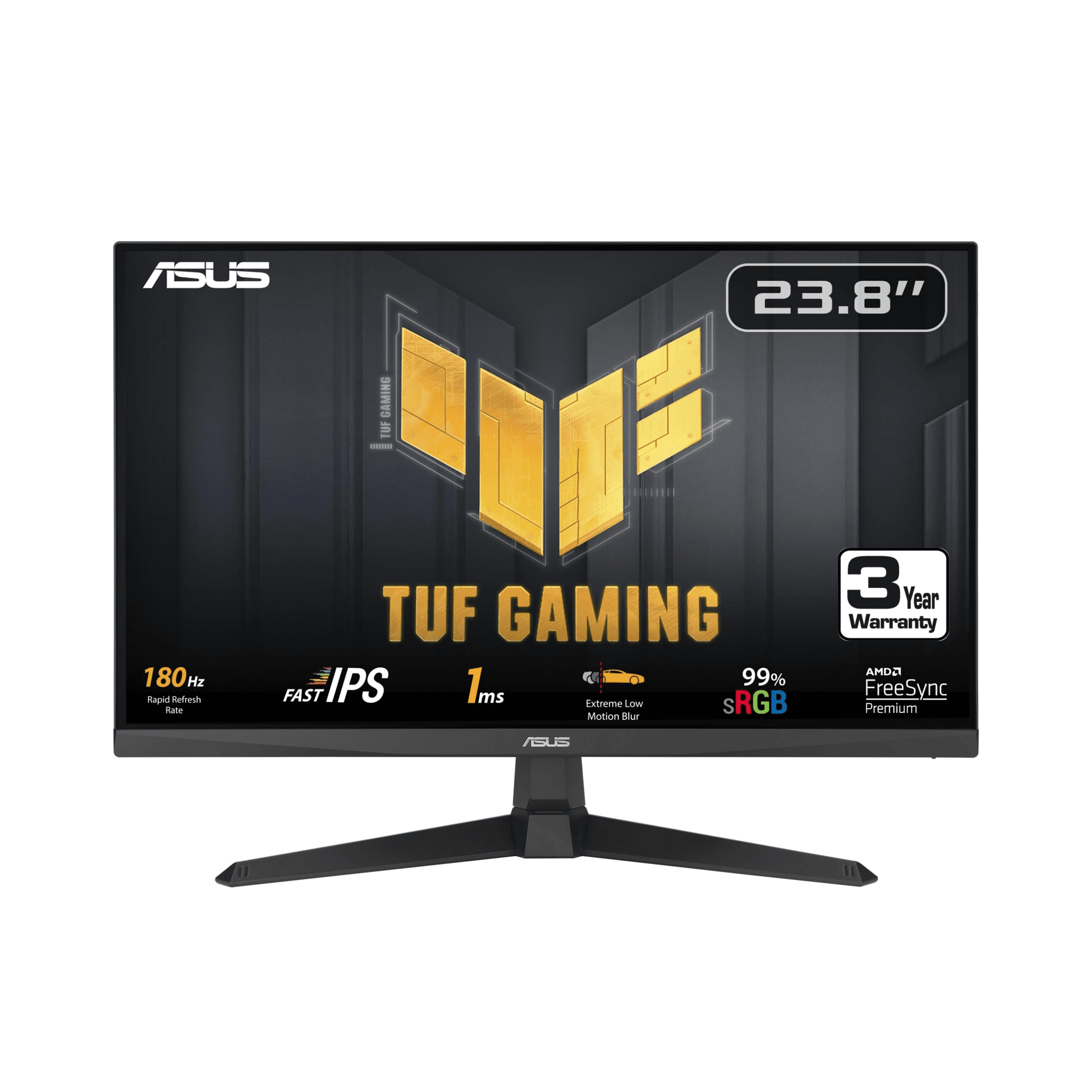
The ASUS TUF Gaming VG249Q3A is a strong budget gaming monitor, but at the checked price of $150, it has tougher competition than some of the cheaper 180Hz options.
ASUS lists the VG249Q3A as a 23.8-inch Full HD Fast IPS gaming monitor with a 180Hz refresh rate, 1ms GTG response time, ELMB, FreeSync Premium, and Variable Overdrive.
That is a very good gaming feature set. ASUS TUF monitors are usually built to be practical and gaming-focused, and this one fits that idea well. The Fast IPS panel is useful for motion, the 180Hz refresh rate is plenty for competitive games, and ASUS gaming features like ELMB can help reduce motion blur depending on settings.
The screen size and resolution are also exactly what you expect in this category: 23.8 inches, 1080p, 16:9, and a black gaming design. It is not oversized, and it should work well on a normal desk.
The biggest issue is the price compared with the rest of the list. At $150, it is still budget-friendly, but when the AOC, MSI, and LG options are closer to $100–$110, the ASUS needs to justify the extra cost. Some people will be happy to pay more for ASUS branding, TUF design, and gaming features. Others may simply choose the cheaper monitors and get a very similar experience.
The ASUS TUF Gaming VG249Q3A is worth considering if you like ASUS products and want a fast 1080p monitor from a familiar gaming brand. It is good, but it is not the strongest value in this specific price group.
Value: 8.3/10
Use: 9.0/10
Build: 9.0/10
Regret: 8.8/10
WorthTheCart Rating: 8.9/10
Acer Nitro KG241Y Sbiip 23.8” FHD VA 165Hz
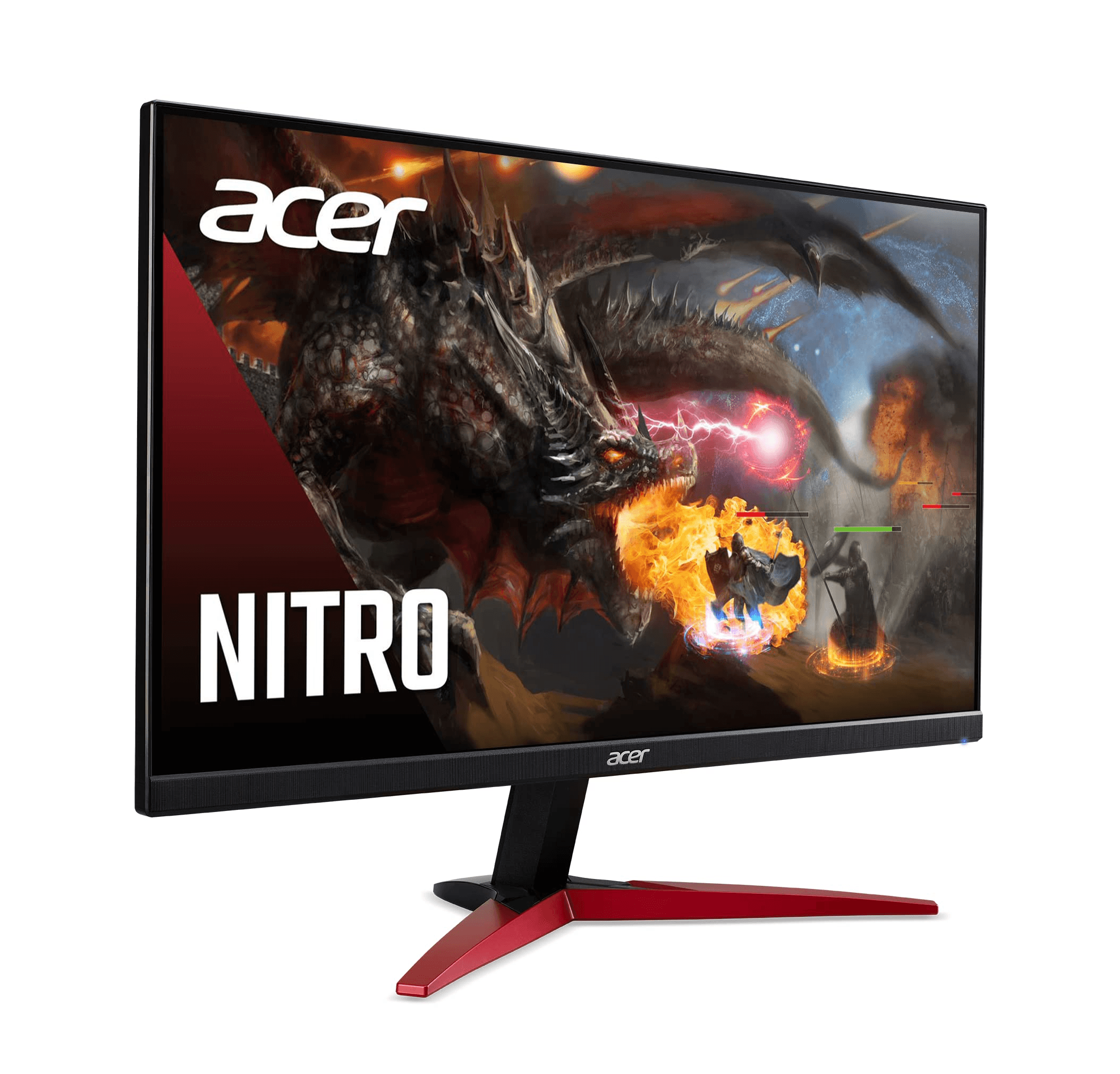
The Acer Nitro KG241Y Sbiip is a cheaper 165Hz option that makes sense if you want a simple gaming monitor and do not need IPS.
At the checked price of $110, it is not the absolute cheapest monitor here, but it is still affordable. Acer lists the KG241Y Sbiip as a 23.8-inch Full HD monitor with a 165Hz refresh rate, VA panel technology, AMD FreeSync Premium, 1ms VRB response time, and DisplayPort plus HDMI inputs.
The main difference compared with many of the other 24-inch monitors is the VA panel. VA panels usually have better contrast than IPS, which can make dark scenes look deeper. That can be nice for story games, movies, and general entertainment.
The trade-off is motion clarity. Budget VA gaming monitors can sometimes show more dark smearing than IPS monitors, especially in fast scenes with darker colors. Not everyone notices it the same way, and some people will be perfectly happy with it. But if you play competitive FPS games and care about the clearest possible motion, I would usually pick one of the IPS 180Hz options instead.
The black ZeroFrame design is clean enough, and the 165Hz refresh rate is still a big upgrade over 60Hz or 75Hz. For casual gaming, school, videos, and normal use, it is a practical budget monitor.
The Acer Nitro KG241Y Sbiip is worth the cart if you want an affordable Acer gaming monitor and like the idea of a VA panel. It is not the best overall pick, but it is still a usable budget option.
Value: 8.4/10
Use: 8.2/10
Build: 8.3/10
Regret: 8.2/10
WorthTheCart Rating: 8.3/10
Sceptre E248B-FPT168 24” FHD IPS 165Hz
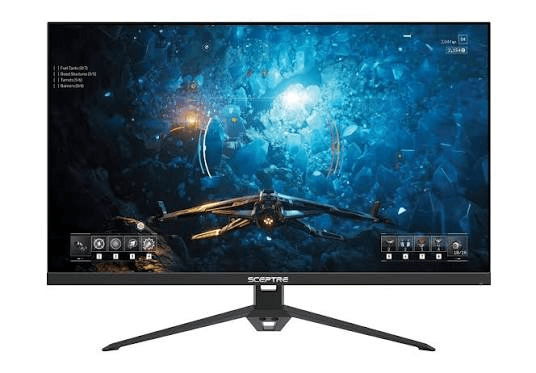
The Sceptre E248B-FPT168 is a good budget pick if you want an IPS monitor with built-in speakers and do not want to spend much.
At the checked price of $103, it sits in a very comfortable budget range. Sceptre lists this model as a 24-inch IPS Full HD 165Hz gaming monitor with AMD FreeSync Premium support, DisplayPort, HDMI ports, and a machine black design.
The built-in speakers are not the reason to buy it, but they are useful to have. Most monitor speakers are not amazing, and they will not replace a headset or proper speakers. But if you need basic audio for YouTube, quick videos, or temporary use, having speakers can be convenient.
The IPS panel is the better reason to consider it. At this price, getting 165Hz and IPS is solid. It should feel smooth for gaming and usable for everyday tasks. The 24-inch 1080p format also keeps it easy to run on budget PCs.
The main reason it does not score higher is that the 180Hz competition is strong. When monitors like the AOC, MSI, and LG are close in price, the Sceptre has to win through convenience, availability, speakers, or personal preference. It is a good monitor, but not the most refined.
The Sceptre E248B-FPT168 is worth considering if you want a cheap IPS gaming monitor with built-in speakers and a simple black design.
Value: 8.8/10
Use: 8.4/10
Build: 8.2/10
Regret: 8.5/10
WorthTheCart Rating: 8.5/10
KOORUI 24” FHD 180Hz Gaming Monitor
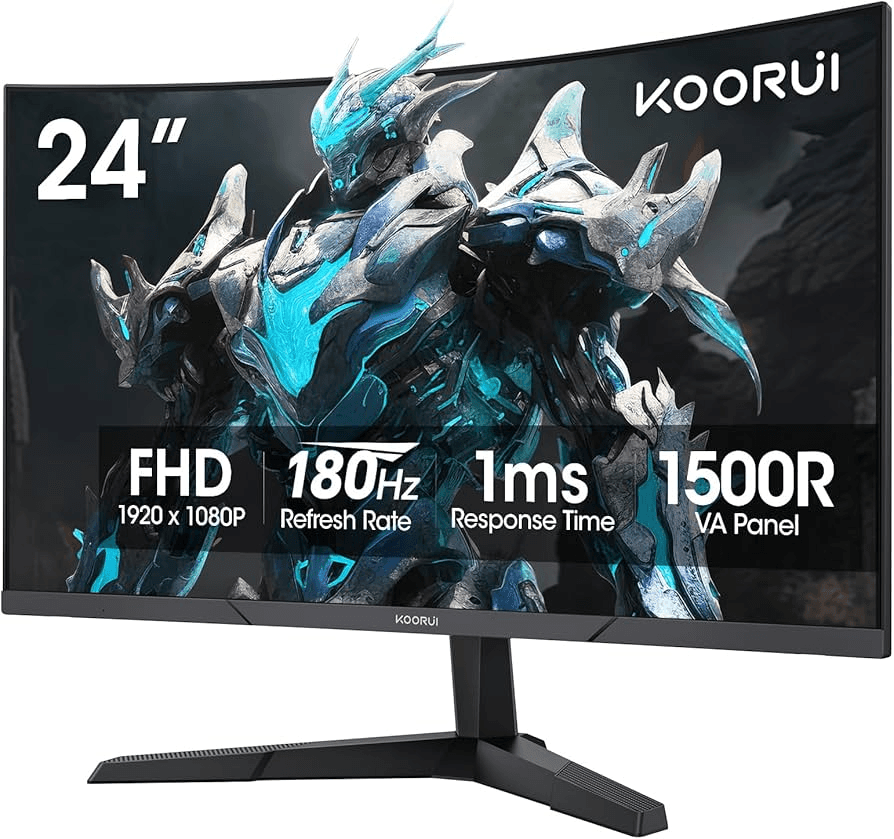
The KOORUI 24” FHD 180Hz Gaming Monitor is the ultra-budget wild card in this comparison.
At the checked price of $110, it gives you a 24-inch class Full HD gaming monitor with a 180Hz refresh rate. The Amazon product details for this listing show the KOORUI model as MG24H3F, and the listing describes it as a 24-inch 1080p 180Hz gaming monitor.
This is the type of monitor that makes sense if you want the highest refresh rate for the least amount of money and are okay with buying from a less traditional monitor brand. KOORUI has become common in budget gaming monitor searches because the specs often look very competitive for the price.
The appeal is obvious: 180Hz for around $110 is attractive. If your main goal is smoother gameplay and you do not care about having a big brand name, this monitor can make sense.
The downside is confidence. With brands like LG, ASUS, MSI, AOC, ViewSonic, Samsung, and Dell, you generally have a clearer idea of what to expect. With KOORUI, the value can be strong, but I would pay closer attention to reviews, warranty details, panel type, return policy, and whether the exact listing matches what you want.
If you are building a very budget-focused setup, the KOORUI 24” FHD 180Hz Gaming Monitor is interesting. But if you can get the AOC or MSI at a similar price, I would personally lean toward those because they feel safer.
Value: 8.8/10
Use: 8.4/10
Build: 8.0/10
Regret: 8.3/10
WorthTheCart Rating: 8.4/10
Samsung Odyssey G55C 27” QHD 165Hz
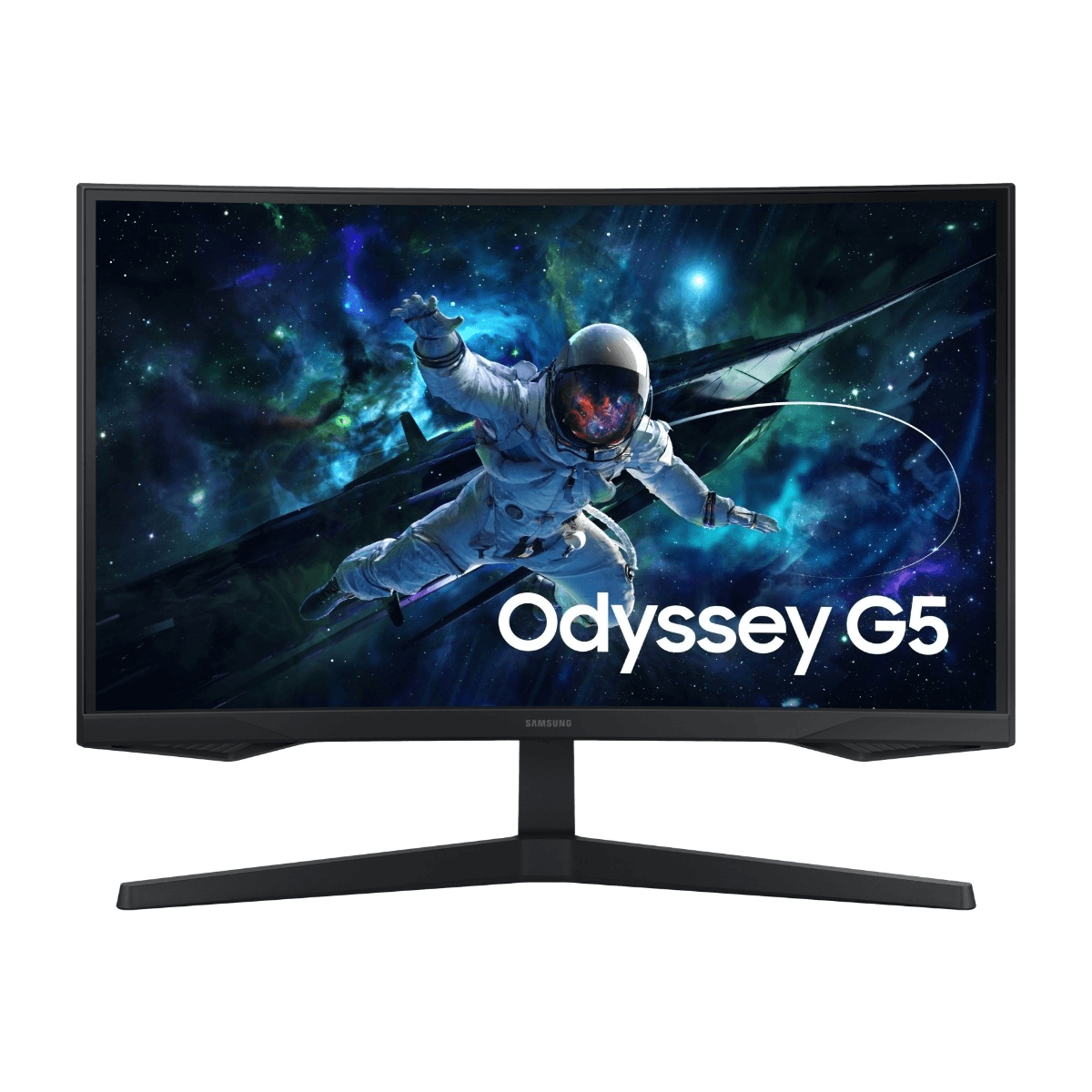
The Samsung Odyssey G55C is the best monitor in this comparison overall. I personaly use this monitor my self!
It is also the most expensive one here at the checked price of $195, but that higher price makes sense because it is not just another 24-inch 1080p screen. This is a 27-inch QHD gaming monitor with a 2560x1440 resolution, 165Hz refresh rate, VA panel, 1000R curve, 1ms MPRT response time, HDR10 support, and a black curved Odyssey design. Samsung lists the G55C with QHD resolution, 165Hz refresh rate, 1ms MPRT response time, 1000R curve, VA panel, and HDR10 support.
This is the monitor that feels most like a real visual upgrade.
The biggest advantage is QHD resolution. Compared with 1080p, 1440p gives you a sharper image, more detail, and more space. On a 27-inch screen, that matters a lot. Games look cleaner, text looks better, and the whole desktop feels more comfortable.
The 165Hz refresh rate is also fast enough for serious gaming. You do not get 180Hz like some of the 1080p monitors, but the difference between 165Hz and 180Hz is small. The difference between 1080p and 1440p is much easier to notice visually.
The curve is another major part of the experience. The 1000R curved design makes the display feel more immersive, especially in racing games, RPGs, open-world games, and single-player titles. Not everyone loves curved monitors, but on a 27-inch gaming screen, it can make the monitor feel more focused around you.
The VA panel gives stronger contrast than most budget IPS monitors, which can help dark scenes look deeper. That is useful for atmospheric games and entertainment. The possible downside is that VA panels can be less clean in fast dark motion than good IPS panels, but for many people, the extra contrast and immersion are worth it.
At $195, the Samsung Odyssey G55C is not the cheapest monitor here. But it is the one that feels like the best screen. If your PC can handle 1440p gaming, this is the monitor I would put at the top.
Value: 9.2/10
Use: 9.6/10
Build: 9.4/10
Regret: 9.7/10
WorthTheCart Rating: 9.5/10
Dell G2724D 27” QHD Fast IPS 165Hz

The Dell G2724D is the best 1440p value alternative in this list.
At the checked price of $150, it is extremely strong on paper. Dell lists the G2724D as a 27-inch QHD gaming monitor with 2560x1440 resolution, 165Hz through DisplayPort, 144Hz through HDMI, Fast IPS panel technology, 1ms grey-to-grey response time in extreme mode, AMD FreeSync Premium, and NVIDIA G-SYNC compatibility.
That makes it one of the most balanced monitors here. You get the sharpness of 1440p, the smoothness of 165Hz, and the viewing angles and color consistency of Fast IPS. It is not curved like the Samsung, but some people actually prefer a flat screen, especially for work, browsing, editing, school, and general desktop use.
The Dell also makes sense if you want one monitor for both gaming and productivity. A 27-inch 1440p screen gives you more room for windows, documents, timelines, browser tabs, Discord, and normal computer use. Compared with a 24-inch 1080p screen, it feels more spacious.
For gaming, the 165Hz refresh rate is plenty. The Fast IPS panel should be better than many VA monitors for motion clarity, especially in fast games. If you play competitive shooters but still want 1440p, the Dell is very appealing.
The reason it does not beat the Samsung in this ranking is mostly personality. The Samsung feels more immersive and more “gaming” because of the curved Odyssey design and VA contrast. The Dell feels more practical, clean, and balanced. Depending on your taste, you may actually prefer the Dell.
At $150, the Dell G2724D is one of the strongest value picks in the entire comparison. If the Samsung is the most exciting screen, the Dell may be the smartest 1440p buy.
Value: 9.6/10
Use: 9.4/10
Build: 9.2/10
Regret: 9.2/10
WorthTheCart Rating: 9.3/10
Which Budget Gaming Monitor Should You Choose?
Choose the Samsung Odyssey G55C if you want the best overall screen in this comparison. It is the most expensive monitor here, but it also gives you the biggest visual upgrade with 27 inches, QHD resolution, 165Hz, a curved design, and a more immersive feel.
Choose the Dell G2724D if you want a 27-inch 1440p monitor that feels sharp, clean, fast, and practical. It is especially good if you want one monitor for both gaming and everyday computer use.
Choose the AOC 24G4 if you want the best cheap 1080p gaming monitor. At $98, it is one of the easiest products to recommend because it gives you IPS, 180Hz, and a proper gaming experience for very little money.
Choose the MSI G244PF E2 if you want a strong esports-style 1080p monitor. It is fast, affordable, and focused on competitive gaming.
Choose the LG 24GS60F-B UltraGear if you want a safe 180Hz pick from a trusted brand. It is not the absolute top monitor, but it is very balanced for the price.
Choose the ASUS TUF Gaming VG249Q3A if you like ASUS and want a TUF Gaming monitor with Fast IPS, 180Hz, FreeSync Premium, and gaming features.
Choose the ViewSonic VX2428A if you want a simple, clean, 180Hz IPS monitor from a known display brand.
Choose the Sceptre E248B-FPT168 if you want a cheap IPS gaming monitor with built-in speakers.
Choose the KOORUI 24” FHD 180Hz Gaming Monitor if you want a very affordable 180Hz option and are comfortable choosing a more budget-focused brand.
Choose the Acer Nitro KG241Y Sbiip if you want a cheaper Acer VA monitor with 165Hz and FreeSync Premium.
Final Ranking
Samsung Odyssey G55C 27” QHD 165Hz — 9.5/10
Best overall because it gives the strongest screen experience, with QHD sharpness, a 27-inch size, 165Hz refresh rate, and an immersive curved design.
Dell G2724D 27” QHD Fast IPS 165Hz — 9.3/10
Best 1440p value alternative because it combines QHD resolution, Fast IPS, 165Hz, and a practical flat design at a very strong price.
AOC 24G4 24” FHD IPS 180Hz — 9.2/10
Best cheap 1080p pick because it gives you 180Hz, IPS, and a proper gaming monitor experience for under $100.
MSI G244PF E2 24” FHD Rapid IPS 180Hz — 9.1/10
Best esports-style budget monitor because it focuses on speed, response, and competitive gaming.
LG 24GS60F-B UltraGear 24” FHD IPS 180Hz — 9.0/10
Best trusted-brand 1080p pick because it offers 180Hz, IPS, HDR10, and LG UltraGear branding at a good price.
ASUS TUF Gaming VG249Q3A 23.8” FHD Fast IPS 180Hz — 8.9/10
Best ASUS budget pick because it has a strong Fast IPS panel, 180Hz refresh rate, and useful gaming features.
ViewSonic VX2428A 24” FHD IPS 180Hz — 8.8/10
Best simple 180Hz IPS monitor because it is clean, practical, and easy to fit into most setups.
Sceptre E248B-FPT168 24” FHD IPS 165Hz — 8.5/10
Best budget monitor with speakers because it gives you IPS, 165Hz, FreeSync, and basic built-in audio.
KOORUI 24” FHD 180Hz Gaming Monitor — 8.4/10
Best ultra-budget 180Hz option because it gives strong gaming specs for the price, though brand confidence is lower than the bigger names.
Acer Nitro KG241Y Sbiip 23.8” FHD VA 165Hz — 8.3/10
Best cheaper VA option because it gives you 165Hz, FreeSync Premium, and a basic Acer gaming monitor experience.
WorthTheCart Verdict
The best budget gaming monitor in this comparison is the Samsung Odyssey G55C 27” QHD 165Hz.
It is not the cheapest monitor here, but it feels like the best screen. The 27-inch size, QHD resolution, 165Hz refresh rate, curved design, and stronger contrast make it feel more premium than the cheaper 1080p options. If you want a monitor that feels like a real visual upgrade, this is the one I would choose.
The best value 1440p alternative is the Dell G2724D. It is sharp, fast, flat, practical, and very strong for the price. If you prefer IPS over VA or want a monitor that works well for both gaming and productivity, the Dell might be the smarter choice.
The best cheap 1080p pick is the AOC 24G4. At $98, it gives you almost everything a budget gamer should want: 180Hz, IPS, Full HD, and a proper gaming monitor feel.
The MSI G244PF E2 and LG 24GS60F-B UltraGear are also excellent if you want a fast 1080p monitor without spending much.
So, which budget gaming monitor is actually worth the cart?
Overall Winner: Samsung Odyssey G55C 27” QHD 165Hz
Best Value Pick: AOC 24G4 24” FHD IPS 180Hz
Best 1440p Value Alternative: Dell G2724D 27” QHD Fast IPS 165Hz
Best Esports Budget Pick: MSI G244PF E2 24” FHD Rapid IPS 180Hz
Best Trusted-Brand 1080p Pick: LG 24GS60F-B UltraGear
If you want the best screen overall, get the Samsung Odyssey G55C. If you want the smartest cheap 1080p option, get the AOC 24G4. If you want the best balance between sharpness, speed, and value, the Dell G2724D is very hard to ignore.
Pros
This list gives you several strong gaming monitor options under $200, including fast 180Hz 1080p monitors and sharper 1440p 165Hz monitors. Most of the 24-inch models are great for competitive gaming, while the Samsung and Dell options offer a more premium visual experience with QHD resolution.
Cons
Not every budget monitor has the same stand quality, color accuracy, panel type, or overall build. Some are better for fast FPS games, while others are better for sharpness and immersion. The cheapest options can still be good, but they usually make small trade-offs in stand adjustability, brightness, speakers, HDR quality, or overall refinement.
WorthTheCart? Final Verdict
The Samsung Odyssey G55C 27” QHD 165Hz gets the highest WorthTheCart score because it gives the most impressive overall screen experience in this comparison. It costs more than the 1080p budget picks, but the 27-inch QHD panel, 165Hz refresh rate, curved design, and more immersive image make it feel like the best monitor overall. For the best cheaper 1080p value, the AOC 24G4 24” FHD IPS 180Hz is the easiest budget pick.