Ecommerce Platforms
Is Shopify Good for Beginners? What I'd Tell You Before You Sign Up
Is Shopify still the best ecommerce platform for beginners in 2026? This honest guide explains Shopify’s real costs, key benefits, hidden fees, limitations, and whether the $1-per-month offer makes it worth trying.
By Worth the cart
•
•
3 min read
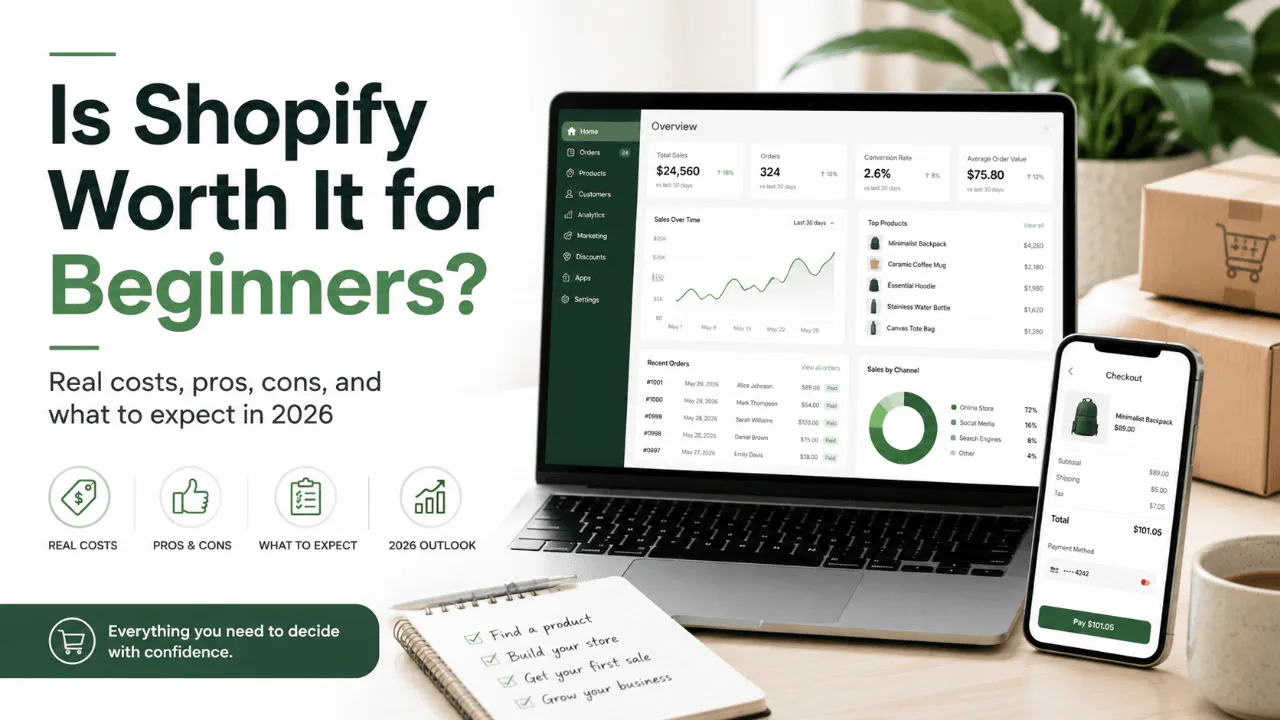

Every week, someone asks me some version of the same question: "I want to start selling online — should I just use Shopify?" And I get why. It's the name everyone hears first. But "everyone uses it" is a terrible reason to pick a platform, so let me give you the answer I'd give a friend: yes, it's genuinely beginner-friendly — but only if you understand what you're actually paying for, and what it can't do.
I've spent a lot of time inside ecommerce platforms for this site, and Shopify is the one I keep coming back to as the default recommendation for first-time sellers. Here's exactly why, where it falls short, and what it'll really cost you.
What Shopify Actually Is (in Plain English)
Shopify is a hosted ecommerce platform. That word "hosted" is doing a lot of work, so let me translate: your store, your product pages, your checkout, your hosting, and your security certificates all live inside one subscription. You never touch a server. You never install an update at 2 a.m. because a plugin broke your checkout.
Compare that to WooCommerce, the other option beginners hear about constantly. WooCommerce is free software, but you supply the hosting, the security, the backups, and the patience. I've watched more than one person spend their first month fighting hosting settings instead of finding customers. With Shopify, you pick a theme, add products, connect a payment method, and you're live — realistically within a weekend.
That trade-off — convenience for a monthly fee — is the entire Shopify decision in one sentence.
Why I Recommend It for Beginners Specifically
A few things make the first-timer experience genuinely smoother than the alternatives:
The checkout is already optimized. This is underrated. Checkout is where stores lose money, and Shopify's is one of the highest-converting in the industry. Shop Pay, their one-click option, means returning customers can buy in seconds. Building something comparable yourself on an open-source platform is a real project.
Support exists, 24/7, on every plan. When something breaks on your WooCommerce store, the answer is a forum thread from 2021. When something breaks on Shopify, there's a human to talk to. For a beginner, that safety net is worth real money.
The free themes are actually good now. A few years ago you needed a $300 theme to not look amateur. Today the free theme library is polished enough that I'd tell most new stores not to spend a cent on design until they've made their first fifty sales.
AI shopping channels are built in. This one's new for 2026: every Shopify store can now sell through AI assistants like ChatGPT and Copilot out of the box. People increasingly ask AI for product recommendations and buy without ever visiting a website. Whether that becomes big in your niche is an open question, but you get plugged into it automatically — no setup, no extra fee.
What Shopify Costs in 2026 (the Real Numbers)
Here's where I want to be more honest than the average review. The pricing page shows you the subscription. Your bank statement will show you more. Let's do both.
The subscription tiers:
Plan | Monthly | Annual (per month) | Who it's for |
|---|---|---|---|
Basic | $39 | $29 | You. Seriously — start here. |
Grow | $105 | $79 | Stores with staff and steady volume |
Advanced | $399 | $299 | Scaling businesses |
Plus | from $2,300 | — | Enterprise brands like Gymshark |
There's also a $5 Starter plan, but I don't recommend it for most people: it doesn't include an actual website. You can only sell through social media and payment links. If you want a real store, Basic is the true starting line.
The fees on top:
Every sale gets processed, and processing costs money — that's true everywhere, not just Shopify. On Basic with Shopify Payments (the built-in processor), you'll pay about 2.9% + 30¢ per online sale. Sell a $50 product, and roughly $1.75 goes to processing. Normal, unavoidable, fine.
The fee to actually watch out for: if you use an external payment provider like PayPal instead of Shopify Payments, Shopify charges an extra fee of up to 2% per transaction on top. The fix is simple — use Shopify Payments, which is available in the US, UK, Norway, and most of Europe.
My realistic all-in estimate for a new store: $50–90/month once you add one or two apps (email marketing, reviews). Budget for that, not $29, and you won't be surprised.
How to Try It Without Risking Real Money
This is the part I appreciate most as someone who tells beginners what to do with their money: you don't have to commit blind. Shopify gives you a free 3-day trial with no credit card required, and after that, your first 3 months cost just $1 per month.
Three dollars for three months is enough time to build your store, list your products, run a couple of test orders, and — most importantly — see whether you actually enjoy running the thing. That last part matters more than any feature list. Plenty of people discover in month one that ecommerce isn't for them, and finding that out for $3 instead of $300 is a win.
My suggested test plan for those three months:
Weekend one: build the store with a free theme and add your first 5–10 products.
Weeks 2–4: get your first sales, even if it's friends and family, so you experience the full order-to-shipping flow.
Months 2–3: try one marketing channel seriously — TikTok, Google Shopping, whatever fits your product — and see if the numbers point anywhere.
By the end, you'll know whether to switch to annual billing ($29/month on Basic) or walk away having lost almost nothing.
Where Shopify Isn't the Right Answer
I'd be doing you a disservice if I stopped at the good parts. Skip Shopify if:
Your business is really a blog with a small shop attached. Shopify's blogging tools are basic. If content is your main growth engine and products are secondary, WordPress with WooCommerce gives you far more editorial control.
You're building a marketplace. If your model is "other sellers list products on my site," Shopify isn't built for that. It's possible with apps and duct tape, but you'll be fighting the platform forever.
You need total code ownership. Some businesses in regulated industries need to control every line of code and every byte of data. Hosted platforms aren't for you, and no monthly price changes that.
For everyone else — and that's most people reading this — the convenience wins.
My Bottom Line
Shopify is the platform I recommend to beginners not because it's perfect, but because it removes the failure modes that kill most first stores: broken checkouts, hosting disasters, and weeks lost to technical setup instead of selling. The 2026 version sweetened the deal further with built-in AI sales channels and wholesale features that used to cost $2,300/month, now included on the $39 plan.
Go in with a realistic budget of $50–90/month all-in, use Shopify Payments to avoid the gateway fee, and start on Basic — upgrade only when your revenue makes the math work.
And if you're on the fence, don't stay there. Grab the Shopify free 3-day trial, take the $1/month for 3 months offer, and build the thing. Three months and three dollars from now, you'll have a real answer instead of another browser tab of reviews — this one included.
FAQ
Is Shopify hard to learn for beginners?
No. Most first-time users have a working store within a weekend. The admin dashboard is designed for non-technical people, and no coding is required for a standard store.
How much does Shopify really cost per month?
The Basic plan is $39/month (or $29/month billed annually), but a realistic all-in figure including apps and payment processing is $50–90/month for a new store.
Can I try Shopify for free?
Yes — there's a free 3-day trial with no credit card required, and after that your first 3 months cost $1/month.
Do I need to know how to code to use Shopify?
No. Themes handle the design, and the drag-and-drop editor covers customization. Code only becomes relevant for advanced tweaks, and even then the app store usually has a no-code solution.
Keep reading


