Technology Guides
How Long Should Electronics Really Last?
How long should your electronics really last? Learn the average lifespan of smartphones, laptops, TVs, gaming consoles, and more. Discover when it’s smarter to repair, when it’s time to replace, and how to make your devices last for years longer.
By Worththecart
•
•
4 min read
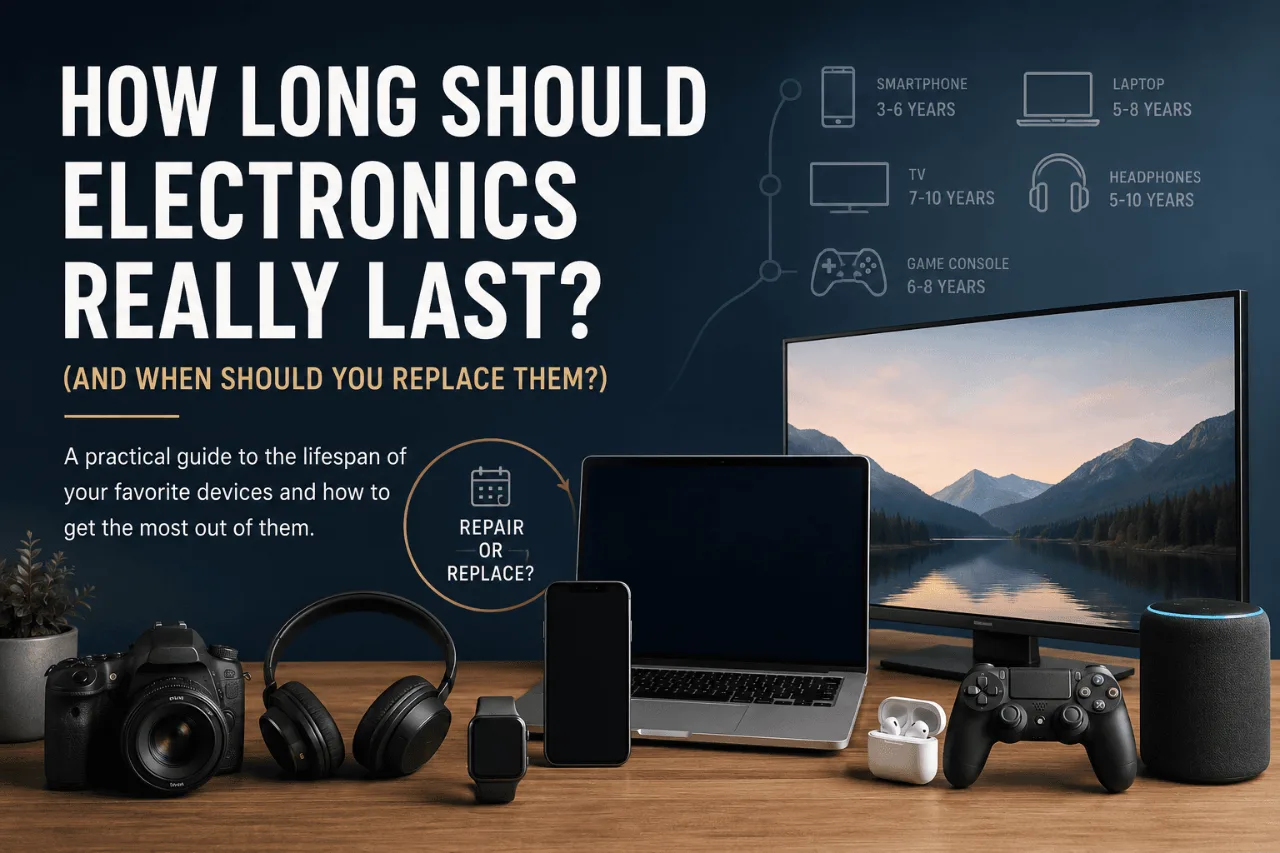

Most people replace their electronics far sooner than they actually need to. Others hold onto aging devices long after they’ve stopped performing well, costing themselves time, productivity, and even money. So how do you know when it’s finally time to upgrade?
Whether it’s your laptop, smartphone, TV, headphones, or coffee machine, every electronic product has an expected lifespan. Understanding that lifespan can help you avoid wasting money, reduce electronic waste, and get the most value from every purchase.
In this guide, we’ll explore how long today’s most popular electronics are designed to last, the warning signs that indicate it’s time for a replacement, and simple habits that can extend the life of your devices by years.
Table of Contents
Why Electronics Don’t Last Forever
What Determines an Electronic Product’s Lifespan?
Average Lifespan of Popular Electronics
Why Some Products Fail Much Earlier
Repair or Replace?
Signs It’s Time for an Upgrade
How to Make Electronics Last Longer
Frequently Asked Questions
Final Thoughts
Why Electronics Don’t Last Forever
No electronic device is built to last forever. Even premium products eventually wear out as components age, batteries degrade, software evolves, and technology advances.
However, replacing a device simply because a newer version exists is rarely the smartest financial decision.
Many people assume their electronics are “old” after just two or three years. In reality, most well-made devices continue performing reliably for much longer when they’re properly maintained.
The key is understanding the difference between a device that’s outdated and a device that’s actually worn out.
For example, a five-year-old laptop may still be perfectly capable of handling web browsing, office work, streaming, and everyday tasks. On the other hand, a two-year-old laptop that constantly overheats, crashes, or struggles with basic software may genuinely be reaching the end of its useful life.
Replacing electronics should be based on performance and reliability—not simply on age.
What Determines an Electronic Product’s Lifespan?
Several factors determine how long a device will remain useful.
Build Quality
Not all electronics are manufactured to the same standard.
Products built with higher-quality materials often last significantly longer than budget alternatives.
Metal chassis, premium internal components, better cooling systems, and stronger quality control all contribute to a longer lifespan.
While premium products usually cost more upfront, they often provide better value over time because they require fewer repairs and less frequent replacement.
Usage
How you use a product matters just as much as who made it.
A laptop used for occasional web browsing may still perform well after eight years.
The same laptop used every day for demanding video editing or gaming may begin showing signs of wear much sooner.
Heavy workloads create more heat, put greater stress on internal components, and accelerate wear.
Heat
Heat is one of the biggest enemies of electronics.
Excessive temperatures slowly damage batteries, processors, graphics chips, and storage devices.
Dust buildup, blocked air vents, and poor airflow all increase operating temperatures.
Keeping devices cool is one of the easiest ways to extend their lifespan.
Software Support
Sometimes hardware isn’t the problem.
Manufacturers eventually stop releasing software updates for older devices.
Without security updates or compatibility with newer applications, a perfectly functional product may become less practical to use.
This is especially important for smartphones, tablets, smart home devices, and streaming hardware.
Maintenance
Small maintenance habits make a surprisingly large difference.
Cleaning fans.
Replacing worn batteries.
Updating software.
Removing unnecessary files.
Using surge protectors.
Avoiding physical damage.
These simple steps can often add years to the life of a device.
Average Lifespan of Popular Electronics
While every product is different, the estimates below reflect what most people can reasonably expect from modern electronics under normal everyday use.
Product | Average Lifespan |
Smartphone | 3–6 years |
Laptop | 5–8 years |
Desktop PC | 6–10 years |
Tablet | 4–7 years |
Smartwatch | 3–5 years |
Wireless Earbuds | 2–4 years |
Over-Ear Headphones | 5–10 years |
Bluetooth Speaker | 5–8 years |
Gaming Console | 6–8 years |
Television | 7–10 years |
Monitor | 8–12 years |
Wi-Fi Router | 4–6 years |
Mechanical Keyboard | 10–20 years |
Gaming Mouse | 5–8 years |
External SSD | 7–10 years |
Air Fryer | 5–8 years |
Coffee Machine | 5–10 years |
Robot Vacuum | 4–7 years |
These figures aren’t guarantees. Some products fail much earlier, while others continue working well beyond these estimates.
A Closer Look at the Most Common Devices
Smartphones
Modern smartphones are far more durable than they were a decade ago.
For many people, the biggest limitation isn’t the hardware—it’s the battery.
Lithium-ion batteries naturally lose capacity over time. After several hundred charging cycles, most phones won’t hold a charge as well as they once did.
Fortunately, replacing a battery is often far cheaper than replacing the entire phone.
A smartphone is usually worth keeping if:
Battery life is still acceptable or can be restored with a replacement.
Performance meets your daily needs.
The manufacturer continues providing security updates.
The screen and camera still perform well.
You should start considering a replacement when:
The battery drains unusually quickly.
Apps frequently crash.
Security updates have ended.
Storage limitations become a daily frustration.
Repairs cost a significant percentage of a new phone.
Many users upgrade every two years, but in reality, most quality smartphones remain perfectly usable for four to six years.
Laptops
A good laptop is one of the longest-lasting electronics most people own.
Business laptops and premium ultrabooks often remain reliable for many years, particularly when equipped with sufficient RAM and fast SSD storage.
The first signs of aging usually include:
Reduced battery life.
Slower performance.
Louder cooling fans.
Higher operating temperatures.
Longer boot times.
Before replacing a laptop, it’s worth asking whether a simple upgrade could solve the problem.
Adding more memory, installing a faster SSD, replacing the battery, or performing a clean operating system installation can dramatically improve performance at a fraction of the cost of buying new hardware.
For many users, these upgrades extend a laptop’s useful life by several years.
Televisions
Unlike smartphones, televisions typically age much more slowly.
If image quality remains good and the display functions properly, there’s often little reason to replace a TV simply because a newer model has been released.
Instead, consider upgrading when:
Brightness has noticeably declined.
Burn-in becomes visible on OLED panels.
The TV no longer supports the apps or streaming services you use.
Repair costs approach the value of a replacement.
Many households continue using televisions for eight to ten years—or even longer.
Wireless Earbuds
Wireless earbuds have become one of the shortest-lived consumer electronics.
The reason isn’t poor build quality.
It’s battery chemistry.
The tiny batteries inside each earbud gradually lose capacity, and unlike larger devices, they’re often difficult or impossible to replace economically.
Signs they’re reaching the end of their lifespan include:
Dramatically shorter listening time.
Charging inconsistencies.
Connectivity issues.
One earbud draining much faster than the other.
If audio quality is still excellent, they may continue serving as backup earbuds, but battery wear is usually what determines when replacement becomes necessary.
Gaming Consoles
Gaming consoles are surprisingly durable.
Many continue functioning well for seven years or longer.
Unlike smartphones, they’re designed around a fixed hardware platform, meaning games are optimized specifically for that system throughout its lifecycle.
The most common issues are:
Dust accumulation.
Loud cooling fans.
Storage limitations.
Overheating caused by poor ventilation.
Fortunately, regular cleaning and proper airflow often keep a console running reliably for many years.
Why Do Some Electronics Fail Much Earlier Than Expected?
Two people can buy the exact same laptop on the same day, yet one is still using it happily eight years later while the other’s fails after only three.
That difference usually isn’t luck. It’s a combination of usage habits, environment, maintenance, and product quality.
Understanding what shortens the lifespan of electronics can help you avoid expensive replacements and get significantly more value from the devices you already own.
The Biggest Reasons Electronics Wear Out Early
Heat
If there’s one thing that consistently shortens the life of electronic devices, it’s excessive heat.
Processors, batteries, graphics chips, and storage components all operate best within a safe temperature range. Running hotter than intended for long periods gradually accelerates wear and can eventually lead to permanent damage.
Common causes include:
Blocking laptop air vents while using it on a bed or couch.
Allowing dust to build up inside desktops or gaming consoles.
Leaving devices in direct sunlight.
Charging phones under pillows or blankets.
Poor ventilation around TVs and routers.
Keeping electronics cool is one of the simplest and most effective ways to extend their lifespan.
Dust
Dust might seem harmless, but inside a computer or gaming console it acts like insulation.
Cooling fans become less effective, temperatures rise, and components experience more stress than they should.
If you own a desktop PC or console, occasional cleaning can make a noticeable difference.
For laptops, keeping vents clear and avoiding dusty environments helps maintain proper airflow.
Battery Degradation
Rechargeable batteries naturally wear out over time.
Every charge and discharge cycle slightly reduces the battery’s maximum capacity.
This doesn’t mean you’ve done anything wrong—it’s simply how lithium-ion batteries work.
To help batteries last longer:
Avoid leaving devices at 100% charge for days at a time.
Try not to let batteries regularly drop to 0%.
Keep devices away from excessive heat while charging.
Use high-quality chargers whenever possible.
Most batteries begin showing noticeable capacity loss after a few years of regular use, but replacing the battery is often far less expensive than replacing the entire device.
Physical Damage
Many electronic failures aren’t caused by age at all.
Instead, they’re the result of everyday accidents.
Common examples include:
Dropping smartphones.
Spilling liquids on laptops.
Pulling charging cables aggressively.
Transporting devices without protective cases.
Bending charging connectors.
Using simple protective accessories can dramatically reduce repair costs over the life of a device.
Repair or Replace?
This is one of the most common questions people ask.
There’s no universal answer, but a few practical guidelines make the decision much easier.
In general, repairing a device makes sense when:
The repair is relatively inexpensive.
The device still meets your needs.
Software support is continuing.
The rest of the hardware remains in good condition.
Replacing usually becomes the better option when:
Repair costs approach half the price of a new product.
Performance no longer keeps up with your daily tasks.
Replacement parts are difficult to find.
Security updates have ended.
Multiple components have already failed.
The goal isn’t to keep a product forever.
It’s to replace it at the point where doing so genuinely improves your experience—not simply because a newer version exists.
Signs It’s Time to Upgrade
Many people upgrade simply because a manufacturer announces a new model.
That’s rarely the best reason.
Instead, ask yourself these questions.
Is It Slowing You Down?
If your device regularly interrupts your work, takes several minutes to boot, freezes during simple tasks, or struggles to run software you use every day, it’s probably costing you time.
Time has value.
Sometimes upgrading isn’t about getting new features—it’s about removing daily frustration.
Is It Becoming Unreliable?
Random shutdowns.
Charging issues.
Frequent crashes.
Wi-Fi problems.
Overheating.
If reliability has become unpredictable, replacement often makes more sense than continuing to troubleshoot.
Are Repairs Becoming Frequent?
One repair is normal.
Two can happen.
But once problems become recurring, you’re often spending money simply to delay the inevitable.
If you’re constantly replacing parts, it’s usually worth calculating how much those repairs add up compared with purchasing a new device.
Is Software Leaving It Behind?
Even perfectly working hardware eventually loses software support.
Without security updates or compatibility with newer apps, continuing to use older devices may introduce unnecessary security risks.
This is particularly important for smartphones, tablets, smart home products, and internet-connected devices.
How to Make Electronics Last Longer
The good news is that extending the lifespan of electronics doesn’t require technical expertise.
Small habits often have the biggest impact.
Keep Devices Clean
Dust reduces cooling performance.
A quick cleaning every few months helps maintain airflow and prevents unnecessary heat buildup.
Update Software Regularly
Software updates don’t just add features.
They often include:
Security improvements.
Bug fixes.
Battery optimizations.
Better system stability.
Keeping devices updated helps them remain reliable for longer.
Use Surge Protection
Unexpected power surges can permanently damage expensive electronics.
A quality surge protector is one of the cheapest investments you can make to protect televisions, gaming consoles, desktop computers, routers, and home office equipment.
Replace Small Parts Before They Become Bigger Problems
Sometimes spending a little prevents spending a lot.
Examples include:
Replacing a worn laptop battery.
Swapping old thermal paste in a gaming PC.
Installing a new SSD instead of replacing the entire computer.
Replacing damaged charging cables before they damage ports.
Simple repairs can significantly extend the useful life of many devices.
Frequently Asked Questions
Should I replace my phone every two years?
Not necessarily.
If your phone still performs well, receives security updates, and meets your daily needs, keeping it for four to six years is often the more economical choice.
Does charging overnight damage batteries?
Modern devices are designed to stop charging once they reach full capacity.
Occasional overnight charging is generally fine, although consistently exposing a battery to high temperatures while charging can reduce its lifespan over time.
Are expensive electronics always worth buying?
Not always.
However, higher-quality products often last longer, receive better software support, and are easier to repair.
Paying more upfront can sometimes reduce the total cost of ownership over several years.
Can replacing the battery make an old device feel new again?
In many cases, yes.
For smartphones, laptops, and tablets, a new battery can restore much of the original usability and postpone the need for a replacement.
Final Thoughts
Technology evolves quickly, but that doesn’t mean your electronics need to be replaced just as often.
Many devices are capable of lasting far longer than most people expect, especially when they’re properly maintained and repaired when practical. The smartest upgrade isn’t always the newest product—it’s the one that makes sense for your needs, your budget, and the value you’re getting from what you already own.
Before buying your next phone, laptop, TV, or pair of headphones, ask yourself one simple question:
Has this device truly reached the end of its useful life, or am I upgrading simply because something newer exists?
Making that distinction can save you hundreds of dollars over time, reduce electronic waste, and help you make smarter purchasing decisions.
At WorthTheCart, that’s exactly what we aim to help you do—buy less often, buy more confidently, and make every purchase one that’s truly worth adding to your cart.
Popular Posts
tech Reviews
GOverlay Plus 7.8-Inch Review: The Little Screen That Brought My Gaming Setup Together
Tech Reviews
UNIHIKER K10 Review: The $28.90 AI Board That Can Become Almost Anything
Gaming
What We Know About the Guy Behind the GTA 6 Leak: CyberLeek
Home Servers
ZimaBlade Review: Is This Tiny Home Server Worth It?
Keep reading


